
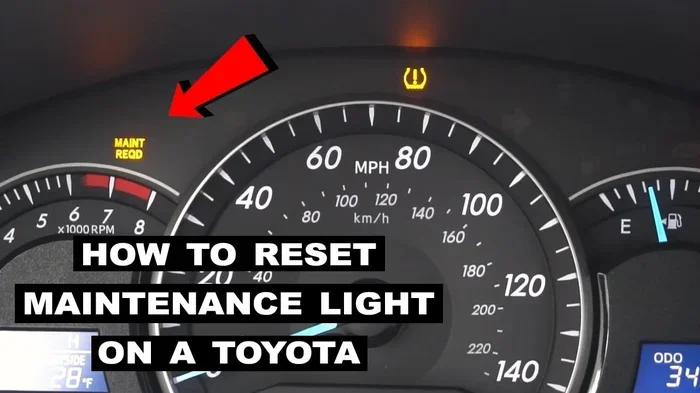
Seeing a maintenance light on your dashboard can feel annoying. You do not need a mechanic to fix this. You can reset maintenance light in Toyota Camry yourself in just a few minutes. This guide shows you exactly what buttons to press. You will save time and money with these easy steps.
Key Takeaways
- Easy Process: You can clear the light without special tools or a mechanic.
- Model Variations: Steps differ slightly between older and newer Camry models.
- Oil Life Reset: The light usually tracks oil life, not just mileage.
- Safety First: Always park safely and turn off the engine before starting.
- Save Money: Doing it yourself avoids unnecessary service fees.
- Regular Maintenance: Resetting the light does not replace actual oil changes.
- Dashboard Clarity: Clearing the light helps you monitor future maintenance needs.
📑 Table of Contents
Why You Need to Reset Maintenance Light in Toyota Camry
That little light on your dashboard can be stressful. It pops up when you least expect it. You might worry something is wrong with your car. But usually, it is just a reminder. The Toyota Camry maintenance reminder is designed to help you. It tracks when you need service.
Once you change your oil, the light stays on. This is annoying. You want a clean dashboard. You also want to know when the next service is due. Resetting the light sets the timer back to zero. It keeps your vehicle maintenance schedule accurate.
Many people ignore this light. They think it is too hard to fix. Some think they need a computer tool. That is not true. You can do this at home. It takes less than five minutes. You just need to know the right steps.
Ignoring the light does not hurt the car. But it hides important info. You might miss the next oil change. This can lead to engine wear. So, clearing the light is good for your car health. It keeps you informed.
Understanding the Dashboard Indicator
The light usually says Maintenance Required. It looks like a wrench or a oil can. Sometimes it shows mileage left. This system counts miles since the last reset. It does not know if you changed the oil. It only knows distance.
That is why you must reset it manually. The car computer needs a signal. You give that signal with the buttons. This tells the system you did the work. Now it starts counting again.
Is It Safe to Drive with the Light On?
Yes, it is safe for a short time. The light is not a warning light. It is not the check engine light. You do not need to panic. But you should plan your service soon. Do not wait too long.
If the light is flashing, stop driving. That is different. But the steady maintenance light is just a reminder. You can drive to your garage. Or you can reset it yourself.
Preparation Before You Start
Before you touch any buttons, get ready. You need a few things. First, make sure your car is parked. Put it on a flat surface. Turn off the engine. This is for safety.
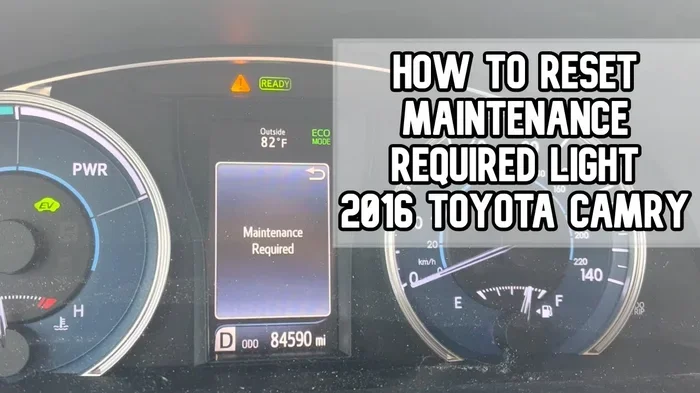
Visual guide about Toyota Camry maintenance light reset
Image source: i.ytimg.com
You should also have your keys ready. You will need them for the ignition. Some models need the engine off. Others need the engine running. We will cover both ways. Check your Toyota Camry owner manual if you are unsure.
Gather your tools. You usually do not need tools. Just your fingers for the buttons. But have your oil change info ready. You might need to know the mileage. This helps confirm the reset worked.
Check Your Camry Model Year
Not all Camrys are the same. Older models use different screens. Newer models have touch buttons. Some use the steering wheel controls. Knowing your model helps a lot. It saves you from guessing.
If you have a 2018 or newer, the steps are specific. If you have a 2010 model, they are different. We will cover the most common methods. You can find the one that fits.
Ensure the Engine is Off
Safety is key. You do not want the car moving. Put the car in park. Engage the emergency brake. Turn the engine off. Wait for the screens to go dark. Then turn the ignition back on.
This wakes up the dashboard. You will see the lights. Now you are ready to press buttons. This simple step prevents errors. It ensures the system accepts the reset.
Method 1: Resetting for 2018 and Newer Models
Newer Camrys have a smart screen. You use the steering wheel or touch screen. This method is very modern. It feels like using a phone. You navigate through menus.
First, turn the car on. Do not start the engine. Just put it in accessory mode. Or start the engine if needed. Look at the multi-information display. It is below the speedometer.
Find the settings menu. You might see a gear icon. Use the arrows on the steering wheel. Scroll until you find Vehicle Settings. Then look for Oil Maintenance.
Select that option. You will see a reset button. Press it. The system will ask for confirmation. Say yes. The light should go off. This clears the Toyota Camry oil life counter.
Using the Steering Wheel Controls
The steering wheel has arrow buttons. Use the right arrow to scroll. Use the up and down arrows to select. This keeps your hands on the wheel. It is safer than reaching for the screen.
Navigate to the settings gear. It is usually on the right side. Scroll down to vehicle settings. Find the oil maintenance option. Press enter to select it.
You will see the current oil life percentage. It might say 0% or 10%. Select the reset option. Confirm your choice. The percentage will go back to 100%. The light will disappear.
Navigating the Touch Screen
Some models have a big touch screen. This is even easier. You just tap the screen. Find the settings app. It looks like a gear.
Tap on Maintenance or Vehicle Status. Look for the oil reset option. Tap reset. The system will confirm. The dashboard warning light will turn off.
This method is very user-friendly. You can see the mileage counter too. It shows when the next service is due. This helps you plan ahead.
Method 2: Resetting for 2010 to 2017 Models
Older Camrys are different. They do not have big touch screens. They use the odometer button. This is a classic method. Many Toyota owners know this trick.
First, turn the car off. Make sure the engine is not running. Look at the odometer. It shows the total mileage. You need to use this button.
Press and hold the odometer button. Do not let go. Now turn the ignition on. Keep holding the button. Watch the dashboard lights.
The maintenance light reset process starts here. The odometer display will change. It might show dashes or zeros. Keep holding the button. Wait until the light goes off.
Using the Odometer Trip Button
This button is usually on the dashboard. It is near the speedometer. It resets the trip mileage. But it also resets the maintenance light. This is a dual-purpose button.
Hold it down firmly. You need to press it hard enough. The system needs to feel the input. Turn the key to the on position. Do not start the engine.
The lights will flash. The maintenance light will blink. Then it will turn off. Release the button. Turn the car off. Start it again to check. The light should be gone.
Common Issues with Older Models
Sometimes the light stays on. This happens if you let go too soon. You must hold the button the whole time. Try again if this happens. Be patient.
Also, check your battery. A weak battery can cause glitches. The dashboard might not respond. Ensure your Toyota Camry battery is strong. This helps the electronics work right.
Method 3: Using the Maintenance Mode Switch
Some specific models have a switch. This is less common. It is a physical button under the dash. It might be labeled Reset.
Find this button. It is usually near the knee panel. Turn the ignition on. Press and hold the reset switch. The light should blink.
Keep holding it. Wait for the confirmation. The light will turn off. This is the fastest method. But not all cars have it. Check your interior first.
When to Use This Method
Use this if you have the switch. It is easier than the button hold. You do not need to watch the odometer. Just press and wait.
This is great for quick resets. You can do it in your driveway. No need to navigate menus. It is very straightforward.
Troubleshooting When the Light Stays On
What if the light does not go off? Do not worry. This happens sometimes. It means the reset did not take. You need to try again.
First, check your steps. Did you hold the button long enough? Did you turn the ignition on correctly? Small mistakes happen. Review the steps carefully.
Second, check the oil life. Maybe the system thinks you did not change the oil. Some cars need a specific mileage input. Ensure you followed the right procedure for your year.
Double Check Your Steps
Go through the process one more time. Be slow and careful. Rushing causes errors. Make sure the car is in the right mode.
For newer cars, check the menu settings. You might have selected the wrong option. Look for Oil Maintenance specifically. Do not reset the whole vehicle system.
When to See a Professional
If the light stays on after three tries, stop. There might be a real issue. Maybe the sensor is broken. Or the oil pressure is low.
Visit a Toyota service center. They have diagnostic tools. They can read the error codes. This ensures your car is safe. Do not ignore a persistent light.
Maintenance Tips After Resetting
Now that the light is off, keep it that way. Follow a good car maintenance schedule. Change your oil on time. Do not wait for the light to come back.
Use the right oil for your Camry. Check the manual for viscosity. Using the wrong oil can hurt the engine. It can also trigger the light sooner.
Check your tires regularly. Low tire pressure affects mileage. It also affects safety. Keep them inflated to the right PSI.
Regular Oil Changes
Oil is the lifeblood of your engine. Change it every 5,000 to 10,000 miles. Synthetic oil lasts longer. Follow the manufacturer recommendation.
Fresh oil keeps the engine clean. It reduces friction. It prevents overheating. This saves you money on repairs. It also keeps the Toyota Camry maintenance reminder accurate.
Monitoring Other Dashboard Lights
Watch out for other lights. The check engine light is serious. The brake light is critical. Do not confuse them with the maintenance light.
Learn what each symbol means. Your owner manual has a guide. Keep it in your glove box. This helps you react fast. It keeps you safe on the road.
Conclusion
Resetting the light is simple. You do not need to stress. You now know how to reset maintenance light in Toyota Camry. It is a useful skill for any owner.
You save money by doing it yourself. You also learn more about your car. This builds confidence. You can handle small tasks at home.
Remember to change your oil regularly. The light is just a tool. Use it to stay on track. Keep your Camry running smoothly for years. Safe driving!
Frequently Asked Questions
How long does it take to reset the maintenance light?
It usually takes less than five minutes. You just need to press a few buttons. It is a very quick process for most owners.
Do I need a special tool to reset the light?
No, you do not need any special tools. You only need your keys and the dashboard buttons. Some models use the steering wheel controls.
Will resetting the light delete my error codes?
No, this process only clears the maintenance reminder. It does not clear check engine codes. You need a scanner for that.
What if the maintenance light comes back on immediately?
This means the reset did not work. You should try the steps again. Ensure you held the buttons for the correct amount of time.
Is it safe to drive if the maintenance light is on?
Yes, it is safe for a short period. It is a reminder, not a critical warning. But you should schedule service soon.
Can I reset the light before an oil change?
You can, but it is not recommended. The light tracks oil life. Reset it only after you have changed the oil.