
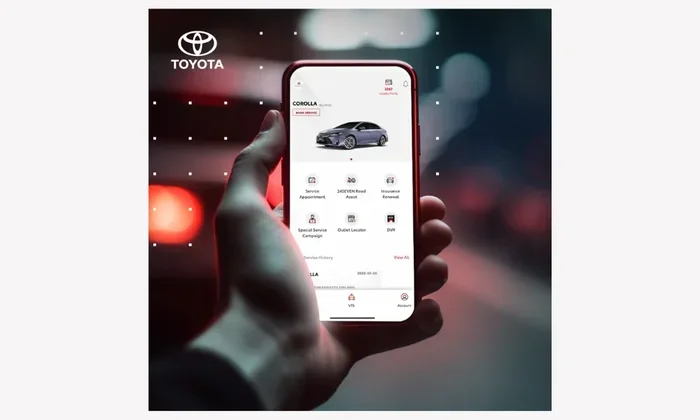
The Toyota app transforms how you interact with your vehicle every single day. It lets you remotely start your engine, check fuel levels, and receive instant security alerts from your phone. You can also schedule service appointments and access navigation tools without touching the dashboard. This powerful tool keeps you connected, safe, and informed wherever you drive.
Key Takeaways
- Remote Access: Start, lock, and unlock your car from anywhere using your smartphone.
- Security Alerts: Get instant notifications if someone bumps your vehicle or tries to move it.
- Maintenance Tracking: Monitor service schedules, tire pressure, and battery health in real time.
- Navigation & Media: Send directions to your dashboard and control music or podcasts hands-free.
- Vehicle Diagnostics: View fuel range, odometer readings, and warning lights before you drive.
- Family Sharing: Add multiple drivers to one account for shared access and peace of mind.
- Easy Setup: Pair your phone with your Toyota in minutes using a simple QR code or VIN lookup.
📑 Table of Contents
- What Does the Toyota App Do for Your Vehicle
- Remote Control and Everyday Convenience
- Security Alerts and Peace of Mind
- Maintenance Tracking and Vehicle Health
- Navigation, Media, and Smart Connectivity
- Setup, Compatibility, and Account Management
- Limitations, Costs, and What to Expect
- Final Thoughts on What Does the Toyota App Do
What Does the Toyota App Do for Your Vehicle
Modern cars do more than just get you from point A to point B. They now act like smart devices that talk to your phone. If you own a Toyota, you probably noticed a small icon on your dashboard or received a card in the glove box. That card introduces you to a digital companion that changes how you drive. Many new owners ask the same question right away. What does the Toyota app do for your vehicle? The short answer is simple. It puts control, safety, and convenience right in your pocket.
You do not need to be a tech expert to use it. The interface feels clean and straightforward. You tap a few buttons and see clear results. The app works with most newer Toyota models and pairs directly with your car’s built-in systems. Once connected, your phone becomes a remote control for everyday tasks. You can warm up the cabin on a cold morning. You can check if you locked the doors after walking away. You can even see if a warning light popped up while the car sat in the garage.
This guide breaks down every feature you need to know. You will learn how the app keeps you safe, how it saves you time, and how it helps you maintain your vehicle. We will also cover setup steps, common questions, and tips to get the most out of your connection. By the end, you will know exactly how this tool fits into your daily routine.
Remote Control and Everyday Convenience
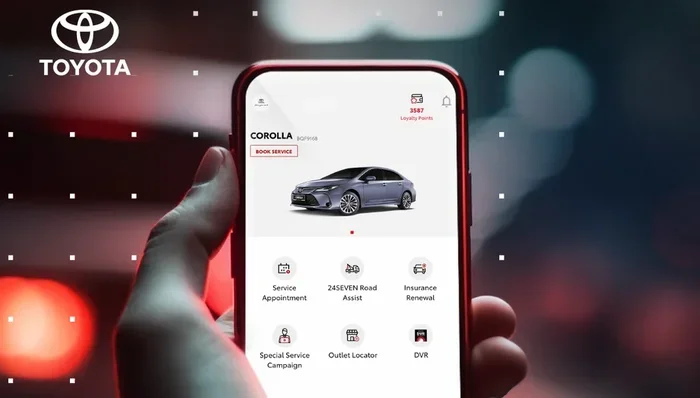
Visual guide about Toyota app smartphone vehicle
Image source: img.icarcdn.com
The biggest draw of the app is remote access. You can start your engine, lock the doors, and unlock them without touching a key fob. This feature shines in extreme weather. Cold winters make you wait for the heater to kick in. Hot summers leave the seats burning. With a few taps, you send a start command and let the cabin reach a comfortable temperature. You walk out to a ready car instead of a cold metal box.
The app also handles basic security tasks. You can lock the vehicle if you forgot to press the button on your key. You can unlock it when your hands are full with groceries or kids. The controls work through a secure connection, so your commands reach the car safely. You will see a confirmation screen that tells you the action succeeded. If the car does not respond, the app explains why and suggests a quick fix.
Quick Tip: Keep your phone battery above twenty percent before sending remote commands. A weak phone connection can delay the signal and make you wait longer than needed.
Start, Lock, and Unlock from Your Phone
Remote start is the most popular feature for good reason. You open the app, tap the start button, and choose how long you want the engine to run. The car warms up while you finish getting ready. You can also set a timer in some models, which adds even more convenience. Lock and unlock functions work the same way. One tap secures the vehicle. Another tap opens the doors for you or your passengers.
These controls help when your keys are inside the house or buried in a bag. They also help when you park in a tight spot and do not want to dig for the fob. The app gives you a clean backup option that feels natural after a few uses.
Climate Pre-Conditioning and Comfort Settings
Some Toyota models let you adjust climate settings through the app. You can set the temperature before you start the engine. You can also direct airflow to specific zones if your vehicle supports it. This matters on long trips and daily commutes. A comfortable cabin makes the drive smoother and reduces stress. You do not have to wait for the system to catch up once you sit down.
Common Mistake: Do not run the remote start for too long in enclosed spaces. Always park in a well-ventilated area and follow local rules about idling. Short pre-conditioning sessions work best for comfort and fuel economy.
Security Alerts and Peace of Mind
Safety matters as much as convenience. The app watches your vehicle and sends alerts when something changes. You get a notice if someone bumps the car. You get another notice if the vehicle moves without the engine running. You also receive reminders if a door stays open too long. These alerts help you react fast and avoid bigger problems.
The security system works in the background. You do not need to keep the app open to receive warnings. Notifications arrive on your phone the moment the car detects an event. You can then check the status screen and see what happened. This feature is especially useful for parents, commuters, and anyone who parks in busy lots.
Expert Insight: Turn on push notifications and keep your phone’s alert settings enabled. Missing a security notice defeats the purpose of the system. A few seconds of attention can stop a small issue from becoming a big headache.
Theft Deterrence and Incident Notifications
Visible security features discourage unwanted attention. When you use the app to lock the car and receive confirmation, you create a clear routine. You also get alerts that help you track unusual activity. If a window gets broken or a tire gets touched, the system can notify you right away. You can then call for help or check the area with confidence.
The app does not replace a full alarm system, but it adds a smart layer of awareness. It works best when you pair it with good habits. Park in lit areas. Keep valuables out of sight. Use the app to verify the car is secure before you walk away.
Location Tracking and Parking Help
Some versions of the app help you find your car in a crowded garage or large lot. You can view the last known location and get basic directions. This saves time when you are rushing to a meeting or navigating a huge shopping center. You do not have to press the key button and listen for the horn. You simply open the app and follow the map.
This feature also helps when you lend your car to a family member. You can see where the vehicle is parked after the trip ends. It adds a gentle way to stay informed without hovering over the driver.
Maintenance Tracking and Vehicle Health
A car runs better when you care for it on time. The app helps you stay on schedule without flipping through paper manuals. You can see service reminders, check tire pressure, and review battery status. You also get a clear view of fuel range and odometer readings. This information helps you plan trips and avoid surprise breakdowns.
Maintenance tracking removes guesswork. Instead of wondering when the last oil change happened, you see the next due date. Instead of ignoring a slow warning light, you get a prompt that tells you to check the issue. The app turns raw data into simple actions.
Quick Tip: Pair the app with your service center email or calendar. When the app sends a reminder, add it to your phone calendar right away. This habit keeps your car healthy and your schedule organized.
Service Reminders and Scheduled Care
The app tracks routine tasks based on your driving habits and mileage. You receive reminders for oil changes, tire rotations, and inspections. You can also view past service records if your model supports it. This history helps you stay organized and makes it easier to share information with a mechanic.
When a reminder appears, you do not need to panic. Most alerts simply tell you it is time to book an appointment. You can use the app to contact your dealer or note the issue for later. The goal is steady care, not stress.
Diagnostic Insights and Warning Light Support
Modern vehicles monitor many systems while they run. The app can show you basic diagnostic info when something changes. You might see a tire pressure warning or a battery status update. You might also see a notice that a sensor needs attention. These insights help you act before a small issue grows.
The app does not replace a professional diagnostic tool, but it gives you a helpful first look. If a warning light appears, you can check the app for context and then decide your next step. This approach saves time and reduces confusion.
Common Mistake: Do not ignore repeated alerts because the car still drives fine. Small warnings often point to issues that get costly if left alone. A quick check now can protect your wallet later.
Navigation, Media, and Smart Connectivity
The app connects your phone to your car’s digital systems. You can send destinations to the dashboard before you drive. You can also control music, podcasts, and calls with less fumbling. This hands-free flow keeps your attention on the road and makes every trip smoother.
Think about the last time you tried to type an address while parked in a busy lot. It feels awkward and slow. With the app, you send the address from your phone and let the car handle the rest. You step in, start the drive, and follow the route without extra steps. The same idea applies to media. You pick what you want to hear before you shift into gear.
Send Directions and Sync Your Playlist
Navigation sync works by sharing a location from your phone to the vehicle. You search for a place on your app, then push it to the car’s screen. The route loads before you start driving. This is useful for new places, seasonal trips, and daily stops you do not want to type twice.
Media sync keeps your entertainment ready. You can queue songs, set a podcast episode, or choose a radio station through your phone. The car then plays what you selected. This reduces distractions and makes the cabin feel more personal.
Expert Insight: Update your app and car software regularly. Fresh updates improve connection speed, fix bugs, and add new features over time. A few minutes of maintenance keeps the experience smooth.
Hands-Free Calls and Message Alerts
Safety improves when you keep your hands on the wheel. The app supports hands-free calling and message notifications in supported models. You can see who is calling and answer through the car’s system. You can also get simple alerts for texts without reading every word while driving. This balance keeps you informed and focused.
Use these features responsibly. Set up your contacts before you drive. Choose voice prompts that feel clear. Keep conversations short when traffic gets heavy. The goal is convenience that supports safe driving, not distracts from it.
Setup, Compatibility, and Account Management
Getting started is simple. You download the app, create an account, and link your vehicle. You usually need your VIN and a valid email address. Some models ask you to scan a QR code or enter a pairing code from the dashboard. Once the connection is active, you can add features and customize alerts.
The app works with many newer Toyota vehicles, but not every feature appears on every model. Your available tools depend on your trim, year, and built-in hardware. The app screen adapts to what your car supports, so you only see options that actually work. This keeps the experience clean and avoids confusion.
Quick Tip: Keep your account profile updated. Use a current email, a strong password, and a backup phone number. These small steps make recovery easier if you change devices or lose access.
How to Pair Your Phone and Vehicle
First, download the official app from a trusted store. Open it and sign in with your account details. Next, choose the option to add a vehicle. Enter your VIN or scan the code provided in your car. Follow the on-screen steps until the app confirms the link. After that, test a basic feature like lock or unlock to make sure everything works.
If the pairing stalls, check your phone’s Bluetooth and location settings. Make sure the car is in a state that allows pairing. Restart the app if needed. Most setup issues come from a weak connection or a missed permission prompt.
Multi-Driver Accounts and Family Sharing
Many households share one vehicle. The app supports multiple drivers on one account in many cases. You can add a spouse, a teen, or a family member so everyone gets useful access. Each person can use their own phone while the car stays linked to the main account. This setup is handy for shared errands, school runs, and weekend trips.
When you share access, set clear expectations. Decide who handles service reminders. Agree on remote start use. Keep the account info private and only share it with trusted people. Good communication keeps the system useful for everyone.
Common Mistake: Do not share login details in group chats or unsecured messages. Use the app’s built-in sharing tools when available. This protects your vehicle data and keeps access under control.
Limitations, Costs, and What to Expect
The app brings a lot to the table, but it is not magic. It depends on a cellular connection in the car and a stable phone network. If the signal drops, some features may lag or pause. The app also cannot override every vehicle system. You still need the physical key for certain tasks, and some advanced settings stay on the dashboard.
Subscription terms can vary by region and model. Some features may require an active plan, while others work right away. Check your vehicle’s info and the app’s current terms before you assume everything is free forever. Knowing the details upfront helps you avoid surprises.
Quick Tip: Review the feature list for your exact model. A trim-level difference can change what you see in the app. Matching expectations to your hardware keeps you satisfied.
Connectivity Limits and Network Dependence
Remote features need a healthy data link between the car and the server. Thick concrete garages, remote areas, and network outages can interrupt commands. If a start request fails, wait a moment and try again. If it keeps failing, check your phone signal and the car’s connection status.
This limitation does not make the app useless. It simply means the tool works best when the car has a clear path to the network. Most drivers use it in normal conditions, and it performs well there.
Subscription Plans and Feature Access
Some apps offer a free tier and a paid tier. The free tier usually covers basic remote actions and alerts. The paid tier may add longer remote start times, extra notifications, or advanced history tools. Read the current terms so you know what you get and what you do not.
If you are unsure, start with the basic access and test it for a week. Use the features you care about most. If you need more, review the upgrade options. If you do not, keep the simple setup and enjoy the core tools.
Expert Insight: Treat the app like a living tool. Update it, check its settings after software changes, and revisit your alert preferences every few months. Small tune-ups keep the experience sharp.
Final Thoughts on What Does the Toyota App Do
The app gives you a practical way to stay connected to your car. It handles remote start, lock and unlock tasks, security alerts, maintenance reminders, and smart navigation sync. It also helps you track basic vehicle health and share access with family members. In daily life, that means less rushing, fewer forgotten steps, and more confidence every time you drive.
If you are wondering what does the Toyota app do for your routine, the answer is clear. It turns simple phone taps into real vehicle control. It gives you a faster way to prepare the cabin, check security, and stay on top of service. It supports safer habits by reducing distractions and sending timely alerts. With a quick setup and a little customization, it becomes a useful part of ownership.
Take a few minutes to explore the settings after you link your vehicle. Turn on the alerts that matter. Test the remote features in a safe place. Add the people who need access. Once you do, the app stops feeling like a novelty and starts feeling like a steady helper. That is the real value behind the connection.
Frequently Asked Questions
What does the Toyota app do for a new car owner?
It connects your phone to your vehicle so you can remotely start the engine, lock or unlock doors, receive security alerts, and check basic vehicle info. It also helps you track service reminders and send navigation directions to the dashboard.
Can I use the app without a subscription?
Many basic features work without a paid plan, but some advanced tools may require an active subscription depending on your model and region. Check your vehicle details and the app terms to see what is included for free.
Why did my remote start command fail?
A remote start can fail if the car has a weak cellular signal, the hood is open, or the vehicle is in a state that blocks remote commands. Try again after a short wait and make sure the car is parked in a safe, open area.
Does the app work when my phone has no data connection?
The app usually needs an internet connection on your phone to send commands and receive alerts. If your phone is offline, you may not be able to use remote features until you reconnect.
Can I share access with my spouse or teen driver?
Yes, many accounts allow you to add trusted drivers so they can use the app on their own phones. Use the built-in sharing tools and keep access limited to people you trust for safety and privacy.
Will the app show me why a warning light turned on?
The app can show basic alerts and vehicle status info that help you understand a warning light. It does not replace a professional diagnostic check, so serious issues should still be inspected by a technician.