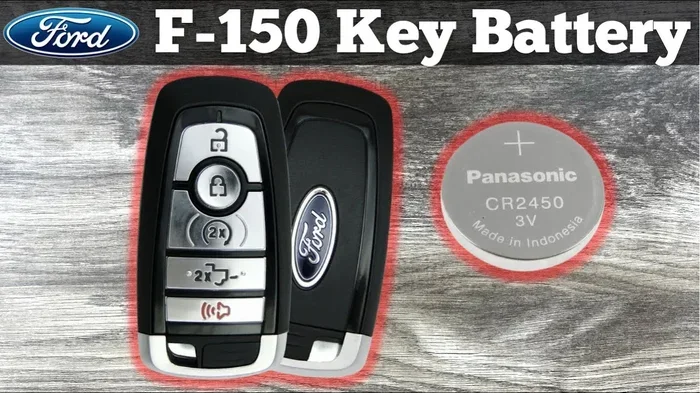

Replacing the battery in your Ford F150 key fob is a quick and easy DIY task. You only need a small flat tool and the correct CR2032 battery to get started. This guide walks you through every step so you can avoid a dealership visit and save money. Keep your truck key working smoothly with this simple fix.
Key Takeaways
- Simple DIY Fix: You can replace the battery in minutes with basic household tools.
- Correct Battery Type: Most Ford F150 key fobs use a CR2032 coin cell battery.
- Watch for the Clip: A small plastic clip holds the battery in place and must be lifted carefully.
- Test Before Reassembly: Always check that the key responds before snapping the case back together.
- Avoid Force: Use gentle pressure to open the fob and prevent cracking the plastic shell.
- Keep a Spare: Store an extra battery in your glove box so you are never caught off guard.
- When in Doubt: Consult your owner manual or a trusted guide for model-specific details.
📑 Table of Contents
- Why You Should Learn How to Change Battery in Ford F150 Key Fob
- Signs Your Ford F150 Key Fob Battery Is Dying
- Tools and Materials You Will Need
- Step-by-Step Guide: How to Change Battery in Ford F150 Key Fob
- Battery Types and Compatibility for Ford F150 Key Fobs
- Common Mistakes to Avoid When Changing the Key Fob Battery
- Expert Tips for Keeping Your Ford F150 Key Fob Working Longer
- When to Seek Professional Help
- Final Thoughts on How to Change Battery in Ford F150 Key Fob
Why You Should Learn How to Change Battery in Ford F150 Key Fob
Your Ford F150 key fob is a small but mighty tool. It locks and unlocks your truck. It starts the engine with a push of a button. It even opens the tailgate on many models. When the battery dies, all of these features stop working. That can be a real hassle when you are in a hurry.
The good news is that you do not need to pay a mechanic for this fix. You can do it yourself at home. The process is simple. It takes only a few minutes. You will save time and money by handling it on your own. Learning how to change battery in Ford F150 key fob is a useful skill for any truck owner.
In this guide, we will walk you through the entire process. We will cover the tools you need. We will explain the steps in clear detail. We will also share tips to avoid common mistakes. By the end, you will feel confident and ready to tackle the job.
Signs Your Ford F150 Key Fob Battery Is Dying
Before you start, it helps to know when the battery is actually low. Key fobs do not usually fail all at once. They give you warning signs first. Paying attention to these signs can save you from being locked out.
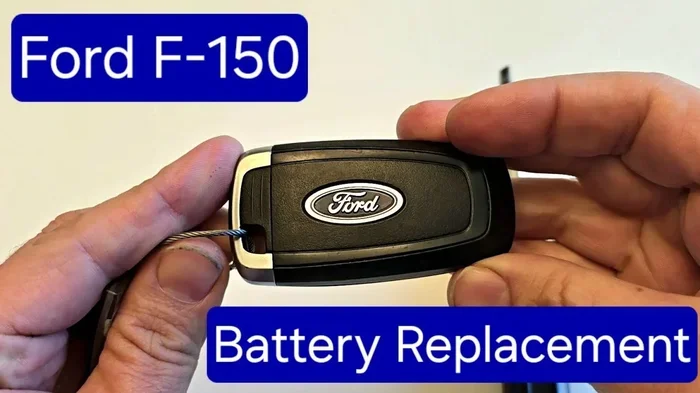
Visual guide about Ford F150 key fob battery
Image source: i.ytimg.com
Reduced Range
One of the first signs is a shorter range. You may need to stand closer to your truck for the key to work. If you used to press the button from across the parking lot, but now you must be right next to the door, the battery is likely weak.
Unresponsive Buttons
You might notice that some buttons work while others do not. The lock button may respond, but the trunk button does not. This is a clear sign that the battery is losing power. It may still have enough energy for simple tasks, but not for all functions.
Dashboard Warnings
Some Ford F150 models will show a warning on the dashboard. You may see a message about the key fob battery. If this appears, do not ignore it. Replace the battery as soon as you can to avoid sudden failure.
Tools and Materials You Will Need
You do not need a big toolbox for this job. In fact, you probably already have everything you need. Here is a simple list of what to gather before you start.
- CR2032 battery: This is the most common battery for Ford F150 key fobs. Always check your specific model to be sure.
- Small flathead screwdriver or a thin prying tool: This helps you open the fob case gently.
- A clean, flat workspace: A table or counter works well. You want a place where small parts will not get lost.
- Good lighting: A bright room or a flashlight will help you see the small parts clearly.
- Your key fob manual (optional): If you have it, this can confirm the battery type and opening method for your exact model.
That is all you need. The process is simple because the design is straightforward. With these tools ready, you can move on to the next step.
Step-by-Step Guide: How to Change Battery in Ford F150 Key Fob
Now let us get to the main part. Follow these steps in order. Take your time and work carefully. The whole process should take only a few minutes.
Step 1: Find the Seam on the Key Fob
Look at your key fob closely. You will see a small seam or gap around the edge. This is where the two halves of the case meet. On some models, there is a small notch near the key ring or the button side. This is your starting point.
Step 2: Gently Pry the Case Open
Insert the tip of your small flathead screwdriver or prying tool into the seam. Apply light pressure. Do not force it. The case is held together by small clips. A gentle twist or slide of the tool should release the first clip. Work around the edge slowly until the case opens.
If you feel resistance, stop and check the seam again. Forcing the case can crack the plastic. Patience is key here. Once the first clip releases, the rest usually follow easily.
Step 3: Remove the Old Battery
Once the case is open, you will see the battery inside. It is a small, round coin cell. In many Ford F150 key fobs, the battery sits in a small slot. There may also be a tiny plastic clip over the battery. If there is a clip, lift it carefully with your tool. Then slide the old battery out.
Note the direction of the battery before you remove it. One side will be marked with a plus sign. The other side will have a minus sign. This matters when you insert the new one.
Step 4: Insert the New CR2032 Battery
Take your new CR2032 battery. Check the markings again. Place the battery in the slot with the correct side facing up. If the old battery had the plus side up, match that direction. Press it gently into place. Make sure it sits flat and secure.
If there was a plastic clip, lower it back over the battery. This clip keeps the battery from moving around. It also helps maintain good contact with the fob circuit.
Step 5: Snap the Case Back Together
Now it is time to close the fob. Align the two halves carefully. Make sure the buttons are in their correct positions. Press around the edges until you hear the clips snap back into place. Start at one corner and work your way around.
Check the seam all the way around. The case should look smooth and even. If a clip is still open, press it gently until it locks. A properly closed case protects the battery and keeps the buttons working well.
Step 6: Test the Key Fob
Before you put your tools away, test the key. Stand near your truck and press the buttons. Try the lock button. Try the unlock button. Try the trunk or tailgate button if your model has one. The range should be back to normal. The buttons should respond quickly and consistently.
If the key does not work right away, do not panic. Remove the battery and check the direction. Make sure the battery is making good contact. Reinsert it and test again. In most cases, this solves the problem.
Battery Types and Compatibility for Ford F150 Key Fobs
Not every key fob uses the same battery. While the CR2032 battery is the most common choice for Ford F150 models, it is always smart to double-check. Different years and trim levels can have slight variations in the key design.
Here are a few things to keep in mind when choosing a battery.
- Check the old battery: The easiest way to know the right type is to look at the battery you remove. It will have the model number printed on it.
- Consult your owner manual: Your manual will list the correct battery type for your key fob. This is the most reliable source.
- Buy quality batteries: Stick with well-known brands. A good battery lasts longer and provides steady power. Cheap batteries may fail quickly or leak over time.
- Keep a spare on hand: It is a good idea to buy two batteries at a time. Store one in your glove box or tool kit. That way, you are ready for the next replacement.
Using the correct battery is important. The wrong type may not fit properly. It may also not provide the right voltage. This can cause the key to work poorly or not at all. Taking a moment to verify the battery type will save you trouble later.
Common Mistakes to Avoid When Changing the Key Fob Battery
Even a simple job can go wrong if you rush or use too much force. Here are some common mistakes and how to avoid them.
Forcing the Case Open
This is the most common mistake. People push too hard on the screwdriver or prying tool. This can crack the plastic shell. Once the case is cracked, it may not close properly. It can also let dust and moisture inside. Always use gentle pressure and work slowly.
Putting the Battery in Backward
The battery has a positive side and a negative side. If you insert it backward, the key will not work. This is an easy mistake to make because the battery is small. Take a moment to check the markings. Match the new battery to the old one before you insert it.
Losing the Small Plastic Clip
Some Ford F150 key fobs have a tiny clip that holds the battery in place. This clip is easy to lose if you are not careful. When you remove the old battery, note where the clip sits. Lower it back into place before you close the case. If you lose the clip, the battery may shift and cause connection problems.
Not Testing Before Reassembly
It is tempting to snap the case back together right away. But it is better to test first. Make sure the buttons work with the new battery. If something is wrong, you can fix it before closing the case. This saves you from having to open it all over again.
Using a Low-Quality Battery
Not all batteries are the same. A cheap, low-quality battery may not last long. It may also have uneven power output. This can make the key fob behave strangely. Invest in a good battery from a trusted brand. It is worth the small extra cost.
Expert Tips for Keeping Your Ford F150 Key Fob Working Longer
Replacing the battery is easy, but a little care can help you go longer between replacements. Here are some expert tips to keep your key fob in great shape.
Store the Key Safely
Avoid throwing your key fob into a messy pocket or a heavy bag. Coins, keys, and other metal objects can scratch the case or press the buttons by accident. A small key holder or a dedicated pocket is a better choice. This protects the case and prevents accidental button presses.
Keep It Away from Extreme Temperatures
Heat and cold can affect battery life. Do not leave your key fob in a hot car for long periods. Extreme temperatures can drain the battery faster. If you are parked in the sun, keep the key in a cooler spot inside the vehicle or in your pocket.
Clean the Buttons and Case
Dirt and grime can build up on the buttons and the case. This can make the buttons feel sticky or less responsive. Wipe the key fob with a soft, dry cloth from time to time. If it is very dirty, use a slightly damp cloth and then dry it right away. Avoid harsh cleaners that could damage the plastic.
Replace the Battery Before It Fails Completely
Do not wait until the key stops working entirely. If you notice a shorter range or slower response, replace the battery soon. This proactive approach keeps you from being stranded with a dead key. It is much easier to replace the battery on your schedule than in an emergency.
Use the Right Tools
A proper small screwdriver or prying tool makes the job smoother. Avoid using large tools or excessive force. The right tool reduces the risk of damage. It also makes the process faster and more comfortable.
When to Seek Professional Help
In most cases, you can handle this job on your own. But there are times when it is better to get help. If your key fob is damaged, cracked, or has water inside, a professional may need to repair it. If the buttons still do not work after you replace the battery correctly, there may be a deeper issue with the circuit or the buttons themselves.
If you are unsure about the battery type or the opening method for your specific model, check your owner manual or reach out to a trusted source. Some Ford F150 models have slight design differences. A quick check can save you time and prevent damage.
Final Thoughts on How to Change Battery in Ford F150 Key Fob
Replacing the battery in your key fob is a simple task that pays off. You save money. You avoid a trip to the dealership. You keep your truck key working when you need it most. With a CR2032 battery, a small tool, and a few minutes, you can do this job with confidence.
Remember to work gently. Check the battery direction. Test the key before closing the case. These small steps make a big difference. Once you know how to change battery in Ford F150 key fob, you will feel prepared for the next time the battery runs low.
Keep a spare battery in your vehicle. Take care of your key fob with simple habits. And do not wait until the last minute to replace the battery. A little attention now will keep your Ford F150 key working smoothly for a long time.
Frequently Asked Questions
What battery does a Ford F150 key fob use?
Most Ford F150 key fobs use a CR2032 coin cell battery. Always check the old battery or your owner manual to confirm the exact type for your model before buying a replacement.
How long does a Ford F150 key fob battery last?
A CR2032 battery typically lasts one to three years in a key fob. The exact life depends on how often you use the key and the conditions where you store it.
Can I change the key fob battery myself?
Yes, you can easily change the battery yourself with a small flat tool and a new CR2032 battery. The process is simple and usually takes only a few minutes.
What should I do if my key fob still does not work after replacing the battery?
Check that the battery is inserted in the correct direction and making good contact. If it still does not work, the fob may have a deeper issue, and you may need professional help.
Is it safe to use a different battery type in my Ford F150 key fob?
It is best to use the exact battery type recommended for your key fob. Using the wrong battery can cause fit or voltage issues that may prevent the key from working properly.
Where can I buy a replacement battery for my Ford F150 key fob?
You can buy a CR2032 battery at most auto parts stores, hardware stores, and online retailers. Look for a reputable brand to ensure reliable performance and longer battery life.