

How to change battery in key fob Toyota is a quick DIY task anyone can do. You only need a small screwdriver and a new CR2032 battery to get started. This guide walks you through every step so you can fix your key fob in minutes. No mechanic visit required when you know the right process.
This is a comprehensive guide about how to change battery in key fob toyota.
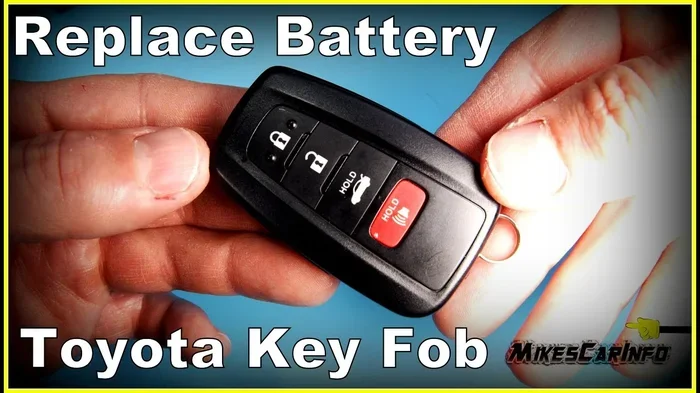
Visual guide about Toyota key fob battery replacement
Image source: i.ytimg.com
Key Takeaways
- Simple Process: Changing the battery takes less than five minutes with basic tools.
- Right Battery: Most Toyota key fobs use a CR2032 coin cell battery.
- Gentle Pressure: Use a flat tool to pry the fob open without cracking the plastic.
- Correct Alignment: Match the battery orientation exactly to avoid power issues.
- Test Before Closing: Check that buttons work before snapping the case back together.
- Backup Plan: Keep a spare key handy while you work on the main fob.
- Cost Savings: DIY replacement costs under five dollars compared to dealership fees.
[FEATURED_IMAGE_PLACEHOLDER]
Introduction
Have you ever stood outside your car and pressed the unlock button only to get no response? A dead key fob battery is one of the most frustrating car problems you can face. The good news is that you do not need to pay a dealership or locksmith to fix it. Learning how to change battery in key fob Toyota is a simple skill that saves you time and money.
Most Toyota key fobs use a small coin cell battery that lasts one to two years. When the battery dies, the remote functions stop working. You might still be able to start the car with the physical key, but the convenience features disappear. Replacing the battery restores everything back to normal very quickly.
This guide covers everything you need to know. You will learn what tools to grab, which battery to buy, and the exact steps to open and close your fob safely. We also share common mistakes to avoid and answers to frequent questions. By the end, you will feel confident handling this repair on your own.
Why Your Toyota Key Fob Battery Dies
Key fob batteries do not last forever. They power radio signals that send commands to your car from a distance. Every time you press a button, the battery drains a tiny amount. Over time, that adds up and the voltage drops below what the circuit needs.
Temperature also plays a role. Cold weather slows down chemical reactions inside the battery. This makes an old battery fail faster during winter months. Heat can also shorten battery life by speeding up internal wear. If you leave your key fob in a hot car or direct sunlight, the battery may die sooner.
Age is another factor. Most CR2032 batteries last around fifteen to twenty months with regular use. If you have not changed the battery in over a year, it is likely running low. Some drivers notice warning signs before total failure. The range gets shorter. The buttons feel less responsive. These clues tell you it is time to act.
Signs Your Battery Needs Replacement
You can spot a dying battery before it completely fails. Watch for these common symptoms:
- Short Range: You must walk closer to the car for the remote to work.
- Slow Response: The doors take longer to unlock after pressing the button.
- Intermittent Function: The fob works sometimes and fails other times.
- Dashboard Warnings: Some models show a key fob alert on the instrument panel.
- Physical Key Works: The mechanical key still opens the door, but the remote does not.
If you notice one or more of these signs, replace the battery soon. Waiting until the fob stops working completely makes the situation more stressful.
Tools and Battery You Need
Before you start, gather the right supplies. You do not need special equipment for this job. A few household items are enough. Having everything ready makes the process smooth and fast.
The most important item is the correct battery. Most Toyota key fobs use a CR2032 lithium coin cell. Some older or special models may use a different size. Check your owner manual or look at the old battery before buying a replacement. Using the wrong size will not work and may damage the contacts.
You also need a thin tool to open the fob. A small flathead screwdriver, a plastic pry tool, or even a coin works well. Metal tools can scratch the plastic, so use gentle pressure. A soft cloth helps protect the surface while you work.
Recommended Supplies
Keep this short list handy before you begin:
- CR2032 battery (or the exact size for your model)
- Small flathead screwdriver or plastic pry tool
- Soft cloth to protect the fob surface
- Clean workspace with good lighting
- Spare key if available, for backup access
That is all you need. The whole task costs very little and takes almost no time once you have the parts.
Step-by-Step Guide to Open and Replace the Battery
Now comes the main part. Follow these steps carefully and you will have a working key fob in minutes. Take your time and avoid forcing anything. Plastic clips can break if you push too hard.
Step 1: Locate the Seam and Pry Open the Fob
Look closely at your key fob. You will see a small seam along the edge or a tiny slot on the side. This is where the two halves meet. Insert your flat tool into the seam or slot. Apply light pressure to separate the casing. Some Toyota fobs have a small release button or a sliding cover. Others snap together with plastic clips. Move the tool slowly around the edge if needed. A soft click means the clips are releasing. Do not twist the fob violently. Keep the motion gentle and steady.
Step 2: Remove the Old Battery
Once the case opens, you will see the battery inside. It sits in a small circular slot. Note which side faces up before you touch it. Some fobs hold the battery with a small metal clip or a piece of tape. Lift the clip carefully if present. Slide the old battery out with your finger or a non-metallic tool. Avoid using sharp metal that could short the contacts. Place the old battery aside for proper disposal later.
Step 3: Insert the New Battery Correctly
Take your new CR2032 battery. Check the labeling on the side. The positive side usually has a plus symbol and the negative side is plain. Match the orientation exactly as the old battery was positioned. Press the new battery into the slot with light finger pressure. It should sit flat and snug. If it feels loose, double-check the direction. A misaligned battery will not power the circuit. Make sure the contacts touch the battery ends cleanly.
Step 4: Close the Fob and Test It
Line up the two halves of the casing. Press them together starting from one end and working across. You should hear soft clicks as the clips reconnect. Run your finger along the seam to confirm everything is flush. Do not slam the case shut. Gentle pressure prevents cracks. Once closed, press the unlock and lock buttons. Watch for the car lights or listen for the horn if your model has that feature. If the fob works, you are done. If not, reopen it and verify the battery orientation.
Common Mistakes to Avoid
Even a simple repair can go wrong if you rush. Avoid these common errors to keep your key fob safe.
- Forcing the Case: Pushing too hard can crack the plastic shell. Use a light touch.
- Wrong Battery Size: A different coin cell will not fit properly. Always verify the model number.
- Reverse Orientation: Flipping the battery breaks the connection. Check the plus and minus sides.
- Touching Contacts with Metal: Metal tools can cause a short. Use fingers or plastic tools.
- Skipping the Test: Closing the fob before testing means another opening. Always check first.
- Losing Small Parts: Screws or clips can fall and disappear. Work over a tray or cloth.
Taking a careful approach prevents frustration. A few extra seconds of caution saves you from repeating the job.
Expert Insights and Quick Tips
Experienced DIYers know a few tricks that make this job even easier. These insights come from repeated hands-on work with Toyota key fobs. Use them to improve your results.
Tip 1: Use a Plastic Pry Tool When Possible
Metal screwdrivers work, but plastic tools reduce scratch risk. A guitar pick, a thick piece of plastic, or a dedicated pry tool slides into the seam smoothly. It also gives better control around curved edges. If you only have a metal screwdriver, wrap the tip with tape. That small step protects the finish.
Tip 2: Clean the Contacts Before Closing
Dust and pocket lint can build up inside the fob. Wipe the battery contacts with a dry cloth or a cotton swab. Clean contacts improve electrical connection. This simple habit helps the new battery last longer and work more reliably.
Tip 3: Keep a Spare Key Accessible
If your main fob battery dies, a spare key saves the day. Store the spare in a bag, office drawer, or safe place at home. Some drivers keep a spare in the car’s emergency key slot. Check your owner manual for the mechanical key location. Having a backup reduces stress when the remote fails.
Tip 4: Replace Both Fobs at the Same Time
Many Toyota owners have two key fobs. If one battery is dead, the other is probably aging too. Changing both batteries together keeps them on the same schedule. You avoid repeating the repair soon after the first one.
Key Takeaways for a Smooth Repair
To wrap up the practical advice, remember these core points. They help you complete the job quickly and correctly.
- Identify the right battery before opening the fob.
- Open the case gently using a thin tool and light pressure.
- Match battery orientation exactly to restore power.
- Test the buttons before snapping the case closed.
- Clean contacts for better performance and longer life.
- Keep a spare key ready for emergencies.
These takeaways keep the process simple. You do not need advanced skills. You just need patience and the right parts.
Conclusion
Changing a dead key fob battery is one of the easiest car maintenance tasks you can do at home. With a small screwdriver and a CR2032 battery, you can restore your remote functions in just a few minutes. This guide showed you how to change battery in key fob Toyota without special tools or professional help. You learned the signs of a dying battery, the supplies you need, and the exact steps to open, replace, and test your fob.
Remember to work gently, verify the battery orientation, and test before closing the case. Keep a spare key nearby and consider replacing both fobs at the same time. These small habits prevent future headaches. Now you can handle this common issue with confidence and get back to using your car without interruption.
Frequently Asked Questions
What battery does a Toyota key fob use?
Most Toyota key fobs use a CR2032 lithium coin cell battery. Some older models may use a different size, so check your owner manual or the old battery before buying a replacement.
How long does a Toyota key fob battery last?
A typical CR2032 battery lasts about one to two years with regular use. Cold weather, heat, and frequent button presses can shorten that lifespan. Replace the battery when you notice reduced range or slow response.
Can I change the battery myself without tools?
Yes, you can often open the fob with a coin or your fingers if there is a sliding cover. A small flathead screwdriver or plastic pry tool makes the job easier and reduces the risk of scratches.
What if my key fob still does not work after replacing the battery?
First, check that the battery is seated correctly and the contacts are clean. If it still fails, the fob may have a wiring issue or the car may need a re-sync. Try your spare key and consult a professional if the problem continues.
Do I need to reprogram the key fob after changing the battery?
Usually no. A simple battery replacement does not erase the programming. In most cases, the fob works right away once the new battery is installed and tested.
Where can I buy a replacement battery for my Toyota key fob?
You can find CR2032 batteries at auto parts stores, hardware shops, pharmacies, and online retailers. They are inexpensive and widely available. Just confirm the battery size matches your key fob model before purchasing.