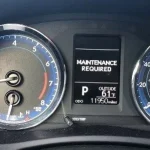

Resetting the maintenance required light on your Toyota Tacoma is simple once you know the right steps. This guide walks you through the exact button sequence, explains why the light appears, and shares expert tips to avoid common mistakes. You will learn how to handle trip meter resets, ignition cycles, and when to check your maintenance schedule. Follow along and clear that dashboard warning in just a few minutes.
If you drive a Toyota Tacoma, you have probably seen that familiar maintenance required light glow on your dashboard. It can feel annoying, especially when you are not sure what it means or how to clear it. The good news is that this indicator is usually just a mileage reminder, not a warning of immediate failure. Once you understand how the system works, you can handle it in minutes.
In this guide, we will show you exactly how to reset maint reqd Toyota Tacoma models without guessing. We will cover the basic button sequence, explain why the light appears, and share practical tips to keep your vehicle upkeep on track. You will also learn when to reset the light, when to pause, and how to avoid common mistakes that leave the indicator blinking again too soon.
Key Takeaways
- Know the trigger: The maintenance required light turns on after a set mileage interval to remind you of routine service.
- Use the trip meter method: Most Tacoma models reset the light by holding the trip meter reset button during an ignition cycle.
- Verify your mileage: Always check your odometer reading before resetting to ensure you actually completed the needed service.
- Avoid premature resets: Clearing the light without performing oil change reminders or inspections can hide real maintenance needs.
- Check model variations: Toyota Tacoma maintenance reset steps can differ slightly between older and newer dashboard layouts.
- Keep records: Document your vehicle upkeep and service interval tracker habits to stay on top of future reminders.
- Seek help when needed: If the light returns quickly, inspect your engine oil level, filter replacement status, or visit a technician.
📑 Table of Contents
- Understanding the Maintenance Required Light
- Preparing Before You Reset the Light
- How to Reset Maint Reqd Toyota Tacoma Using the Trip Meter Method
- Alternative Reset Approaches for Different Dashboards
- Smart Maintenance Habits After the Reset
- Common Mistakes and How to Avoid Them
- Final Thoughts on Resetting the Reminder Light
Understanding the Maintenance Required Light
The maintenance required light is designed to remind you about routine service. It does not usually mean something is broken. Instead, it acts like a simple service interval tracker that counts miles since your last reset. Many drivers confuse this light with a check engine warning, but the two serve very different purposes.
Why the Light Turns On
Most Toyota vehicles trigger this reminder after a set distance, often around five thousand miles or similar intervals. The exact number can vary by model year and driving conditions. The system focuses on basic Toyota Tacoma maintenance tasks like oil changes, tire rotations, and fluid checks. When the counter reaches its limit, the dashboard light turns on to nudge you toward your next appointment.
What the Light Does Not Mean
This reminder is not a diagnostic alert. It will not tell you if your battery is weak, your brakes are worn, or your engine oil level is low. Those issues usually show up through different warnings or noticeable driving changes. If your Toyota Tacoma dashboard light is steady and not flashing, it is typically just a mileage reminder.
Quick Tip: If you are ever unsure whether the light signals a real problem, look for other symptoms. Strange noises, reduced power, or fluid leaks deserve attention right away. A simple reminder light alone usually does not.
Preparing Before You Reset the Light
Before you clear the reminder, it helps to confirm that the work has actually been done. Resetting the light is easy, but doing it too early can make you forget important service. Think of this step as closing the loop on your vehicle upkeep routine.
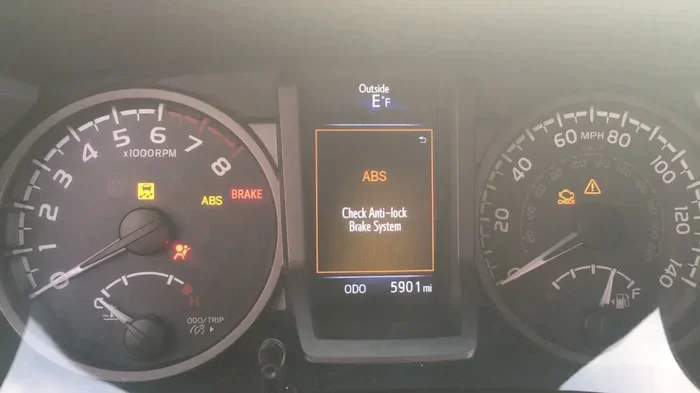
Visual guide about Toyota Tacoma dashboard warning light
Image source: i.ytimg.com
Check Your Recent Service History
Ask yourself a few simple questions. Did you recently change the oil? Have you rotated the tires? Did a shop perform any scheduled inspections? If the answer is yes, then resetting the reminder makes sense. If you are not sure, review your maintenance schedule or service receipt before moving forward.
Gather the Right Tools
You usually do not need special tools for this job. Most resets only require your key or start button and the trip meter reset button. Keep your driver door open if you need better access to the dashboard controls. A quiet moment in the driver seat is often enough.
Know Your Model Year Differences
Not every Tacoma uses the exact same dashboard layout. Older models may rely more on the trip meter method, while newer ones can feel slightly different depending on the instrument cluster. If your controls seem unfamiliar, take a moment to locate the odometer/trip button and ignition controls before starting.
How to Reset Maint Reqd Toyota Tacoma Using the Trip Meter Method
This is the most common approach for many Tacoma owners. It uses the trip meter button to clear the reminder during a short ignition cycle. The process is straightforward, but it helps to move slowly so you do not miss a step.
Step-by-Step Reset Sequence
Here is a simple way to handle the Toyota Tacoma maintenance reset on many models:
- Turn the vehicle off. Make sure the engine is not running and the accessories are off.
- Press and hold the trip meter reset button. This is usually found on the dashboard near the speedometer or odometer display.
- Turn the ignition to the ON position. Do not start the engine if you are using a key. If your Tacoma has a push-button start, press the start button without touching the brake pedal.
- Keep holding the trip meter button. Watch the dashboard display as the light cycles or the odometer readout changes.
- Release the button when the light resets. The maintenance reminder should clear once the system acknowledges the reset.
- Start the vehicle normally. Check the dashboard to confirm the light stays off.
What to Watch For During the Reset
As you hold the button, the display may flash, scroll, or switch between trip information and odometer data. That behavior is normal on many Toyota instrument clusters. The goal is to let the system register the reset before you return to normal operation. If the light remains on after one attempt, wait a moment and try the sequence again carefully.
Common Mistake: Many people release the button too early. If the reset cycle is interrupted, the reminder may stay on. Hold the button steadily until the dashboard confirms the change.
Alternative Reset Approaches for Different Dashboards
Some Tacomas respond a little differently depending on their electronics and display design. If the trip meter method does not feel right for your truck, there may be a slight variation that works better for your model year.
Push-Button Start Vehicles
For trucks with push-button ignition, the reset process often looks similar, but you must be careful not to start the engine too soon. Use the accessory or ON state first, then hold the trip button while watching the display. Once the reminder clears, you can start the engine and verify the result.
Newer Display Clusters
Newer dashboards may present the reminder through a multi-information screen rather than a simple indicator. In those cases, the reset may involve navigating through menu options as well as using the trip button. If your truck uses a screen-based setup, follow the on-display prompts and use the steering wheel or dashboard controls to confirm the reset.
When the Light Returns Quickly
If the reminder comes back soon after you clear it, do not assume the reset failed. It may mean the mileage interval has already passed again or the system is reminding you about another service cycle. Check your service interval tracker settings and recent driving distance. If the light keeps returning unusually fast, it is wise to review your Toyota Tacoma maintenance records.
Smart Maintenance Habits After the Reset
Clearing the light is only one part of good truck care. The real value comes from using that reminder as a cue to stay consistent. A simple routine can save you time, reduce stress, and help your Tacoma run smoothly for the long haul.
Build a Simple Service Routine
Use the reminder light as a starting point, not the only signal you follow. Create a habit of checking the basics between resets. A short monthly review can keep small issues from becoming bigger ones.
- Engine oil and filter: Watch for oil change reminders and keep track of your last service date.
- Tire condition: Check pressure, tread, and alignment when you stop for fuel.
- Cabin and engine air filters: Replace them when needed so airflow and comfort stay strong.
- Wiper blades: Swap worn blades before rainy weather makes it urgent.
- Brake fluid and other fluids: Inspect levels during regular service visits.
Keep a Personal Maintenance Log
A small notebook or phone note can make a big difference. Record the date, mileage, and work completed each time you service the truck. This makes future Toyota Tacoma maintenance reset decisions easier because you will know exactly when the last service happened. It also helps if you ever sell the vehicle, since buyers appreciate clear records.
Expert Insight: Consistency matters more than perfection. A simple log and a realistic maintenance schedule will prevent most reminder-related confusion. When you track service openly, the dashboard light becomes a helpful cue instead of a mystery.
Common Mistakes and How to Avoid Them
Even a simple reset can go sideways if you rush or misunderstand the light’s purpose. Avoiding a few common errors will make the process smoother and keep your truck’s service plan on track.
Resetting Without Doing the Service
The biggest mistake is clearing the light before any work is done. The reminder exists to support your vehicle upkeep, not to be ignored. If you reset it early, you may forget an oil change or inspection that matters for engine health and resale value.
Confusing the Light With a Warning
Another common issue is treating the reminder like a fault code. If the light is steady and the truck drives normally, it is usually just a mileage notice. Still, always stay alert for other signs. If you notice rough idling, unusual smells, or performance changes, investigate those symptoms separately.
Giving Up Too Soon
Sometimes the reset does not work on the first try. That does not mean your truck is broken. It may simply mean the button was released too soon, the ignition state was wrong, or the display needed a second cycle. Stay calm, repeat the steps carefully, and verify the result.
Ignoring Model-Specific Details
Not every Tacoma uses the same layout. If your dashboard feels different from the standard description, check your owner’s materials or a model-appropriate reference. A small variation in button placement or display behavior can change how the reset feels, even if the overall idea is the same.
Final Thoughts on Resetting the Reminder Light
Learning how to reset maint reqd Toyota Tacoma models is a useful skill for any owner. The process is usually quick, and it helps you stay organized after completing routine service. More importantly, the reminder light works best when you treat it as part of a larger care routine.
Use the reset as a chance to review your recent work, confirm your maintenance schedule, and plan the next service. Keep your records clean, watch for real warning signs, and do not rush the process. With a little practice, clearing the maintenance required light becomes a simple habit that supports the life of your truck.
If you want to keep your Tacoma in great shape, combine this reset knowledge with regular inspections and timely service. That way, the dashboard light stays a helpful reminder instead of a source of frustration. A well-maintained truck is easier to trust, cheaper to service over time, and more enjoyable to drive every day.
Frequently Asked Questions
Why is my Toyota Tacoma maintenance required light on?
The light usually turns on as a mileage reminder for routine service like an oil change or inspection. It is not always a sign of a serious problem, but you should still verify that your recent service matches the reminder interval.
How do I reset the maintenance light on a Toyota Tacoma?
Most owners reset it by holding the trip meter reset button while cycling the ignition to the ON position, then releasing it once the light clears. The exact feel can vary slightly by model year, so move slowly and watch the dashboard display.
Is it safe to reset the maintenance required light before service?
It is usually safe, but not a good idea if you have not completed the needed service. The light exists to help you remember routine care, so resetting it early can cause you to skip important maintenance.
What if the maintenance light comes back after I reset it?
If it returns quickly, check your mileage and service history. The system may simply be reminding you again because the interval has passed, or you may need to repeat the reset steps more carefully.
Does the maintenance required light mean my Tacoma has a major issue?
Not usually. A steady reminder light is typically a scheduled service notice rather than a fault warning. If you also notice strange noises, performance problems, or other dashboard warnings, those deserve separate attention.
How often should I expect the maintenance light to appear?
The interval depends on your model year, driving habits, and service settings. Many owners see the reminder around common oil-change or inspection mileage points, so it helps to track your odometer reading and service dates.