
Resetting the maintenance light on your Toyota 4Runner is simple. You do not need a mechanic for this task. This guide shows you how to reset Toyota 4Runner maintenance light using just your dashboard buttons. Follow these steps to clear the maint reqd indicator and keep your vehicle records accurate.
Owning a Toyota 4Runner is a great experience. This vehicle is known for its durability and off-road capability. However, like any car, it needs regular care. One common task owners face is dealing with the dashboard lights. Specifically, the maintenance required light can be confusing. Many people wonder what this light means. Others want to know how to turn it off.
This indicator does not mean your car is broken. It is simply a reminder. Toyota designed this system to help you stay on schedule. It tracks your mileage since the last service. When you hit a certain limit, the light turns on. You need to service the car and then reset the system. If you ignore it, you might miss important oil changes. This guide will help you handle this task yourself.
We will walk you through the exact steps. You do not need special tools. You just need access to your dashboard controls. By the end of this article, you will feel confident. You will know how to reset Toyota 4Runner maintenance light effectively. Let us dive into the details.
Key Takeaways
- Simple Process: You can reset the light using only the odometer trip button.
- Safety First: Ensure the vehicle is parked and the engine is off before starting.
- Key Position: The ignition must be in the ON position, but the engine off.
- Button Sequence: Holding the trip button for specific seconds triggers the reset.
- Confirmation: The dashboard display will show zeros or the light will go off.
- Maintenance Schedule: This light reminds you for oil changes and routine checks.
- Model Variations: Steps may vary slightly between older and newer 4Runner models.
📑 Table of Contents
Understanding the Maintenance Required Light
Before you reset the light, you should understand it. Many drivers mistake this for a check engine light. That is a big mistake. The check engine light signals a mechanical problem. The maintenance required light is just a timer. It counts down your mileage.
Toyota vehicles use this system to prompt service. Usually, it comes on every 5,000 miles. This is a general reminder for an oil change. It might also suggest checking other fluids. Your vehicle maintenance schedule depends on how you drive. City driving wears parts faster than highway driving.
Ignoring this light is not safe. Fresh oil protects your engine. Old oil loses its effectiveness. It can cause sludge buildup. This leads to expensive repairs later. So, seeing this light is actually good. It reminds you to care for your truck. Once you change the oil, you must reset the indicator. Otherwise, the light stays on.
Difference Between Warning Lights
It is vital to know the difference. A red light usually means stop immediately. A yellow or orange light means caution. The maint reqd light is typically yellow. It looks like a wrench or says “Maintenance Required”. Do not panic when you see it.
If your engine warning light is on, seek help. That indicates sensor failures or emissions issues. The maintenance light is purely administrative. It helps you track your Toyota service schedule. Keeping track ensures your warranty stays valid too.
Preparing for the Reset Process
You need to get ready before pressing buttons. Safety is the most important thing. You will be working near the dashboard. You do not want the car moving. Park your Toyota 4Runner on a flat surface. Engage the parking brake. This prevents accidental rolling.

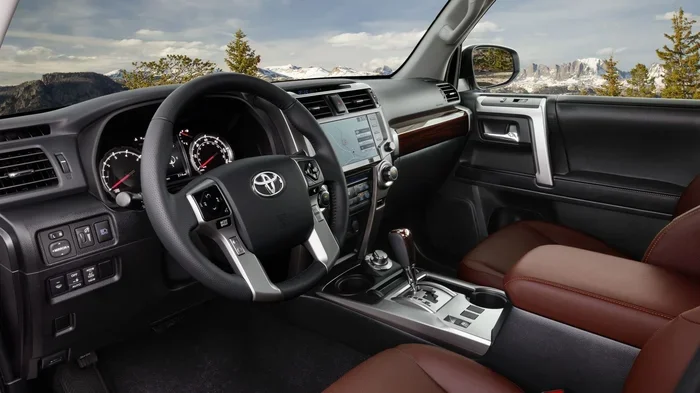
Visual guide about Toyota 4Runner dashboard dashboard
Image source: wallpapers.com
Next, check your ignition status. You need the electronics on. But the engine should not run. Turn the key to the ON position. If you have a push-button start, press the button twice. Do not press it a third time to start the engine. You want the dashboard lights to illuminate.
Make sure you have your odometer ready. You will need to use the trip meter button. Locate this button on your steering wheel or dashboard. It is usually near the speedometer. Clean your hands before starting. Grease on the buttons can make them sticky.
Gathering Necessary Items
You do not need many tools. But you should have a few things nearby. Keep your owner’s manual in the seat. It has model-specific info. Have a pen and paper ready. You might want to note your current mileage. This helps with future maintenance logs.
Some owners like to check their tire pressure before service. It is a good habit. You can learn how to check tire pressure on Toyota Corolla or other models to understand the general process, though your 4Runner will have its own placard. Being prepared makes the reset smoother.
Step-by-Step Guide to Reset the Light
Now we get to the main part. This process is straightforward. Follow these steps in order. Do not skip any steps. If you miss one, the light might not reset.
Step 1: Turn On the Ignition
Insert your key and turn it to the ON position. All dashboard lights should glow. If you have smart key technology, ensure the car is in accessory mode. The engine must remain off. This powers the computer without running the motor.
Step 2: Locate the Trip Button
Find the odometer trip reset button. It is usually on the left side of the dashboard. On newer models, it might be on the steering wheel. You will use this button to navigate the menu.
Step 3: Reset the Odometer
Press and hold the trip button. You need to reset the trip meter to zero. Press the button until the display shows all zeros. This prepares the system for the reset command.
Step 4: Turn Off the Ignition
Turn the key back to the OFF position. The dashboard lights will go out. Wait for a few seconds. This clears the temporary memory.
Step 5: Hold the Trip Button
Press and hold the trip button again. Keep holding it down firmly. Do not let go yet.
Step 6: Turn On the Ignition
While holding the button, turn the key to ON. Keep holding the button. The dashboard will light up. You will see numbers flashing on the display.
Step 7: Wait for Confirmation
Continue holding the button. You will see the maintenance light flash. It might count down from 5 to 0. When it reaches zero, the light should turn off. Release the button once you see the confirmation.
Variations by Model Year
Not every 4Runner is the same. Older models might have different buttons. Newer models have multi-information displays. The basic logic remains the same. However, the menu navigation might differ.
For example, if you have a 2015 model, the steps are similar to how to reset 2015 Toyota Corolla maintenance light procedures. But always check your specific manual. Some models require navigating a screen menu. Others use physical buttons.
If your vehicle has a touchscreen, you might need to go into settings. Look for the vehicle settings icon. Find the maintenance reset option there. Select yes to confirm. The screen will show a success message.
Troubleshooting Common Issues
Sometimes the light does not go off. Do not worry. This happens often. It usually means you missed a step. Here are some common problems and fixes.
Light Stays On
If the light remains on, repeat the process. Ensure you held the button long enough. Some models need you to hold it for 10 seconds. Others need 5 seconds. Try counting slowly.
Wrong Button Pressed
Make sure you are using the trip reset button. Do not use the hazard lights or other controls. Using the wrong button will not work. It might change your radio settings instead.
Battery Issues
A weak car battery can cause glitches. If your electronics are acting strange, check the battery. You might need to jump start the vehicle. Learning how to jump start Toyota Prius or other models can be useful knowledge for any Toyota owner facing electrical issues.
System Not Resetting
If nothing works, the system might be locked. This is rare. It could indicate a sensor fault. In this case, visit a service center. They have scanners to reset the computer manually.
When to See a Professional
You can do this yourself most of the time. But some situations need a pro. If the light comes back on immediately, something is wrong. It might not be a simple maintenance reminder.
Also, if you are unsure about your service history, ask a mechanic. They can check if you missed critical services. Ignoring major service intervals can void warranties. It is better to be safe than sorry.
Maintaining Your Toyota 4Runner
Resetting the light is just one part of care. You need a full maintenance plan. This keeps your truck running for years. Toyota vehicles are known for longevity. Proper care supports that reputation.
Regular oil changes are key. Use the recommended oil type. Check your air filters too. A clogged filter reduces engine performance. You can learn how to replace cabin air filter Toyota Camry to get an idea of the importance of airflow, even though your 4Runner is different. Clean air helps the engine burn fuel efficiently.
Check your brakes regularly. Listen for squealing noises. Worn brakes are dangerous. Also, inspect your tires. Rotate them every 5,000 miles. This ensures even wear. Uneven tires can affect handling.
Additional Maintenance Tips
Here are more tips for your 4Runner.
- Fluid Levels: Check coolant and brake fluid monthly.
- Battery Care: Clean corrosion off terminals.
- Wiper Blades: Replace them when they streak. You can find guides on how to change wiper blades Toyota Corolla to understand the general replacement method.
- Lights: Test headlights and brake lights often.
- Belts and Hoses: Look for cracks or softness.
Keeping a logbook helps too. Write down every service date. Note the mileage at that time. This helps you sell the car later. Buyers love seeing a well-kept record. It proves you took care of the vehicle.
Why Regular Service Matters
Some people skip service to save money. This is a bad idea. Small issues become big problems. A $50 oil change prevents a $5,000 engine rebuild. The maintenance light is your friend. It protects your investment.
Toyota designs these reminders based on engineering data. They know when parts wear out. Following their advice ensures reliability. Your 4Runner is built for adventure. It needs to be ready when you are.
Safety is another reason. Worn brakes fail in emergencies. Old tires slip on wet roads. Regular checks prevent accidents. Your family’s safety depends on your vehicle condition. Do not take that lightly.
Saving Money on Service
You can reduce service costs. Learn basic tasks yourself. Changing wipers is easy. Replacing air filters is simple. You can find tutorials online. For example, how to replace Toyota Corolla windshield wipers guides show the general effort involved. DIY saves labor costs.
Also, look for service coupons. Many shops offer discounts. You can learn how to get Toyota service coupons to save on professional work. Building a relationship with a local shop helps too. They might offer loyalty discounts.
Conclusion
Taking care of your vehicle is essential. The maintenance required light is a helpful tool. It keeps you on track with your service schedule. Knowing how to reset Toyota 4Runner maintenance light saves you time. You do not need to visit a shop just for this.
Follow the steps we outlined. Be patient and precise. If the light stays on, try again. Safety always comes first. Park your vehicle and secure it before starting. Regular maintenance ensures your 4Runner lasts long. It keeps you safe on the road.
Enjoy your Toyota 4Runner. It is a capable machine. Treat it well, and it will serve you for years. Keep this guide handy for the next time the light comes on. You are now ready to handle this task with confidence.
Frequently Asked Questions
What does the maintenance required light mean on a Toyota 4Runner?
This light is a mileage-based reminder for routine service. It usually indicates you are due for an oil change or general inspection. It does not mean your engine has a mechanical failure.
Can I reset the maintenance light without changing the oil?
Technically yes, but you should not. The light is there to remind you of necessary service. Resetting it without servicing the vehicle can lead to engine damage over time.
How often does the maintenance light come on?
Typically, this light illuminates every 5,000 miles. However, this can vary based on your specific model year and driving conditions. Always check your owner’s manual for exact intervals.
Do I need any tools to reset the light?
No, you do not need special tools for most models. You only need to use the trip meter button on your dashboard. Some newer models might require menu navigation on the screen.
What if the light does not turn off after resetting?
If the light stays on, repeat the reset procedure carefully. Ensure you held the button for the required time. If it persists, there may be a system fault requiring a professional scan.
Is the reset process the same for all Toyota 4Runner years?
Most years follow a similar process involving the ignition and trip button. However, newer models with digital displays may have menu-based options. Consult your specific model’s manual for variations.