
Finding an AI tool that summarizes YouTube videos can transform how you consume online content. These smart platforms save hours by turning long videos into clear, readable notes. You get the key points without watching every single minute. This guide shows you exactly how to pick the right tool and use it effectively.
Key Takeaways
- Save hours every week: An AI tool that summarizes YouTube videos turns long content into quick, readable notes so you can focus on what matters.
- Choose the right features: Look for accurate transcripts, clear formatting, and support for multiple video lengths when picking a summarizer.
- Use it for real workflows: Apply video summaries to research, learning, content planning, and daily news tracking for maximum productivity.
- Check accuracy first: Always skim the summary against the original video to catch missing context or misinterpretations.
- Combine tools wisely: Pair a YouTube summarizer with note-taking apps and bookmark managers to build a smooth research system.
- Watch for limits: Free plans often cap video length or daily usage, so upgrade only when your needs grow.
- Stay flexible: New AI video tools appear often, so test a few options and switch when a better fit shows up.
📑 Table of Contents
- Why an AI Tool That Summarizes YouTube Videos Changes Everything
- How an AI Video Summarizer Actually Works
- What to Look for in the Best AI Tool That Summarizes YouTube Videos
- Best Ways to Use a YouTube Video Summarizer in Real Life
- Common Mistakes People Make With AI Video Summaries
- Expert Tips to Get Better Results From an AI Summarizer
- Comparing Popular Types of YouTube Summarizers
- Final Thoughts on Choosing an AI Tool That Summarizes YouTube Videos
Why an AI Tool That Summarizes YouTube Videos Changes Everything
We all watch too many videos. Tutorials, podcasts, interviews, lectures, and product demos fill our playlists. The problem is simple. Long videos eat up our time. You click play, hope for value, and often sit through fluff, ads, and slow sections.
That is where an AI tool that summarizes YouTube videos steps in. It reads the transcript, finds the core ideas, and gives you a clean overview in seconds. You skip the guesswork. You get the main points fast. And you decide what deserves a full watch.
This shift matters because content keeps growing. Creators post more. Platforms push longer formats. Our schedules stay busy. A smart summarizer helps you keep up without burning out. It turns passive watching into active learning.
You can use it for work research, class prep, skill building, or daily news. The goal is not to replace watching. The goal is to watch smarter. When you know the outline first, you focus better. You also remember more.
In this guide, we will walk through how these tools work, what features matter, and how to build a simple workflow. You will also see common mistakes to avoid and practical tips to get better results. Let us dive in.
How an AI Video Summarizer Actually Works
Many people think these tools magic away the whole video. They do not. They follow a clear process. Understanding that process helps you use them better.
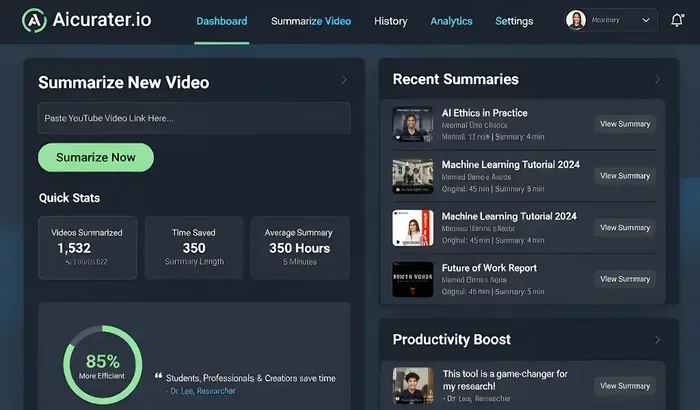
Visual guide about AI tool summarizing YouTube videos
Image source: aicurator.io
First, the tool pulls the audio or transcript from the video. Some tools use YouTube captions. Others generate their own transcript with speech-to-text. The quality of this step matters a lot. A clean transcript leads to a cleaner summary.
Next, the system scans the text for key themes. It looks for repeated ideas, strong statements, and structural cues. Good summarizers also notice transitions, questions, and conclusions. They try to separate core points from side stories.
Then the tool builds a short version. Some tools give bullet points. Others write a paragraph overview. Many offer both. The best ones let you choose the length and depth. That flexibility is useful because not every video needs the same level of detail.
What Happens Behind the Scenes
You do not need to be a tech expert. Still, a basic picture helps. The tool usually relies on natural language processing. That means it reads text the way a careful person might. It spots patterns. It ranks importance. It trims repetition.
Some summarizers also use timestamps. That feature is handy. It links each point back to the exact moment in the video. You can jump straight to the part you care about. This saves time when you want to verify a claim or revisit a detail.
A few tools add extra layers. They may extract quotes, list action steps, or group related topics. These extras can be helpful for research and note-taking. But the core job stays the same: turn long video text into a useful short version.
Why Transcript Quality Matters
A summarizer is only as good as its input. If the transcript misses words, the summary may drift. If captions are messy, the output may feel odd. That is why good tools check transcript accuracy and let you edit when needed.
This also means you should review the summary with a critical eye. Skim it. Compare it with the video topic. If something feels off, check the original segment. A quick review keeps you safe from small errors.
What to Look for in the Best AI Tool That Summarizes YouTube Videos
Not every summarizer does the same job well. Some are great for tutorials. Others work better for interviews or lectures. Before you choose, look at the features that fit your daily use.
Here are the main things I recommend checking:
- Accurate transcription: The tool should handle clear speech and common accents well.
- Flexible summary length: You want short notes and deeper overviews, depending on the task.
- Timestamp links: These help you jump to the right moment quickly.
- Export options: Copy, save, or send summaries to your favorite note app.
- Language support: Multilingual transcripts matter if you watch non-English content.
- Easy sharing: Quick sharing helps if you work with a team or study group.
- Good pacing: The summary should feel organized, not random.
If you only need a quick gist, a simple tool may be enough. If you do research or build study notes, you may want more structure. Match the tool to the task. That is the smart move.
Speed Versus Depth
Some tools aim for speed. They give you a fast overview in a few lines. That works well when you are screening many videos. Other tools aim for depth. They keep more context and break the content into sections. That works better when you need to learn, not just skim.
Neither approach is better in every case. Think about your goal. If you are checking a tutorial, a short summary may be enough. If you are studying a lecture, a deeper outline may help more. The best choice depends on how you plan to use the result.
Free Plans and Paid Upgrades
Many tools offer a free version. That is nice for testing. Free plans often limit daily use, video length, or export options. Paid plans usually remove those limits and add stronger features.
Do not rush to upgrade. Start small. Test the tool on a few videos you know well. See if the summaries feel useful. If they save you time, then the upgrade may be worth it. If not, keep looking.
Best Ways to Use a YouTube Video Summarizer in Real Life
A summarizer becomes powerful when you use it on repeat. The value grows when it fits your normal routine. Here are some practical ways people use it every day.
Research and learning: You can scan lectures, explainer videos, and expert interviews before deciding what to study deeply. This helps you focus on the videos that truly matter.
Work and planning: Teams often share long recordings from meetings, demos, or training sessions. A summary gives everyone a fast catch-up path. It also helps you find action items without replaying the whole file.
Content creation: Writers and creators use summaries to track trends, gather ideas, and review competitor videos. It is a simple way to collect insights without watching everything twice.
Personal growth: You can keep up with podcasts, talks, and guides that interest you. Instead of postponing long videos, you get the outline first and watch only the parts you want.
A Simple Workflow That Works
You do not need a complicated system. Try this easy flow:
- Pick the video you want to check.
- Run it through your chosen summarizer.
- Read the overview and note the main ideas.
- Open the timestamped parts that matter most.
- Save the summary in your notes with a short label.
- Revisit only if you need deeper detail.
This keeps your watch list under control. It also helps you build a personal library of concise notes. Over time, that library becomes a useful reference.
When to Watch the Full Video
Summaries help, but they do not replace everything. Watch the full video when the details matter. Examples include step-by-step tutorials, emotional stories, and nuanced debates. In those cases, tone and context can be important.
Also watch fully when you need to verify a claim. A summary gives you direction. The original video gives you proof. Use both in a smart balance.
Common Mistakes People Make With AI Video Summaries
These tools are helpful, but they are not perfect. A few simple mistakes can reduce their value. Avoid them and you will get better results.
Trusting every line blindly: A summary can miss nuance or overfocus on one part of the video. Always skim with care.
Ignoring transcript errors: If the original text is messy, the summary may reflect that. Check odd sections when something feels strange.
Using one tool for every job: Different videos need different handling. A short news clip and a two-hour lecture are not the same.
Saving summaries without context: A note like “great video” is not enough. Add a sentence about why it matters to you.
Forgetting timestamps: If the tool offers them, use them. They make it much easier to revisit key moments.
Quick Fixes That Help a Lot
You can improve your results with small habits. Review the summary before you save it. Add your own note if the video connects to a project. Keep your summaries organized by topic. And revisit the original video when a point feels important.
These small steps make a big difference. They turn a quick summary into a reliable research aid.
Expert Tips to Get Better Results From an AI Summarizer
If you want stronger summaries, a few habits help. These tips are simple, but they improve accuracy and usefulness.
Start with a clear goal: Ask yourself what you want from the video. A quick overview? Key steps? Quotes? Your goal shapes how you read the summary.
Test on familiar videos first: Try the tool on content you already know. That makes it easier to judge quality and spot weaknesses.
Use the right summary style: If the tool offers bullets, paragraphs, or sections, choose the one that fits your task.
Edit lightly when needed: A small personal note can make the summary much more useful later.
Group similar videos: If you watch several videos on one topic, compare their summaries. You will spot repeating ideas faster.
How to Build a Personal Summary Library
A good library grows over time. Start with folders or tags that match your interests. Add the video title, the main takeaway, and a link back to the source. Keep each note short. You want fast scanning later, not another long document.
This habit pays off when you need ideas, references, or quick reminders. Instead of hunting through old watch history, you have a clean set of notes ready.
Comparing Popular Types of YouTube Summarizers
There is no single perfect option for everyone. Different tools serve different needs. This table gives a simple comparison to help you think through the choices.
| Tool Type | Best For | Strengths | Limits |
|---|---|---|---|
| Transcript-based summarizers | Tutorials, talks, and clear speech videos | Fast, structured, easy to scan | Depends on caption quality |
| AI chat-style summarizers | Research and question-based review | Flexible, interactive, good for digging deeper | May need more prompting |
| Timestamp-focused tools | Long videos with many sections | Helps jump to key moments quickly | Less useful for short videos |
| Export-friendly tools | Note-taking and team sharing | Smooth workflow, easy to save | May cost more for advanced exports |
Use this as a starting point, not a final verdict. The best choice depends on your workflow. If you want quick screening, pick speed. If you want study notes, pick structure. If you want sharing, pick export options.
Final Thoughts on Choosing an AI Tool That Summarizes YouTube Videos
An AI tool that summarizes YouTube videos can save real time and make your learning smoother. It helps you filter fast, focus better, and keep track of useful content without watching every minute. That is a big win in a world full of long videos.
The key is to use these tools with a clear purpose. Check the transcript quality. Review the summary before you trust it. Pick features that match your work. And build a simple system so your notes stay useful over time.
If you start with a small test, you will learn fast. Try a few videos. Compare the results. Notice what helps you most. Then keep the tool that fits your routine. With the right setup, you will spend less time searching and more time learning what actually matters.
Frequently Asked Questions
What does an AI tool that summarizes YouTube videos do?
It reads the video transcript or audio, finds the main ideas, and creates a short version you can scan quickly. This helps you understand the content without watching the whole video first.
Are YouTube video summaries always accurate?
They are often helpful, but not perfect. A summary may miss nuance or reflect transcript errors, so it is smart to skim the original video when a point matters a lot.
Can I use a summarizer for long lectures or podcasts?
Yes, many tools handle long-form content well. They can break the video into key sections, which makes it easier to review large recordings and find the parts you need.
Do I need to pay for a good AI video summarizer?
Not always. Many tools offer free plans that work well for basic use. Paid plans usually add more flexibility, longer limits, and better export options.
Is it better to read a summary or watch the full video?
It depends on your goal. A summary is great for screening and quick learning, while the full video is better when you need details, tone, or step-by-step instructions.
How can I get better results from a YouTube summarizer?
Start with a clear goal, test the tool on videos you know, and review the summary before saving it. Adding your own short note and using timestamps can also improve usefulness.