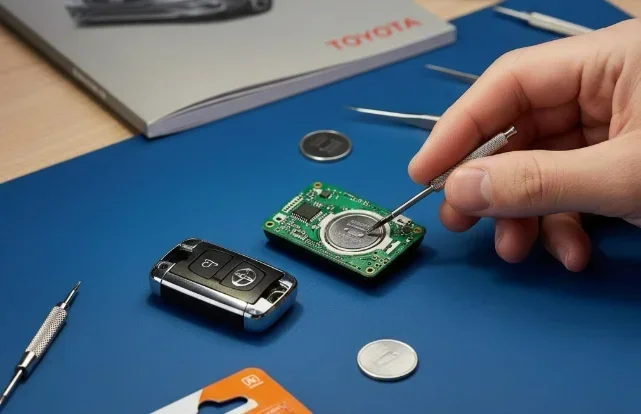
Replacing a dead Toyota key fob battery is easier than you think. Most Toyota car keys use a standard CR2032 or CR2025 battery that you can swap in minutes without special tools. This guide shows you exactly how to change battery on Toyota car key models safely and quickly.
Key Takeaways
- Identify your key type first: Different Toyota models use slightly different key fob designs, so check your specific model before starting.
- Use the right battery: Most Toyota key fobs require a CR2032 or CR2025 coin cell battery, but always verify the exact type.
- No special tools needed: You can open most key fobs with a small flathead screwdriver or even a coin.
- Handle the circuit board carefully: Avoid touching the electronic contacts with bare fingers to prevent oil damage.
- Test before reassembling: Press the buttons after inserting the new battery to confirm it works before snapping the case back together.
- Dispose of the old battery properly: Recycle your used coin cell battery at an electronics or hardware store.
- Keep a spare battery handy: Store a fresh battery in your glove box so you are never locked out again.
📑 Table of Contents
- Why You Need to Know How to Change Battery on Toyota Car Key
- Signs Your Toyota Key Fob Battery Is Dying
- What You Need Before You Start
- Step-by-Step Guide: How to Change Battery on Toyota Car Key
- Common Mistakes to Avoid
- When to Seek Professional Help
- Quick Tips for Long-Lasting Key Fob Performance
- Final Thoughts on Replacing Your Toyota Key Battery
Why You Need to Know How to Change Battery on Toyota Car Key
Your Toyota key fob is one of those small things you use every single day. You press a button and the doors unlock. You press another and the engine starts. But when the battery dies, everything stops working. That is why learning how to change battery on Toyota car key models is such a useful skill.
A dead key fob battery does not mean your car is broken. It just means the small coin cell inside needs replacing. Most people panic and call a dealership or a locksmith. That costs time and money. You can actually fix this at home in under ten minutes. This guide walks you through every step clearly.
We will cover the tools you need, the exact steps to open the case, and how to put everything back together. You will also learn how to avoid common mistakes and what to do if your key still acts strange after the swap. Let us get started.
Signs Your Toyota Key Fob Battery Is Dying
Before you start swapping parts, you should know what a weak battery looks like. Toyota key fobs give clear warning signs. Catching these early saves you from being stuck outside your car later.

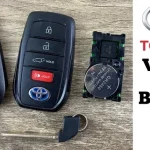
Visual guide about Toyota key fob battery replacement
Image source: i.ytimg.com
Warning Signs to Watch For
The most common sign is reduced range. You press the unlock button and the car only responds when you are very close. Another sign is intermittent button response. Sometimes it works. Sometimes it does not. This happens because the battery voltage drops under load.
You may also notice the LED light on the fob looks dimmer than usual. Some models flash the lights when you press a button. If the flash is weak or absent, the battery is likely low. A final clue is the car asking for a key confirmation on the dashboard. Modern Toyotas sometimes show a key symbol when they cannot detect the fob signal strongly.
Quick Checklist
- Unlock and lock buttons work only at close range
- Buttons feel unresponsive or require multiple presses
- LED indicator appears dim or does not light up
- Dashboard shows a key or battery warning symbol
- Remote start or smart entry features act inconsistently
What You Need Before You Start
Gathering the right supplies makes the job smooth. You do not need a mechanic kit. A few simple items from around the house work perfectly.
Tools and Supplies
Here is what you should have ready before opening the key fob:
- Replacement battery: Most Toyota key fobs use a CR2032 or CR2025 coin cell. Check your owner manual or the old battery label to confirm.
- Small flathead screwdriver or plastic pry tool: This helps separate the two halves of the case without scratching them.
- Clean cloth or paper towel: Use this to work on a clean surface and to wipe the inside of the case.
- Tweezers (optional): These help handle the battery and small parts without dropping them.
- Good lighting: A bright desk or flashlight makes it easy to see the circuit board and battery slot.
Choosing the Correct Battery
Not all coin cell batteries are the same. The CR2032 is the most common for Toyota key fobs. Some older or specialty keys use a CR2025 instead. The numbers tell you the size and thickness. A CR2032 is 3.2 millimeters thick. A CR2025 is 2.5 millimeters thick. Using the wrong thickness can cause poor contact or a loose fit.
If you are unsure, open the case carefully and read the marking on the old battery. You can also check the owner manual. Buying a quality brand matters too. Cheap batteries may die quickly or leak over time. Stick to well-known battery makers for reliable performance.
Step-by-Step Guide: How to Change Battery on Toyota Car Key
Now comes the main part. This section shows you exactly how to change battery on Toyota car key fobs in a safe and simple way. Follow each step in order. Take your time and do not force anything.
Step 1: Find the Seam and Prepare Your Workspace
Place your key fob on a clean, flat surface. Look for the thin seam that runs around the edge of the case. This is where the two halves meet. Some Toyota keys have a small release button or a hidden slot. Others simply snap together. Identify the design before you try to pry it open.
If your key has a physical key blade, pull it out first. Some models use the blade to unlock a small cover on the back. Others hide a tiny screw under the blade. Removing the blade gives you better access and prevents damage.
Step 2: Open the Key Fob Case
Use your small flathead screwdriver or plastic pry tool. Gently insert it into the seam. Twist slightly to separate the two halves. Work around the edges slowly. You do not need much force. The case is held by small clips that release with gentle pressure.
If you meet resistance, stop and check for a hidden screw. Some Toyota fobs have a single screw in the back or near the key slot. Removing it first makes opening much easier. Once the case opens, set the halves aside carefully.
Step 3: Remove the Old Battery
Look inside the case. You will see a small circuit board and a battery secured in a slot. The battery may sit in a plastic holder or be held by a metal contact. Note which side faces up. Take a quick photo with your phone if you want a visual reference.
Slide the old battery out gently. If it is stuck, use a non-metallic tool or your fingernail. Avoid using excessive force. Do not bend the metal contacts. Clean the battery slot with a dry cloth if you see dust or debris.
Step 4: Insert the New Battery
Take your new CR2032 or CR2025 battery. Match the orientation exactly as the old one. The positive side usually faces up, but always follow the marking inside the case. Press the battery into the slot until it sits flat and secure.
Check the contacts. Make sure the battery touches both metal pads. A loose battery causes weak signal or no response. If the fit feels tight, double-check the battery type. A thicker or thinner cell will not seat properly.
Step 5: Close the Case and Test
Align the two halves of the case. Press them together starting from one edge and working across. You should hear a soft click as the clips engage. Make sure the seam is even and there are no gaps.
Before you finish, test the buttons. Press unlock, lock, and trunk or panic if your model has them. The buttons should feel responsive and the car should react from a normal distance. If the key has a smart entry feature, try approaching the door with the fob in your pocket.
Common Mistakes to Avoid
Even a simple job can go wrong if you rush. Here are the most common errors people make when replacing a Toyota key fob battery.
Forcing the Case Open
Prying too hard can crack the plastic or break the internal clips. If the case does not open easily, look for a hidden screw or a release button. Patience saves you from a broken fob.
Mixing Up Battery Orientation
Putting the battery in backward is a quick way to get no response. Always match the old battery position. If the new battery does not work, flip it and test again. The contacts are usually designed to work with one orientation only.
Touching the Circuit Board With Bare Hands
Skin oils can leave residue on the contacts over time. Handle the circuit board gently and avoid rubbing the metal pads. Use a dry cloth or tweezers if you need to move small parts.
Using the Wrong Battery Size
A CR2032 and a CR2025 look similar but have different thickness. Using the wrong one can cause a loose fit or poor contact. Always verify the exact type before buying. If you are unsure, read the label on the old battery.
Skipping the Test Before Reassembly
Always test the buttons before snapping the case shut. This saves you from opening it again if the battery is dead on arrival or seated incorrectly. A quick test takes seconds and prevents frustration.
When to Seek Professional Help
Most Toyota key fob battery changes are simple. But some situations call for extra help. If your key has water damage, a cracked circuit board, or a broken button, a battery swap will not fix the problem. You may need a repair or a replacement fob.
Programming issues can also cause confusion. If you replaced the battery and the car still will not recognize the key, the fob may need reprogramming. Some Toyota models allow a simple re-sync by turning the ignition on and off in a specific sequence. Others require a diagnostic tool. If you are not comfortable with that, a dealership or qualified locksmith can help.
You can also check our guide on how to reprogram a Toyota keyless fob if your key acts strange after the battery change. For owners who want to connect their phone to the vehicle, our article on how to connect Toyota app to car covers the setup steps clearly.
Quick Tips for Long-Lasting Key Fob Performance
A fresh battery should last a long time. Good habits help you get the most out of it. Here are a few practical tips to keep your Toyota key fob working smoothly.
Best Practices
- Keep the fob dry and away from extreme heat or cold
- Store the key in a protective pouch when not in use
- Avoid dropping the fob on hard surfaces
- Replace the battery before it fully dies if you see early warning signs
- Keep a spare battery in your car or home for emergencies
- Clean the outside of the fob regularly with a soft cloth
Expert Insight
Many Toyota owners do not realize that button usage affects battery life. Pressing buttons repeatedly when the car is far away uses more power. Try to stand closer before pressing lock or unlock. Also, keep the fob away from other electronics that may cause signal interference. A little care goes a long way.
Final Thoughts on Replacing Your Toyota Key Battery
Learning how to change battery on Toyota car key fobs is a small skill that saves big headaches. You avoid lockout stress, skip unnecessary service fees, and keep your day moving. The process is simple once you know the steps. Identify your key type, get the right battery, open the case gently, swap the cell, and test before closing.
Most Toyota key fobs use a CR2032 or CR2025 battery and open with a basic pry tool. Take your time, match the battery orientation, and handle the circuit board with care. If the key still acts up after the swap, check for programming issues or physical damage. With a little attention, your Toyota key fob will work reliably for a long time.
Keep a spare battery handy and do not wait until the last minute. A quick battery change today can prevent a frustrating moment tomorrow. Your Toyota key is small, but it plays a big role in your daily routine. Treat it well and it will keep serving you faithfully.
Frequently Asked Questions
How long does a Toyota key fob battery usually last?
A Toyota key fob battery typically lasts between one and three years depending on usage. Frequent button presses and smart entry features can shorten the life. Replacing it early when you notice weak range helps avoid sudden failure.
What battery does my Toyota key fob need?
Most Toyota key fobs use a CR2032 coin cell battery, though some models require a CR2025. Check the label on your old battery or consult the owner manual to confirm the exact type. Using the correct size ensures proper contact and reliable performance.
Can I change the battery without damaging the key fob?
Yes, you can change the battery safely by using a small flathead screwdriver or plastic pry tool and working gently along the seam. Avoid forcing the case open and look for hidden screws first. Careful handling prevents cracks and keeps the clips intact.
Why is my Toyota key fob still not working after I changed the battery?
If the new battery is seated correctly and the case is closed, the fob may need reprogramming or may have a damaged circuit board. Try re-syncing the key according to your model instructions. If the problem continues, consult a dealership or a qualified locksmith for further help.
Do I need special tools to replace a Toyota key battery?
No, you usually do not need special tools. A small flathead screwdriver, a plastic pry tool, or even a coin can open most Toyota key fobs. Tweezers and a clean cloth are helpful but optional. Good lighting makes the job easier.
Where can I buy a replacement battery for my Toyota key?
You can buy a replacement CR2032 or CR2025 battery at most electronics stores, hardware shops, pharmacies, and online retailers. Look for a reputable brand for better longevity. Keep the packaging intact until you are ready to install the battery.