Resetting the maintenance light on your 2010 Toyota Corolla is a quick task you can do at home. You just need to follow a few simple button presses on your dashboard. This guide shows you exactly how to clear the service reminder and keep your car running smoothly. You will save time and avoid unnecessary trips to the shop.
Key Takeaways
- Easy process: You can reset the light using only your ignition key and dashboard buttons.
- No tools needed: The procedure takes about two minutes and requires no special equipment.
- Oil change reminder: The light usually appears after every 5,000 miles or as set by your service schedule.
- Dashboard control: You will use the trip meter and odometer buttons to access the reset menu.
- Safety first: Always complete your actual maintenance before clearing the indicator.
- Model variations: Some trim levels may show slight differences in button placement.
- Regular checks: Resetting the light does not replace real inspections and fluid changes.
📑 Table of Contents
How to Reset Maintenance Light on 2010 Toyota Corolla
Owning a reliable sedan like the 2010 Toyota Corolla means you expect smooth rides and low stress. Yet, that little maintenance light on your dashboard can feel like a surprise guest. You might wonder what it means and how to make it go away. The good news is that the process is simple. You can handle it in your driveway with just your key and a few careful steps.
This guide walks you through the exact method. You will learn why the light appears, what it really tells you, and how to clear it safely. We will also share practical tips to keep your car in top shape. By the end, you will feel confident handling this small but important task.
Why the Maintenance Light Appears
The maintenance light on your Toyota Corolla is not a warning of disaster. It is a reminder system built into your dashboard. Toyota designed it to prompt owners to check basic service items. Most often, it points to an oil change. Sometimes it reminds you about tire rotations, fluid checks, or filter replacements.
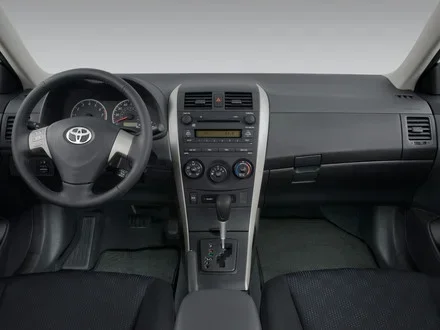
Visual guide about 2010 Toyota Corolla dashboard
Image source: blogger.googleusercontent.com
The system counts miles or uses a simple timer. When you reach the set interval, the light turns on. It stays on until you complete the service and reset the counter. This design helps you stay on track with routine care. It also protects your engine and keeps your warranty records clear.
Keep in mind that the light does not measure oil quality directly. It is a schedule reminder. That is why you should always verify your actual service needs before clearing it. If you are unsure about your oil level or tire condition, check those items first.
Understanding the Dashboard Indicator
The indicator usually shows a wrench symbol or a text message. On the 2010 Corolla, it often appears as a small light near your speedometer or trip display. The exact look can vary by trim level. Some models show a simple icon, while others display a short message.
This light works with your vehicle information system. It tracks your driving patterns and service intervals. Once you perform the required maintenance, you can clear the reminder. The process does not erase your vehicle settings or radio presets. It only resets the service counter.
When to Reset the Light
You should reset the light only after you finish the recommended service. If you just changed your oil, replaced a filter, or rotated your tires, you are ready. Never clear the light just to hide a problem. That habit can lead to missed service and higher repair costs later.
A good rule is to reset the indicator right after you complete your maintenance. This keeps your dashboard accurate and your records clean. It also helps you plan your next service interval with confidence.
Preparing Before You Start the Reset
Before you touch any buttons, gather a few simple things. You will need your key, a clear view of your dashboard, and about two minutes of quiet time. Make sure your car is parked on level ground. Turn off any accessories that might distract you.
Check your owner manual if you have it nearby. It can confirm the exact button sequence for your trim. While most 2010 Toyota Corolla models follow the same pattern, small differences exist. A quick look at the manual can save you frustration.
Also, verify that your maintenance is actually done. If you still need an oil change or tire rotation, handle that first. Resetting the light before service only delays the reminder. It does not fix the underlying need.
Quick Safety Checks
Park your car in a safe spot. Set the parking brake. Make sure the engine is off before you begin. You will turn the ignition on and off during the process, so keep your hands clear of moving parts.
If your dashboard is hard to read, try the reset in daylight. Good visibility helps you press the right buttons at the right time. A small flashlight can also help if you are working in a dim garage.
Step by Step Reset Procedure
Now you are ready to clear the reminder. The method uses your ignition key and the trip meter button. Follow each step in order. Move slowly so you do not miss a prompt.
This sequence works for most 2010 Toyota Corolla models. If your dashboard looks slightly different, the core idea stays the same. You will navigate to a reset option and hold a button until the light clears.
Turn the Ignition On
Insert your key and turn it to the ON position. Do not start the engine. You want the dashboard lights on, but the car still. This step powers the display so you can see the odometer and service menu.
If your model uses a push button start, press the start button twice without touching the brake. This puts the car in ON mode. Keep the engine off. You should see your dashboard lights glow normally.
Access the Trip Meter Menu
Find the trip meter button on your dashboard. It is usually near the speedometer or on the instrument cluster. Press and hold that button. While holding it, turn the ignition to ON if you have not done so already.
Watch the odometer display. You should see numbers flash or change. This means the system is ready for the reset command. Keep holding the button until you see a service indicator or oil reset prompt.
Hold and Confirm the Reset
Once the maintenance menu appears, keep holding the trip button. You may see the odometer count down or flash. After a few seconds, the display should show a reset confirmation. Release the button when the light clears or the display returns to normal.
Turn the ignition off. Wait a moment. Then turn it back on to verify the result. The maintenance light should stay off. If it returns immediately, repeat the steps and hold the button a little longer.
What to Do If the Light Stays On
Sometimes the light does not clear on the first try. This can happen if you released the button too early. It can also happen if the system did not register the command. Stay calm and try again.
Make sure you are in ON mode and not running the engine. Hold the trip button steadily. Watch the display closely. A steady hand and a little patience usually solve the issue.
Common Mistakes to Avoid
Many drivers rush through the reset and miss a step. The most common mistake is starting the engine too soon. The system needs the ignition in ON mode, not the engine running. If you start the car, the menu may not appear.
Another frequent error is pressing the wrong button. Some Corolla dashboards have multiple controls near the instrument cluster. Use the trip meter button, not the radio or climate controls. A quick glance at your manual can prevent confusion.
Drivers also forget to complete the actual service before resetting. The light is a reminder, not a decoration. Clearing it without maintenance can lead to skipped oil changes and worn parts. Always finish the service first.
Quick Tips for Success
- Keep your key ready before you start the sequence.
- Work in a quiet spot so you can hear and see the dashboard prompts.
- Hold the trip button firmly, but do not press other controls.
- Wait for the display to respond before releasing the button.
- Verify the light stays off after you restart the ignition.
After the Reset: Keeping Your Corolla Healthy
Clearing the light is only one part of car care. Your 2010 Toyota Corolla still needs regular attention. Oil changes, tire checks, and brake inspections keep it running well. Use the reset as a fresh start for your service schedule.
Write down the date and mileage after you reset the light. This helps you plan your next maintenance visit. You can also set a phone reminder so you do not forget. A simple note on your phone or fridge can save time later.
Check your oil level regularly, especially before long trips. Look at your tires for wear and proper pressure. If you notice unusual noises or warning lights, address them early. Small issues are easier to fix when you catch them soon.
Routine Care Checklist
- Change engine oil at the recommended interval.
- Inspect tire pressure and tread depth.
- Replace air filters when they look dirty.
- Check brake fluid and coolant levels.
- Listen for unusual sounds during startup and driving.
Expert Insights and Final Thoughts
Experienced technicians agree that dashboard reminders are helpful, not scary. The maintenance light on 2010 Toyota Corolla models is designed for convenience. It keeps you aware of basic service without complex tools. When you understand the system, it becomes a useful partner in car ownership.
The reset process is short, but it matters. Doing it correctly ensures your dashboard reflects your actual service history. It also gives you peace of mind every time you start the car. A clean dashboard makes every drive feel a little easier.
Remember that the light is only a prompt. Your real focus should be steady care and timely service. If you stay on schedule, your Corolla will reward you with dependable performance. That is the true benefit of a well-maintained car.
Conclusion
You now know exactly how to reset maintenance light on 2010 Toyota Corolla without stress. The process is quick, safe, and easy to repeat whenever you finish your service. Just turn the ignition to ON, use the trip meter button, and hold it until the display confirms the reset. Afterward, verify that the light stays off and return to your regular maintenance routine.
Keep this guide handy for future oil changes and service visits. A small reset today can save confusion tomorrow. Your Corolla is built to last, and simple habits like this help it stay reliable for years to come.
Frequently Asked Questions
How do I reset the maintenance light on a 2010 Toyota Corolla?
Turn the ignition to ON without starting the engine. Hold the trip meter button until the service menu appears, then keep holding it until the light clears. Turn the ignition off and back on to confirm the reset.
Do I need any tools to reset the maintenance light?
No, you do not need special tools. You only need your key and access to the trip meter button on your dashboard. The whole process usually takes just a couple of minutes.
Can I reset the light before I change the oil?
You can, but it is not a good idea. The light is a service reminder, so you should complete the oil change first. Resetting it early may cause you to miss important maintenance.
What if the maintenance light comes back on after I reset it?
Try the reset sequence again and hold the trip button a little longer. Make sure the ignition is in ON mode and the engine is off. If it still returns, check whether your service was completed correctly.
Does resetting the maintenance light erase my radio or car settings?
No, the reset only clears the service reminder counter. It does not delete your radio presets, clock settings, or other vehicle preferences. Your personal settings stay intact.
Is the reset procedure the same for all 2010 Corolla trims?
Most 2010 Corolla models follow the same basic steps. Some trim levels may have slight differences in button placement or display layout. If needed, check your owner manual for the exact sequence.