
Seeing the maint reqd light on your dashboard can feel stressful, but you can turn it off in just a few minutes. This guide shows you exactly how to turn off maint reqd light Toyota Camry using simple button presses and clear steps. You will learn model-specific tricks, common mistakes to avoid, and when to check your oil or schedule service. Follow these instructions to reset your dashboard and keep your Camry running smoothly.
Your Toyota Camry is known for reliability, comfort, and low ownership costs. Still, every car sends dashboard alerts now and then. One of the most common messages is the maint reqd light. It usually appears as a simple reminder, not a warning of immediate danger. If you just changed your oil or had routine service done, you may want to clear that notice right away.
Many drivers search for how to turn off maint reqd light Toyota Camry because the process is not always obvious. The good news is that the reset is usually quick. You do not need special tools. You just need to follow the right sequence for your model year. In this guide, we will walk through the most common methods, share practical tips, and help you avoid small mistakes that can keep the light on.
Before we dive in, remember that this light often works as a mileage-based reminder. It may appear around scheduled service intervals. Clearing it is fine after you complete the service. If you have not checked your oil or performed maintenance, address that first. A reset should follow service, not replace it.
Key Takeaways
- Simple reset process: You can usually clear the maint reqd light by holding the odometer or trip button while turning the ignition on and off.
- Model matters: Steps vary slightly by year, so check your specific Camry generation before starting the reset.
- Oil change reminder: The light often signals an oil maintenance reminder, not a serious engine problem.
- Verify after reset: Start the car and confirm the light stays off before driving normally.
- Keep records: Track your oil changes and service dates to stay on schedule and avoid future alerts.
- Seek help if needed: If the light returns quickly, inspect for leaks, low oil, or sensor issues.
📑 Table of Contents
- Understanding the Maint Reqd Light on Your Camry
- How to Turn Off Maint Reqd Light Toyota Camry Using the Odometer Method
- Model-Year Variations and What to Expect
- Resetting After an Oil Change or Routine Service
- Troubleshooting When the Light Stays On
- Helpful Maintenance Habits for Camry Owners
- Final Thoughts on Clearing the Light
Understanding the Maint Reqd Light on Your Camry
The maint reqd light stands for maintenance required. On many Camry models, it is a gentle reminder tied to mileage or time. It is not the same as a check engine light. It does not usually mean your car is broken. Instead, it often tells you that your oil change interval has arrived or that routine service is due.
This reminder can feel confusing if you are new to Toyota vehicles. Some owners see it soon after an oil change. Others notice it after a few thousand miles. The light may glow steadily or flash briefly at startup. Either way, it is designed to keep you on track with basic care.
Why the Light Appears
Toyota uses this message to encourage regular upkeep. Common triggers include:
- Oil change intervals: Many Camrys track miles since the last reset.
- Scheduled service reminders: The system may prompt tire checks, fluid top-offs, or inspections.
- Time-based alerts: Some models note calendar time in addition to mileage.
- Manual reset needs: After service, the light may still need a button sequence to clear.
If you are unsure what triggered the notice, start with the basics. Check your oil level. Look for any service stickers on your door jamb or in the glove box. Review your maintenance records. That quick check can save you time before you attempt a reset.
Maint Reqd vs. Warning Lights
It helps to know the difference between a reminder and a warning. A reminder is usually informational. A warning often needs immediate attention. For example, a low oil pressure light or overheating message is more urgent than a maintenance reminder. If you ever see a red warning, stop safely and investigate before continuing.
When your concern is simply how to turn off maint reqd light Toyota Camry, you are likely dealing with a routine notice. That is reassuring. It means you can usually handle the reset at home in a few minutes.
How to Turn Off Maint Reqd Light Toyota Camry Using the Odometer Method
The most common reset method uses the odometer or trip display. This approach works on many Camry generations. It is simple, fast, and does not require a scan tool. If you are comfortable with basic button presses, this is a great place to start.
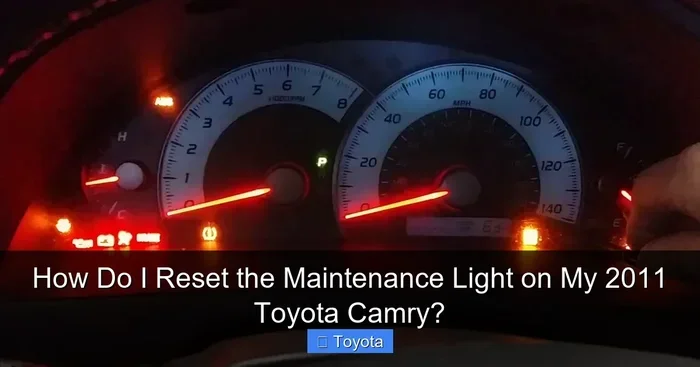
Visual guide about Toyota Camry dashboard maintenance light
Image source: aautomotives.com
Here is the general idea. You will turn the vehicle on and off in a specific pattern while holding a display button. The exact steps can vary a bit by year, but the core process stays similar.
Step-by-Step Reset for Many Camry Models
Try this widely used method:
- Turn the car off. Make sure the ignition is fully off.
- Locate the trip or odometer button. This is often on the dashboard or near the speedometer.
- Press and hold the button. Keep holding it while you move to the next step.
- Turn the ignition to ON. Do not start the engine if your model uses a key. If your model is push-button, move the vehicle into accessory mode or ON mode as appropriate.
- Watch the display. The maint reqd light may flash or the odometer may show dashes.
- Wait for confirmation. Release the button when the reset completes or the display indicates success.
- Turn the vehicle off again. Then start it normally to verify the light is gone.
This method is popular because it is straightforward. Still, some drivers need a slightly different sequence. If your Camry does not clear the notice with this approach, do not worry. Other methods exist, and your model year may prefer one of them.
Quick Tips for the Odometer Reset
A few small habits can make the reset smoother:
- Use a fully charged battery when possible. Low voltage can interrupt display behavior.
- Press the button firmly but gently. You do not need excessive force.
- If your car has multiple trip displays, try the main odometer view first.
- Take your time. Rushing can cause you to miss the reset window.
If you recently had service done, this reset may be all you need. After that, the maint reqd light should stay off until the next interval.
Model-Year Variations and What to Expect
Toyota has made small changes to dashboards and controls over the years. Because of that, a reset that works on one Camry may feel different on another. If you are researching how to turn off maint reqd light Toyota Camry for a specific model year, it is smart to match the method to your vehicle.
Newer models may offer menu-based resets through the multi-information display. Older models often rely on analog buttons near the speedometer. Some vehicles combine both. The variation is normal, and you can usually adapt quickly once you know what to look for.
Common Variations by Generation
Here are general differences you may notice:
- Older Camrys: Often use a physical trip/odometer reset button with an ignition cycle.
- Mid-generation models: May blend button controls with simple dashboard messages.
- Newer Camrys: Can include screen menus, vehicle settings, and reset options in the display.
If your vehicle has a touchscreen or a settings menu, explore the vehicle maintenance section. You may find a reset option there. That can be easier than button sequences, especially if you are already navigating the screen for other settings.
When the Standard Method Does Not Work
Sometimes the light stays on even after you try the usual steps. In that case, check a few things before assuming the reset failed:
- Make sure the ignition was in the correct mode during the process.
- Confirm you held the button long enough for the system to register the reset.
- Check whether your model uses a different button, such as a separate trip reset control.
- Verify that the service was actually completed, since some systems may re-alert if they sense a pending condition.
If needed, you can consult model-specific instructions for your year. For example, some owners look for guidance on how to reset maintenance light on Toyota Camry 2015 or how to reset maintenance light on Toyota Camry 2010 when their vehicle matches those generations. The right match can save time and frustration.
Resetting After an Oil Change or Routine Service
The best time to clear the maint reqd light is right after you complete the service that triggered it. That may be an oil change, tire rotation, fluid check, or general inspection. Once the work is done, the reset helps your dashboard reflect the updated schedule.
Think of the reset as a bookkeeping step. The car does not know you just visited a shop unless you clear the reminder. A quick reset keeps your dashboard tidy and helps you track the next service interval more accurately.
A Simple Service-Reset Routine
Use this practical routine after maintenance:
- Confirm the work is complete. Check that oil, filters, or other items were addressed.
- Gather your records. Save receipts or service notes for future reference.
- Perform the reset. Use the odometer method or menu option that fits your Camry.
- Start the engine. Verify the dashboard is clear and no new alerts appear.
- Note the next interval. Write down or set a reminder for your next planned service.
This routine is especially helpful if you service your own vehicle. It keeps the process organized and reduces the chance of forgetting the reset step. It also makes it easier to answer future questions about how to turn off maint reqd light Toyota Camry if the notice returns later.
Why Records Matter
Keeping simple service notes can prevent confusion later. You will know when the oil was changed, what type of filter was used, and when the reset happened. That information is useful if you sell the car, hand it to a new owner, or simply want to stay organized.
Good records also help you spot patterns. If the maint reqd light keeps coming back too soon, you may need to review your driving habits, oil type, or service schedule. That kind of insight is valuable for long-term ownership.
Troubleshooting When the Light Stays On
Most resets work the first time. Still, there are moments when the maint reqd light refuses to disappear. Before you assume the worst, run through a short troubleshooting list. Often, the issue is small and fixable.
Start by checking the basics. Then move to the more specific possibilities if needed. A calm, methodical approach usually solves the problem faster than guessing.
Common Reasons the Reset May Not Stick
Here are a few frequent causes:
- Incorrect ignition mode: The vehicle may not have been in the right state during the reset.
- Button timing: The hold time may have been too short or interrupted.
- Battery voltage: A weak battery can affect dashboard behavior.
- Uncompleted service: The system may still expect maintenance to be finished.
- Display menu differences: Your model may require a screen-based reset instead of a button sequence.
If you are dealing with a stubborn light, double-check each item. Small details matter. For example, the difference between accessory mode and ON mode can matter on push-button vehicles. Likewise, a loose button press may not trigger the reset properly.
When to Look Beyond the Reset
Sometimes the notice is not just a reminder. If you notice other symptoms, take them seriously. Watch for:
- Low oil level: Check the dipstick and top off if needed.
- Unusual engine noise: Listen for knocking, ticking, or rough running.
- Leaks or smells: Look for oil spots or burning odors.
- Other dashboard lights: Pay attention to red warnings or additional messages.
If any of these appear, address the underlying issue first. A reset should not be used to cover up a real problem. Once the car is healthy, you can clear the reminder and move on.
Helpful Maintenance Habits for Camry Owners
A reset is useful, but good habits are even better. Staying proactive helps you avoid surprise reminders and keeps your Camry in strong shape. Simple routines go a long way, especially with a vehicle known for dependable everyday use.
You do not need a complicated plan. A few consistent habits are enough to keep things running well.
Smart Ownership Habits
Try these easy practices:
- Check oil regularly: A quick dipstick check can prevent low-oil concerns.
- Follow a service schedule: Use your owner’s guidance or a trusted mechanic’s advice.
- Keep a small log: Note dates, miles, and services in a phone app or notebook.
- Inspect tires and fluids: A monthly walk-around can catch issues early.
- Replace wipers and filters on time: Small items affect comfort and visibility.
If you want to stay even more organized, you can pair your maintenance routine with other helpful Camry tasks. For example, some owners also learn how to replace cabin air filter Toyota Camry to improve interior air quality, or how to change wiper blades Toyota Camry when rain visibility drops. These small jobs are simple and can make daily driving more pleasant.
Expert Insight: Keep It Simple
The best maintenance approach is the one you will actually follow. You do not need fancy tools or a complicated schedule. Consistent oil checks, timely service, and a quick reset after work are usually enough. That steady rhythm helps your Camry stay reliable and keeps the maint reqd light from becoming a recurring annoyance.
Another helpful habit is to read your owner’s manual once in a while. It explains your vehicle’s reminder system in plain language. That can make future resets easier and reduce guesswork when you are asking how to turn off maint reqd light Toyota Camry for your specific model.
Final Thoughts on Clearing the Light
Resetting the maint reqd light is usually a quick, manageable task. Once you know the right sequence for your Camry, you can handle it at home without stress. The key is to match the method to your model, complete the needed service first, and verify the result afterward.
If you are still learning how to turn off maint reqd light Toyota Camry for your exact year, take your time and follow the steps carefully. A calm approach works better than rushing. When the light clears and stays off, you can enjoy a cleaner dashboard and a clearer sense of your next service date.
Your Camry is built to be practical and dependable. A maintenance reminder is just part of that system. Treat it as a helpful nudge, not a crisis. With a little routine care and a simple reset when needed, you can keep your vehicle ready for daily commutes, road trips, and everything in between.
Frequently Asked Questions
Why is my Toyota Camry showing maint reqd?
The maint reqd light usually appears as a mileage-based reminder for routine service, such as an oil change. It is typically informational and does not mean your engine has failed. Check your oil level and service records, then reset the light after you complete the needed maintenance.
Can I turn off the maintenance light without an oil change?
You can clear the reminder, but it is better to reset it only after service is done. If the light is appearing because your oil interval has passed, delaying service may not be wise. Use the reset as a follow-up step, not a way to skip maintenance.
Do all Toyota Camry model years reset the same way?
No, the process can vary by generation and dashboard design. Some models use a trip/odometer button sequence, while others use a settings menu on the display. Check the method that matches your model year for the best results.
What if the maint reqd light comes back soon after I reset it?
If it returns quickly, verify that the service was completed correctly and that your oil level is good. A fast return can also mean the reset did not register properly. If the problem continues, have the vehicle checked for underlying issues.
Is the maint reqd light the same as the check engine light?
No, they are different. The maint reqd light is usually a scheduled reminder, while the check engine light points to a possible emissions or engine system issue. A check engine light may need diagnostic attention sooner than a maintenance reminder.
Will resetting the light affect my car’s performance?
No, clearing the reminder does not change how the engine runs. It simply updates the dashboard message after service. Your Camry’s performance depends on the condition of the oil, filters, fluids, and mechanical parts, not on the reminder itself.