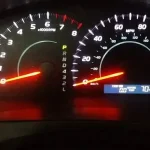

Resetting the maintenance light on your Toyota RAV4 is simple and requires no special tools. You can usually do it right from your dashboard using just the ignition and trip buttons. This process clears the reminder after you complete routine service like an oil change. Ignoring this light might cause you to miss important service intervals. Follow our guide to clear the light safely and keep your vehicle running smoothly.
Owning a Toyota RAV4 is a great choice for many drivers. It is reliable, safe, and built to last. However, like any car, it needs regular care. When your dashboard lights up with a maintenance reminder, it can be annoying. You might wonder what is wrong with your vehicle. The good news is that this light is usually just a reminder. It does not mean something is broken. This guide explains how to turn off maint reqd light Toyota RAV4 models easily.
Many owners feel stressed when they see warning lights. They worry about costly repairs. But the maintenance required light is different from a check engine light. It simply tells you that your car is due for service. Once you change the oil or check the filters, you should reset the light. Doing this keeps your dashboard clean and accurate. It also helps you track future service dates better. We will walk you through the steps clearly.
Key Takeaways
- Simple Process: You can reset the light using dashboard controls without visiting a mechanic.
- Post-Service Reset: Always clear the light only after completing the actual maintenance work.
- Model Variations: Steps may vary slightly between older and newer RAV4 generations.
- No Tools Needed: The reset procedure relies on the ignition switch and trip meter button.
- Maintenance Schedule: The light reminds you every 5,000 miles or after specific service intervals.
- Safety First: Ensure the vehicle is parked and in park mode before starting the reset.
- Persistent Lights: If the light stays on, check for other issues or consult a professional.
📑 Table of Contents
Understanding the Maintenance Required Light
Before you reset the light, you should know what it means. The Toyota RAV4 maintenance light is a timer-based reminder. It does not detect engine problems directly. Instead, it counts down based on mileage or time. Most Toyota vehicles trigger this light every 5,000 miles. This is a standard interval for oil changes. It reminds you to check fluids and filters too.
Some drivers confuse this light with the check engine light. The check engine light is yellow and shaped like an engine. The maintenance light is usually green or yellow and says “MAINT REQD”. It is important to know the difference. If your check engine light is on, you need a diagnostic scan. The maintenance light is just a schedule reminder. You can handle it yourself at home.
Why Does the Light Come On?
Toyota engineers designed this system to help owners. Regular maintenance extends the life of your engine. It also keeps your warranty valid. The vehicle’s computer tracks your odometer reading. When you hit the specific mileage mark, the light turns on. It stays on until you reset it. This ensures you do not forget your next service appointment.
Is It Safe to Drive With the Light On?
Yes, it is generally safe to drive with this light on. The car will still run normally. However, you should plan your service soon. Ignoring it for too long can lead to wear. Old oil reduces engine protection over time. So, treat the light as a helpful nudge. Do not panic, but do not ignore it forever either.
Preparing for the Reset Process
You do not need any special tools for this job. Your keys and the dashboard controls are enough. Before you start, make sure you have completed the maintenance. Resetting the light without doing the work is not a good idea. You want your service schedule to be accurate. Gather your keys and sit in the driver seat. Ensure the car is parked on a flat surface.
Turn the engine off before you begin. You want to start the sequence from a clean state. Check that all doors are closed. Some models require the doors to be shut for the reset. Also, ensure your fuel level is sufficient. You do not want the car to stall during the process. Safety is the most important part of any car task.
Check Your Service History
Look at your service records before resetting. Did you change the oil recently? Did you check the tire pressure? If you are unsure, verify the work was done. This prevents you from resetting the light prematurely. If you need to replace Toyota RAV4 key battery components or other parts, do that first. Once the work is complete, you are ready to clear the light.
Step-by-Step Guide to Resetting the Light
Now we get to the main part. The process is straightforward for most RAV4 models. Follow these steps carefully to reset maintenance light Toyota RAV4 successfully. Take your time and do not rush. If you make a mistake, just turn the car off and try again.
Step 1: Turn the Ignition On
Insert your key into the ignition. Turn it to the “ON” position. Do not start the engine yet. You want the electronics to power up. The dashboard lights should illuminate. If you have a push-button start, press the button twice without touching the brake. This puts the car in accessory mode. Wait for the maintenance light to appear.
Step 2: Navigate to the Trip Meter
Find the trip meter button on your dashboard. It is usually located near the speedometer. Press this button until you see the odometer display. You might see trip A or trip B. You need the main odometer reading. This step prepares the system for the reset command. Hold the button down gently.
Step 3: Turn Ignition Off and Hold Button
Turn the ignition key back to the “OFF” position. Keep holding the trip meter button down. Do not let go of the button yet. This is a critical step in the Toyota RAV4 maintenance reset sequence. The system needs to detect that you are holding the button while powering down. Make sure you maintain pressure on the button.
Step 4: Turn Ignition On Again
While still holding the trip meter button, turn the ignition back to “ON”. You might see the maintenance light flash. Keep holding the button for about ten seconds. The light should blink and then turn off. This indicates the reset was successful. If the light stays on, you may need to try again.
Step 5: Verify the Reset
Start the engine normally. Look at the dashboard. The maintenance required light should be gone. Drive the car for a few minutes. Check if the light comes back on immediately. If it stays off, you have done it correctly. Your reset maintenance light Toyota RAV4 task is complete. You can now drive with a clean dashboard.
Variations for Different Model Years
Toyota updates their systems often. The steps above work for most models. However, some newer RAV4s have slight differences. If you have a 2019 or newer model, the menu might be digital. You may need to use the steering wheel controls. Navigate through the vehicle settings on the screen. Look for the maintenance menu option.
Older models from 2013 to 2018 follow the button method closely. They rely more on physical dashboard buttons. If you have a hybrid model, the process is similar. The hybrid system does not change the maintenance light logic. Always check your owner’s manual for specific details. It is the best source for your specific vehicle.
Digital Dashboard Differences
Newer cars use touchscreens for many settings. You might find the reset option under “Vehicle Settings”. Use the arrow keys on your steering wheel. Select the maintenance reminder option. Choose “Reset” from the list. Confirm your choice on the screen. This method is cleaner but takes a bit more navigation.
What If the Light Stays On?
Sometimes the reset does not work on the first try. Do not worry. This happens often. You might have missed a timing step. Turn the car off and try the sequence again. Ensure you are holding the button for the full duration. Patience is key here. Rushing can cause the system to reject the command.
If the light persists after multiple tries, there might be another issue. Check if the check engine light is also on. If both lights are on, you need a mechanic. The computer might have stored a code. You can also look into how to reset maintenance light Toyota Corolla guides for similar logic. Toyota systems often share similar reset protocols across models.
Checking for Other Issues
Inspect your oil level manually. Low oil can trigger warning lights. Check your tire pressure too. Some systems link maintenance to overall vehicle health. If you recently replaced Toyota RAV4 key battery units or other electronics, ensure no codes were set. A professional scan tool can read hidden codes. This gives you peace of mind.
Maintaining Your Toyota RAV4
Resetting the light is just one part of care. Regular maintenance keeps your RAV4 running well. Follow the schedule in your owner’s manual. Change your oil every 5,000 to 10,000 miles. Check your air filters regularly. Clean filters improve fuel economy and engine breath.
Also, pay attention to your tires. Rotate them every 6,000 miles. This ensures even wear. Check your brake pads annually. Worn brakes are dangerous. If you need to replace windshield wipers Toyota Camry or RAV4, do it before the rain season. Visibility is crucial for safety. Small tasks add up to a healthy vehicle.
Building a Service Routine
Create a habit of checking your car monthly. Look under the hood for leaks. Check fluid levels like coolant and brake fluid. Listen for strange noises while driving. Catching issues early saves money. It also keeps your maintenance light schedule accurate. You will know exactly when service is due.
Expert Tips for Toyota Owners
Here are some pro tips from experienced owners. First, keep a log of your services. Write down the date and mileage. This helps you track patterns. Second, use quality parts. Cheap oil can harm your engine. Stick to Toyota recommended specifications.
Third, learn about your vehicle’s features. You might want to set up Apple CarPlay Toyota systems for better connectivity. Knowing your car helps you spot issues faster. Finally, do not skip minor services. Small checks prevent big repairs. Your RAV4 is an investment. Treat it well and it will serve you for years.
Common Mistakes to Avoid
Do not reset the light before doing the service. This defeats the purpose of the reminder. Do not ignore other warning lights. The maintenance light is friendly, but others are urgent. Do not rush the reset steps. Timing matters for the computer to register the command. Avoid these mistakes for a smooth experience.
Conclusion
Resetting your dashboard reminder is easy once you know the steps. You now know how to turn off maint reqd light Toyota RAV4 models effectively. This simple task saves you a trip to the shop. It also keeps your service schedule accurate. Remember to complete the actual maintenance before resetting. Your car deserves regular care to stay reliable.
Take pride in knowing how to handle basic car tasks. It builds confidence and saves money. Keep this guide handy for future reference. Your Toyota RAV4 is a sturdy vehicle. With proper care, it will take you anywhere. Drive safely and enjoy your well-maintained ride.
Frequently Asked Questions
How long does it take to reset the maintenance light?
It usually takes less than five minutes to complete the reset. You do not need any special tools or mechanical skills. Just follow the button sequence carefully on your dashboard.
Can I reset the light without changing the oil?
You can, but it is not recommended to do so. The light is there to remind you of necessary service intervals. Resetting it without service might lead to engine wear over time.
Does the maintenance light mean my engine is broken?
No, this light is typically just a mileage-based reminder. It does not indicate a mechanical failure like the check engine light. It simply tells you that service is due soon.
What if my RAV4 has a touchscreen instead of buttons?
Newer models may require you to use the steering wheel controls. Navigate to the vehicle settings menu on the display. Look for the maintenance reset option there to clear the light.
Will resetting the light affect my warranty?
No, resetting the reminder light does not void your warranty. However, skipping required maintenance might affect coverage. Always keep records of the actual service work performed.
Where can I find more Toyota maintenance guides?
You can visit our website for detailed guides on various models. We have articles on how to reset maintenance light Toyota Corolla and other vehicles. These resources help you keep every Toyota in top shape.