
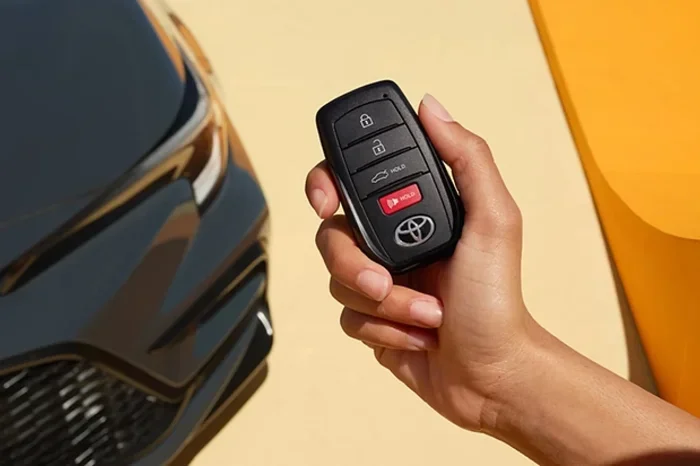
Can Toyota unlock my car remotely? The short answer is yes, but it depends on your model, trim, and available technology. Toyota offers several ways to access your vehicle from a distance, including factory key fobs, smartphone apps, and connected services. In this guide, we will break down exactly how remote unlocking works, what you need to get started, and what to do if the feature does not behave as expected. You will also learn about security, troubleshooting, and practical tips to keep your car accessible without hassle.
Key Takeaways
- Remote unlocking is available on many newer Toyota models through key fobs, smart keys, and the Toyota Remote Connect app.
- Your phone can act as a virtual key if your vehicle supports smartphone integration and you complete the setup process correctly.
- Subscription plans may apply for connected features, so check your model year and service status before relying on remote access.
- Battery and signal issues are the most common reasons remote unlocking fails, and most fixes are simple.
- Security settings matter because some features require confirmation, PINs, or app permissions to prevent unauthorized access.
- Backup methods are important since technology can fail, and you should always know how to enter and start your car manually.
- Troubleshooting usually starts with the key fob battery, phone connection, app permissions, and vehicle settings.
📑 Table of Contents
- Can Toyota Unlock My Car Remotely Using a Key Fob
- Can Toyota Unlock My Car Remotely Through an App
- Smart Key and Passive Entry Features
- Toyota Remote Connect and Connected Services
- Can Toyota Unlock My Car Remotely With a Phone as a Digital Key
- Common Reasons Remote Unlocking Fails
- Security and Safety Considerations
- Key Takeaways for Remote Unlocking
Can Toyota Unlock My Car Remotely Using a Key Fob
Many Toyota owners ask the same question: can Toyota unlock my car remotely without opening an app or using a phone? In many cases, the answer starts with the key fob in your pocket. Toyota has used remote entry systems for years, and these systems let you lock and unlock your doors with the press of a button. The exact behavior depends on your model and trim level.
Some key fobs unlock all doors at once. Others unlock only the driver door on the first press, then the remaining doors on a second press. This design can help protect your car in busy parking lots. If you want a simpler experience, some models allow customization through the vehicle settings. That means you may be able to change how the fob behaves.
Here are a few common key fob behaviors you may see:
- Single-button unlock: One press unlocks every door.
- Driver-first unlock: One press opens the driver door, and a second press opens the rest.
- Panic or security buttons: These may trigger lights and alarms rather than unlocking.
- Passive entry: Some smart keys unlock the door when you pull the handle, if the system is active.
If your key fob is working normally, remote unlocking is usually instant. If it is not working, the issue is often simple. A weak battery, blocked signal, or nearby interference can stop the fob from reaching the car. The good news is that this is usually a quick fix.
How to Improve Key Fob Reliability
If you rely on your fob every day, a few habits can help it work better. Keep the fob close to the vehicle when possible. Replace the battery before it gets too weak. Avoid placing the fob near strong electronics if you notice occasional signal problems.
You should also check whether your vehicle has multiple unlock settings. Some Toyota models let you choose how the doors respond. If your car seems inconsistent, review the owner’s manual for the unlock pattern and button functions.
Can Toyota Unlock My Car Remotely Through an App
Smartphone access has become one of the easiest ways to manage a vehicle from a distance. If you are wondering can Toyota unlock my car remotely with your phone, the answer is often yes, but only when your car supports connected services and you have completed the setup.
Toyota’s connected services are designed to give you remote control through a mobile app. Depending on your vehicle and plan, you may be able to:
- Lock or unlock the doors remotely
- Check the vehicle’s status
- Start the engine remotely, if supported
- Receive alerts and notifications
- Locate the vehicle, if enabled
This is especially helpful when you are carrying groceries, managing children, or trying to give someone temporary access. Instead of searching for a physical key, you can use your phone to open the doors. For many people, that convenience is the biggest reason to use remote unlocking.
What You Need Before Using the App
Before you can unlock your car from your phone, a few things must be in place. Your vehicle needs compatible hardware. You also need an account and a connected service plan, if one is required for your model. The app must be installed, signed in, and paired with the car.
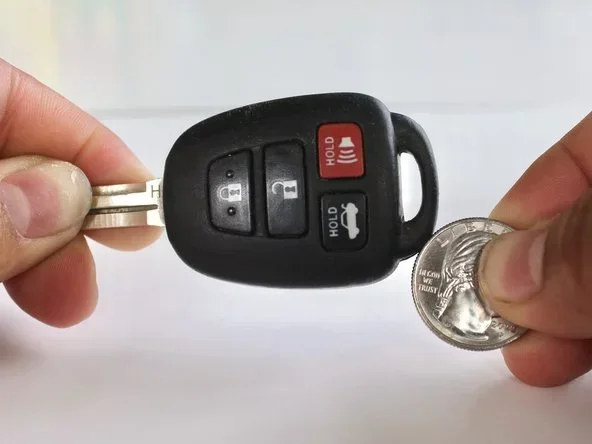
Visual guide about Toyota key fob unlocking car
Image source: guide-images.cdn.ifixit.com
Setup can sometimes feel a little technical, but it is usually straightforward. The main steps often include:
- Creating or signing into your Toyota account
- Adding your vehicle using the VIN or registration details
- Confirming the subscription or connected service status
- Completing in-vehicle verification, if required
- Testing a lock or unlock command
If the app is not working the way you expect, the issue may be related to setup, connectivity, or permissions. We will cover that in more detail later.
Smart Key and Passive Entry Features
Some Toyota vehicles go beyond button-based remote entry. Smart key systems can make unlocking feel almost automatic. If your car has this feature, you may be able to unlock the door simply by pulling the handle while the key is nearby. That means the car can detect the key without you pressing any button at all.
This is convenient, but it also changes how you think about remote access. In this case, the car is not unlocking because you sent a command from far away. It is unlocking because the key is close enough to communicate with the vehicle. Still, many drivers think of this as part of the same family of remote entry features.
Common smart key behaviors include:
- Handle pull unlocking: The door opens when the key is detected.
- Push-button start: The engine may start without inserting a traditional key.
- Lock-on-walk-away: The car may lock automatically after you move away with the key.
- Proximity detection: The system recognizes the key within a short range.
If you want this type of access, make sure your model supports smart entry. Also, keep in mind that these systems depend on the key’s battery and the vehicle’s sensors. If the key battery is low, the car may not detect it reliably.
Toyota Remote Connect and Connected Services
When people search can Toyota unlock my car remotely, they are often thinking about remote services through Toyota’s connected platform. Toyota Remote Connect is one of the main tools for this kind of access. It is built to let you interact with your vehicle from your phone, within the limits of your model and subscription.
This type of service can be useful in everyday situations. You may use it when:
- You forgot to lock the car and want to secure it from a distance
- You need to let a family member into the vehicle without handing over the key
- You want to check whether the car is locked before walking away
- You need to start the vehicle remotely, if your model supports that function
Remote access is not the same on every vehicle. Some cars offer more features than others. Some require an active subscription. Others may have a trial period before the connected service needs to be renewed. That is why it helps to understand your specific vehicle rather than assuming every Toyota behaves the same way.
Why Subscription Status Matters
Connected features often depend on an active plan. If the subscription lapses, remote functions may stop working even if the hardware is still present. This can be confusing because the car itself has not changed, but the service has.
If you are unsure whether your vehicle has remote access, check:
- Your model year
- The trim level
- Your connected service status
- Any trial expiration dates
- App access and account permissions
A quick review of your account and vehicle settings can save a lot of frustration later.
Can Toyota Unlock My Car Remotely With a Phone as a Digital Key
A growing number of drivers want to use their phone the same way they would use a physical key. This leads to another common question: can Toyota unlock my car remotely using a phone that acts as the key itself? In supported vehicles, the answer can be yes.
A phone-based key experience may allow you to unlock the car, start it, and manage access through your device. This can be very convenient because most people already carry their phones everywhere. It can also make it easier to share access with another person without duplicating a physical key.
Phone-based access usually depends on a few important factors:
- Compatible hardware: The vehicle must support the feature.
- Proper setup: The phone and car must be linked correctly.
- Battery life: Both the phone and the vehicle system matter.
- Connectivity: The app or phone feature may need a stable connection.
- Permissions: Security settings may limit how access is granted.
If your vehicle supports this type of access, it can feel very modern and flexible. If it does not, you may still have traditional remote entry or app-based remote commands, depending on the model.
Common Reasons Remote Unlocking Fails
Even when a vehicle supports remote unlocking, things can still go wrong. If you are trying to figure out can Toyota unlock my car remotely and it is not happening, the issue may be one of several common problems.
The most frequent causes include:
- Dead or weak key fob battery
- Phone battery dead or app closed
- Poor cellular or Bluetooth connection
- Vehicle out of range, if using proximity features
- Subscription or account issue
- Settings that change unlock behavior
- Signal interference from nearby electronics
Sometimes the problem is as simple as holding the fob too far away. Other times, the app may need to be refreshed or signed in again. In some cases, the vehicle may need a reset or a professional check.
Quick Troubleshooting Steps
If remote unlocking is not working, try these steps first:
- Replace the key fob battery
- Close and reopen the app
- Check that your phone has service
- Confirm the vehicle is paired correctly
- Look at any subscription or service alerts
- Test the fob near the car
- Review the unlock settings in the vehicle
If these steps do not help, the next move is to check the owner’s manual or contact support. Many remote access problems are solvable, but they are easier to fix when you start with the basics.
Security and Safety Considerations
Remote unlocking is convenient, but it should also be used carefully. When you ask can Toyota unlock my car remotely, it is worth remembering that access features need to stay secure. Toyota systems usually include protections to reduce the risk of unauthorized use.
That said, good habits still matter. You should:
- Keep your phone locked with a strong passcode
- Use app security features when available
- Avoid sharing account access unless necessary
- Store key fobs safely, especially if they support passive entry
- Watch for unusual app behavior or login alerts
It is also smart to know what happens if the remote system fails. Always understand the manual backup method for your vehicle. That way, you are not stranded if the battery dies, the app crashes, or the signal is blocked.
Key Takeaways for Remote Unlocking
If you want the simplest answer, here it is: many Toyotas can unlock remotely, but the exact method depends on your vehicle and services. A key fob may be all you need. A phone app may give you more flexibility. Smart key features may make unlocking feel automatic. Connected services may add remote control, but sometimes they require an active plan.
The best approach is to learn how your specific model works. That way, you know what to expect before you need it. Remote unlocking is most useful when you understand both the convenience and the limits.
Final Tips to Remember
Here are a few practical tips to keep remote unlocking smooth:
- Test the feature ahead of time so you are not learning it during an emergency.
- Keep batteries fresh in both the fob and your phone.
- Check subscription status if your vehicle uses connected services.
- Know the manual backup if technology fails.
- Use secure access habits to protect your vehicle and account.
Remote unlocking can make daily life easier, especially when your hands are full or you are managing multiple tasks. Once you know how your Toyota handles access, you can use the feature with confidence.
Frequently Asked Questions
Can Toyota unlock my car remotely if I do not have the app?
Yes, in many cases you can still unlock the car with a traditional key fob if your model supports remote entry. The app is only one option, and some features may not require it at all.
Does every Toyota vehicle support remote unlocking?
No, not every Toyota has the same features. Remote unlocking depends on the model, trim, year, and available connected services. You should check your specific vehicle’s capabilities.
Why would Toyota remote unlock not work from the phone?
It may fail because of a dead battery, poor connection, incomplete setup, or an inactive subscription. The app may also need to be refreshed or reconnected to the vehicle.
Can Toyota unlock my car remotely without me pressing a button?
Some models support passive or smart entry, which can unlock the door when the key is nearby and you pull the handle. That is different from sending a remote command from far away.
Is remote unlocking safe to use?
It is generally safe when used with secure accounts, locked phones, and proper access controls. You should still protect your key fob and account credentials to reduce risk.
What should I do if remote unlocking suddenly stops working?
Start by checking the key fob battery, phone connection, app login, and subscription status. If the problem continues, review the vehicle settings or contact support for help.