
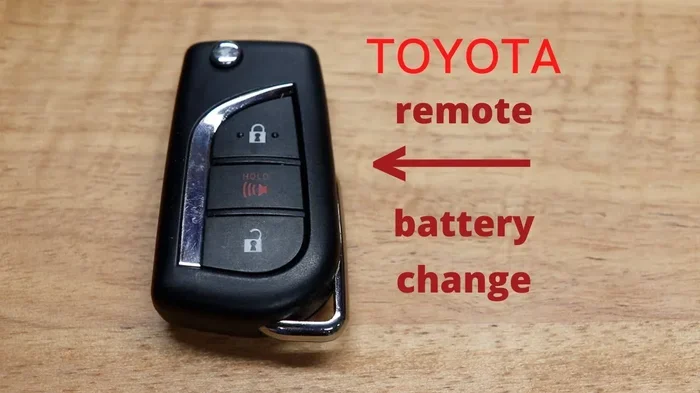
Replacing a dead battery in your Toyota key fob is simple and takes just a few minutes. You only need a small flathead screwdriver or a coin to open the case and swap the old CR2032 battery for a new one. This guide walks you through every step so you can get back to accessing your vehicle without stress. Most Toyota owners can complete this task at home with basic tools.
Key Takeaways
- Simple process: Changing a Toyota key fob battery takes under five minutes and requires minimal tools.
- Correct battery type: Most Toyota fobs use a CR2032 coin cell battery, but always verify your specific model.
- Safe opening method: Use a small flathead screwdriver or a coin to gently pry the fob casing without damaging it.
- Proper battery orientation: Match the positive side of the new battery to the marking inside the fob to avoid malfunction.
- Test before reassembly: Press the buttons after installing the new battery to confirm the fob works before snapping the case closed.
- Keep a spare battery: Store a replacement battery in your glove box or center console for quick fixes on the go.
- When to seek help: If the fob still fails after a battery change, consider reprogramming or consulting a dealership.
📑 Table of Contents
- Why You Need to Know How to Change Key Fob Battery Toyota
- Gather the Right Tools and Materials
- Step by Step Guide to Change Key Fob Battery Toyota
- Common Mistakes to Avoid
- Expert Tips for a Smooth Battery Replacement
- Troubleshooting After the Battery Change
- Quick Tips for Long Term Key Fob Care
- Final Thoughts on How to Change Key Fob Battery Toyota
Why You Need to Know How to Change Key Fob Battery Toyota
Your Toyota key fob is a small but mighty device. It unlocks your doors, starts your engine, and keeps your daily routine smooth. When the battery dies, you might feel stuck. That is why learning how to change key fob battery Toyota is a valuable skill for every driver. You do not need to visit a mechanic or wait for a replacement. With a few simple steps, you can restore full functionality at home.
Most Toyota owners notice a fading signal or a weak response before the fob completely fails. Some cars display a warning message on the dashboard. Others simply stop unlocking the doors from a distance. These signs tell you that the CR2032 battery or your specific battery type needs attention. Ignoring the issue can leave you stranded outside your vehicle on a rainy day. Taking action early saves time and frustration.
This guide breaks the process into clear steps. You will learn what tools you need, how to open the fob safely, and how to test the new battery. We also cover common mistakes and quick fixes. By the end, you will feel confident handling this task on your own. Let us dive in and get your key fob working like new.
Gather the Right Tools and Materials
Before you start, collect everything you need. A smooth process begins with the right supplies. You will not need a toolbox full of gear. In fact, most Toyota key fobs open with a simple household item. Here is what you should have ready.
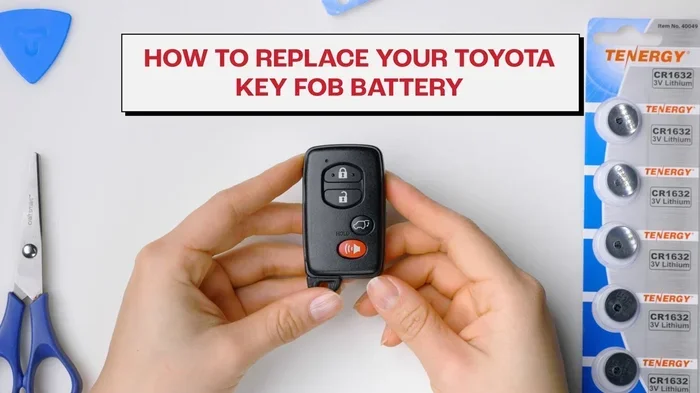
Visual guide about Toyota key fob battery replacement
Image source: i.ytimg.com
Essential Tools
- Small flathead screwdriver: This is the most common tool for prying open the fob casing. Choose one with a thin tip for better control.
- Coin: A quarter or similar coin works well if you do not have a screwdriver. The edge fits into the seam and gives you leverage.
- New battery: Most Toyota fobs use a CR2032 coin cell battery. Check your owner manual or the old battery to confirm the exact type.
- Clean cloth: Place the fob on a soft surface to prevent scratches. A cloth also helps you keep small parts from rolling away.
Optional but Helpful Items
- Tweezers: These make it easier to handle the tiny battery and position it correctly.
- Battery tester: If you want to verify the old battery before opening the fob, a simple tester can save time.
- Small container: Keep screws, clips, or the old battery in one place so nothing gets lost.
Having these items ready keeps the job quick and stress-free. You can finish the entire process in minutes once you start. If you are unsure about the battery type, look at the old one after you open the case. The marking on the battery tells you exactly what to buy.
Step by Step Guide to Change Key Fob Battery Toyota
Now comes the main part. Follow these steps carefully, and you will have a working key fob in no time. Each step is simple, but paying attention to small details prevents damage and ensures a proper fit.
Step 1: Locate the Seam and Prepare the Fob
Hold the key fob in your hand and look for the seam that runs around the edge. This is where the two halves of the casing meet. Place the fob on a soft cloth or towel. A stable surface gives you better control and protects the plastic from scratches. If your fob has a key blade, make sure it is folded away or extended based on your model design.
Step 2: Open the Key Fob Casing
Insert the tip of a small flathead screwdriver or the edge of a coin into the seam. Gently twist or pry to separate the two halves. Work slowly around the edges if the case feels tight. Some Toyota fobs have small clips that hold the halves together. Apply even pressure and avoid forcing the plastic. If you meet resistance, move to a different spot along the seam and try again.
Once the case begins to open, use your fingers to lift the top half away. Be careful not to drop the internal components. A small circuit board and the battery sit inside. Keep everything aligned so you can see the battery clearly.
Step 3: Remove the Old Battery
Look at the battery compartment. You will see the old coin cell battery sitting in its slot. Note how it is positioned before you remove it. Most batteries have a positive side marked with a plus sign. Take a mental note or a quick photo so you can match the new battery later.
Use your finger, a small tool, or tweezers to lift the old battery out. If it feels stuck, do not force it. Check for a small tab or clip that may be holding it in place. Gently release the tab and remove the battery cleanly.
Step 4: Install the New Battery
Take your new CR2032 battery or the correct replacement type. Match the orientation to what you saw earlier. The positive side should face the same direction as the old battery. Place the new battery into the slot and press it down lightly until it sits flat.
Make sure the battery is secure but not crushed. A proper fit keeps the circuit connected and prevents intermittent signal issues. If the battery wobbles, adjust it until it rests firmly in the compartment.
Step 5: Close the Fob and Test
Align the two halves of the casing. Press them together starting from one edge and work your way around. You should hear soft clicks as the clips engage. Ensure the seam is even and there are no gaps. A loose case can cause button problems or signal interference.
Before you finish, press the buttons on the fob. Test the lock, unlock, and trunk functions if your model has them. Stand near your Toyota and check whether the car responds. If everything works, you are done. If the signal is weak, double-check the battery placement and the case closure.
Common Mistakes to Avoid
Even a simple task can go wrong if you rush. Avoiding these common mistakes keeps your key fob in great shape and saves you from repeating the process.
- Forcing the case open: Too much pressure can crack the plastic or break internal clips. Use gentle, steady force instead.
- Ignoring battery orientation: Placing the battery backward can prevent the fob from working. Always match the positive side to the marking inside the case.
- Using the wrong battery type: Not all coin cells are the same. Verify the exact battery model before buying a replacement.
- Dropping small parts: Keys, screws, or clips can roll away quickly. Work over a cloth or tray to keep everything contained.
- Skipping the test: Closing the case without testing can leave you with a fob that still does not work. Always check the buttons first.
- Touching the circuit board with bare hands: Oils and dirt can affect performance over time. Handle the internals carefully and keep them clean.
These mistakes are easy to avoid once you know what to watch for. A careful approach leads to a successful battery change and a reliable key fob.
Expert Tips for a Smooth Battery Replacement
A few extra tips can make the job even easier. These insights come from hands-on experience and help you handle different Toyota models with confidence.
Tip 1: Take a Photo Before Opening
Snap a quick picture of the battery compartment before you remove the old battery. This visual reference helps you place the new battery correctly. It is especially useful if you are working in a dim garage or on a busy day.
Tip 2: Keep a Spare Battery Handy
Store a fresh battery in your glove box, center console, or wallet. When the fob starts to weaken, you can replace it immediately. This simple habit prevents unexpected lockouts and keeps you moving.
Tip 3: Clean the Contacts Gently
If the fob has been acting up, inspect the metal contacts inside the case. Use a dry cloth or a cotton swab to remove dust or corrosion. Clean contacts improve the connection and extend battery life. Avoid liquids or harsh cleaners.
Tip 4: Know Your Fob Type
Toyota offers several key fob designs, including standard remotes, smart keys, and proximity keys. Each style may have a slightly different opening method. If your fob feels different from the typical case, check your owner manual for model-specific guidance. Understanding your fob type helps you choose the right approach.
Tip 5: Reprogramming Is Rarely Needed
Most Toyota key fobs do not require reprogramming after a battery change. The fob usually remembers its settings once the new battery is installed. If the car does not respond, try standing closer, pressing the buttons firmly, or checking the case alignment. If problems continue, you may need to look into how to reprogram a Toyota key fob for more advanced troubleshooting.
Troubleshooting After the Battery Change
Sometimes the new battery does not solve the issue right away. That does not mean the job failed. A few quick checks can help you identify the real cause.
Weak Signal or No Response
If the car does not unlock or start, verify that the battery is seated correctly. A misaligned battery can break the circuit. Also check that the case is fully closed. A gap in the seam can interfere with button pressure and signal transmission.
Buttons Feel Stiff or Unresponsive
Test each button individually. Sometimes one button works while another does not. This may point to a contact issue rather than a battery problem. Press the buttons several times to see if they respond after a few attempts. If a button remains dead, the fob may need further inspection.
Dashboard Warning or Maintenance Messages
Some Toyota models display alerts when the key fob battery is low. After replacing the battery, the warning should clear on its own. If a message persists, it may be related to another system. For example, you might see a maintenance reminder that needs a separate reset. In that case, you can check how to turn off Toyota Camry maintenance light or similar guides for your specific model.
When to Seek Professional Help
If the fob still fails after a correct battery replacement, consider other possibilities. The internal circuit may be damaged, or the fob may need reprogramming. A dealership or qualified locksmith can diagnose the issue and restore full function. Do not keep forcing the fob or replacing batteries repeatedly if the problem continues.
Quick Tips for Long Term Key Fob Care
A little care goes a long way. These habits help your key fob last longer and stay reliable.
- Avoid extreme temperatures: Heat and cold can shorten battery life and affect plastic durability.
- Store the fob safely: Keep it away from keys, coins, and other metal objects that may scratch the case.
- Replace the battery before it dies completely: Watch for weaker signals and act early.
- Use the correct battery every time: Stick to the recommended type for consistent performance.
- Keep the fob dry: Moisture can damage the internal electronics over time.
These simple practices protect your investment and reduce the chances of sudden failures. A well-maintained key fob makes everyday driving smoother and more convenient.
Final Thoughts on How to Change Key Fob Battery Toyota
Changing the battery in your Toyota key fob is one of the easiest maintenance tasks you can do at home. With a small screwdriver or coin, a new CR2032 battery, and a careful approach, you can restore your fob in minutes. The process is straightforward, and the results are immediate. Once you know how to change key fob battery Toyota, you will feel prepared for the next time the signal starts to fade.
Remember to check the battery type, match the orientation, and test the fob before closing the case. Avoid common mistakes like forcing the plastic or skipping the test step. Keep a spare battery on hand and clean the contacts when needed. These small habits make a big difference over time.
If your fob still gives you trouble after the replacement, do not panic. Double-check the installation, inspect the case, and consider professional support if necessary. With the right steps, your Toyota key fob can work reliably for a long time to come.
Frequently Asked Questions
How long does a Toyota key fob battery last?
A Toyota key fob battery usually lasts between one and three years, depending on usage and signal strength. Frequent use, extreme temperatures, and poor battery quality can shorten that lifespan. Replacing the battery early when you notice a weaker signal helps avoid sudden failures.
What type of battery does a Toyota key fob use?
Most Toyota key fobs use a CR2032 coin cell battery, but some models may require a different type. Always check the old battery or your owner manual to confirm the exact specification. Using the correct battery ensures proper fit and reliable performance.
Do I need to reprogram my Toyota key fob after changing the battery?
In most cases, you do not need to reprogram the fob after a battery change. The fob typically keeps its settings once the new battery is installed and the case is closed. If the car does not respond, check the battery placement and case alignment before considering reprogramming.
Can I open my Toyota key fob with a coin?
Yes, a coin often works well for opening a Toyota key fob. The edge of a quarter or similar coin can fit into the seam and provide enough leverage to separate the halves. Use gentle pressure to avoid cracking the plastic.
What should I do if my key fob still does not work after replacing the battery?
First, verify that the battery is seated correctly and the case is fully closed. Test the buttons again near the vehicle and make sure the fob is not damaged. If the issue continues, the fob may need professional inspection or reprogramming.
Where can I buy a replacement battery for my Toyota key fob?
You can find replacement batteries at auto parts stores, electronics shops, supermarkets, and online retailers. Look for the exact battery type listed on your old battery or in your owner manual. Keeping a spare battery in your car is a smart way to prepare for future replacements.