
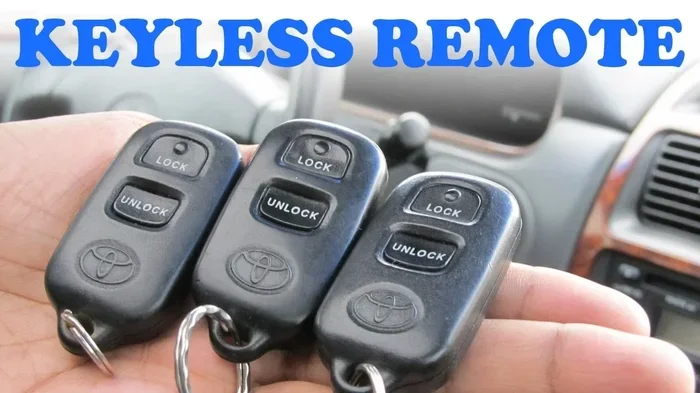
Learning how to program a Toyota key fob can save you hundreds of dollars and keep you from waiting at a dealership. Most Toyota models let you sync a new remote right from your driveway with a simple button sequence. This guide walks you through every step, covers battery replacement tips, and shows you how to fix common sync issues fast. You will also find clear answers for Toyota key fob programming questions and quick fixes that work for most years and trims.
Key Takeaways
- Start with the right battery: A fresh CR2032 or CR1632 keeps your remote responsive during programming.
- Follow the exact sequence: Small timing errors can break the sync, so watch the door locks closely.
- Use Manual Setup for most keys: Many Toyota models support a simple button method without special tools.
- Try OBD Programming when needed: Newer smart keys often need a scanner for reliable pairing.
- Replace the battery first: Low power is the most common reason remotes fail to pair.
- Keep a backup key handy: A working spare helps you avoid lockouts if the new fob glitches.
- Test every function: Lock, unlock, trunk, and panic buttons should all respond before you finish.
📑 Table of Contents
- How to Program a Toyota Key Fob at Home
- What You Need Before You Start
- How to Program a Toyota Key Fob Using the Manual Method
- When to Use OBD Programming for Newer Keys
- How to Replace the Key Fob Battery the Right Way
- Troubleshooting Toyota Key Fob Pairing Problems
- How to Program a Toyota Key Fob With Confidence
- Final Tips for a Smooth Toyota Key Fob Setup
How to Program a Toyota Key Fob at Home
Losing a working remote can ruin your morning fast. One moment you are ready to go, and the next you are standing next to a car that will not recognize your new key fob. The good news is that how to program a Toyota key fob is often easier than people think. Many owners can handle the job themselves with a little patience and the right steps.
You do not always need a dealership visit. In many cases, you can sync a replacement remote in just a few minutes. The exact method depends on your model year, the type of key, and whether you have a working backup remote. This guide breaks the process into simple parts so you can move with confidence.
Before you begin, gather everything you need. A fresh battery, a clean workspace, and a working spare key can make the process much smoother. If your current remote is dead, you may also want to check how to replace a Toyota key battery before you start the pairing steps. A weak battery can cause timing errors and failed syncs.
What You Need Before You Start
Preparation matters more than people expect. A few small details can make the difference between a smooth sync and a frustrating repeat attempt. Here is a simple checklist to help you get ready.
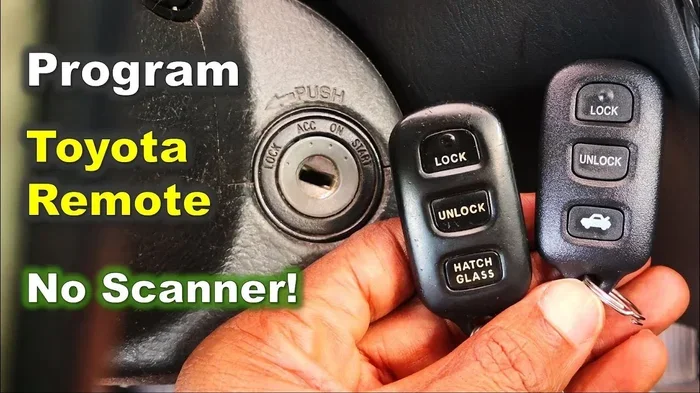
Visual guide about Toyota key fob programming
Image source: i.ytimg.com
Basic Tools and Supplies
Most Toyota remotes only need a small battery and a careful hand. You may also want a soft cloth to protect the plastic during opening. If your key uses a tiny screw or a clip, a small precision tool can help. Keep the car parked in a quiet spot where you can hear the locks click.
Check Your Key Type First
Not every Toyota remote works the same way. Some models use a simple button fob, while others use a smart key with push-button start. The pairing steps can differ a lot between these designs. If you are unsure which type you have, compare the shape, button layout, and whether the key has a built-in chip blade.
Make Sure You Have a Working Key
Many manual programming methods need at least one already paired remote. That working key acts like a bridge for the new one. If you only have one key and it is already broken, the process may be harder. In that case, you might need professional support or a scanner-based approach.
If your current remote is acting up, start by checking the battery. A quick fix there can save you a lot of time. You can also review how to change battery in Toyota Highlander key fob if you drive a Highlander and want a model-specific walkthrough.
How to Program a Toyota Key Fob Using the Manual Method
The manual method is the most common starting point for many owners. It usually involves a short sequence of button presses and ignition steps. The car listens for a specific pattern, then tries to accept the new remote.
Step-by-Step Pairing Process
This method works best when you already have one functioning remote. Follow the order carefully, because the timing matters.
- Sit in the driver seat and close all doors.
- Insert the working key and turn the ignition to the on position.
- Press and hold the lock and unlock buttons on the new fob at the same time.
- Watch for a lock cycle or a horn chirp, if your model uses one.
- Test the new remote right away by locking and unlocking the doors.
If the car does not respond, wait a moment and try again. Do not rush the steps. A calm repetition often works better than rapid guessing.
Common Timing Mistakes
The most common issue is moving too fast. People often press buttons too briefly or release them too early. Another common mistake is opening a door during the process, which can interrupt the sync. Keep the vehicle closed and pay attention to the lock feedback.
If you still struggle, check whether your remote is fully powered. A fading battery can send weak signals that the car cannot read. That is why Toyota key fob programming often succeeds only after the battery is replaced.
When to Use OBD Programming for Newer Keys
Some newer Toyota models use smarter systems that do not always accept manual pairing. In those cases, the car may need a direct scan tool connection. This approach is more technical, but it can be necessary for certain smart keys and newer security setups.
Why OBD Pairing Exists
Modern vehicles use stronger encryption and rolling codes. That means a new fob cannot always be added through a simple button sequence. A scanner can talk to the car’s security module and register the new remote in a safer way. This is especially common when all old remotes are lost or when the system needs a fresh reset.
When Manual Setup Is Enough
Many standard remotes still work with the manual method. If your vehicle accepts the new fob after a few careful attempts, you may not need a scanner at all. The best clue is whether the car gives feedback during the process. If you see lock movement or hear a confirmation sound, the manual path is usually working.
If you want to compare dealership service with a DIY approach, it helps to think about time, cost, and convenience. The right choice depends on your key type and how comfortable you feel with the steps.
DIY vs Dealership Comparison
| Approach | Best For | Time Needed | Cost Feel |
|---|---|---|---|
| Manual pairing at home | Most standard remotes with a working backup key | 10 to 20 minutes | Low, mostly battery or replacement fob cost |
| OBD scanner pairing | Newer smart keys or lost-all-keys situations | 20 to 45 minutes | Moderate, if you use a scanner or a shop |
| Dealership service | Complex security issues or when no working key exists | Longer wait time | Higher, but often the easiest path |
This table is not about one method being better for everyone. It is about choosing the right path for your situation. If your remote is simple and you have a working spare, the home method is often enough. If the system is more advanced, a scanner or dealer support may be the safer bet.
How to Replace the Key Fob Battery the Right Way
A fresh battery is one of the easiest wins in this whole process. Many pairing failures are really just power problems in disguise. If the remote feels sluggish, the buttons are hard to press, or the range seems short, the battery may be the culprit.
Pick the Correct Battery
Most Toyota remotes use a common coin cell battery. The exact part can vary by model, so it helps to check your old battery before buying a replacement. Using the wrong size can lead to poor contact or a remote that will not stay closed.
Open the Fob Carefully
Key fobs are small, and the clips can be delicate. Use a gentle approach and avoid forcing the case apart. If your fob has a tiny screw, remove it first. If it uses a sliding latch or a snap seam, open it slowly along the edge.
Once the case is open, note how the battery sits before you remove it. Positive and negative sides matter. Clean any dust or residue if you see it, then place the new battery in the same orientation. Snap the case back together and test the buttons before moving on to pairing.
If you want a more detailed walkthrough, you can also review how to change key fob battery Toyota for general battery replacement tips that apply to many models.
Troubleshooting Toyota Key Fob Pairing Problems
Even when you follow the steps correctly, things can still go wrong. That does not always mean the remote is bad. Sometimes the issue is simple, like a door left ajar or a battery that is not fully seated.
Quick Fixes to Try First
Start with the easiest checks before assuming the worst. These small fixes solve a surprising number of problems.
- Replace the battery and test the remote range.
- Close every door fully before starting the pairing sequence.
- Use a different working key if one is available.
- Try the process again with slower, steadier button presses.
- Check whether the car battery is strong enough to support the sync.
When the Remote Still Will Not Sync
If the new fob still ignores your attempts, the issue may be deeper. The car may not accept the remote because of a security lockout, a dead vehicle battery, or a key that was never intended for your trim. In that case, double-check that the replacement fob matches your model and year.
You may also need to reset the car’s memory or use a scanner if the system is stuck. If you are dealing with a maintenance indicator or other dashboard reminders after working on the vehicle, you might find it useful to look at how to reset the maintenance light on a Toyota Tundra or a similar guide for your model. That does not fix the key itself, but it helps you keep the car’s status clear while you troubleshoot.
How to Program a Toyota Key Fob With Confidence
The best results usually come from patience and order. Do not jump from one method to another too quickly. Pick the method that fits your key type, prepare the battery, and follow the steps in a calm sequence. If the first attempt fails, repeat it once or twice before changing paths.
Confidence also comes from testing. After pairing, walk a few feet away and try the lock button. Then try unlock, trunk release, and panic if your fob has it. A successful sync should feel immediate and steady. If the car responds inconsistently, the battery may still be weak or the fob may not be fully registered.
Smart Habits After Programming
Once the new remote works, keep a few habits in mind. Store the spare key in a separate place if possible. That gives you a backup if the main fob is lost or damaged. It also helps to replace the battery before it gets too old, especially if the remote starts to feel less responsive.
If you use push-button start, pay attention to how the car reacts when the key is near the vehicle. Sometimes the fob works for locks but struggles with the ignition area. That can point to a placement issue or a battery problem rather than a full pairing failure.
Final Tips for a Smooth Toyota Key Fob Setup
A little preparation goes a long way. Before you start, make sure you know which key type you have and whether you have a working backup. Keep the car battery healthy, because a weak vehicle battery can cause strange behavior during programming. Use fresh batteries in new remotes, and test every button after pairing.
If you want to save time later, write down the steps that worked for your vehicle. Different family members may need the same process someday, and a short note can make the next setup much easier. That is especially helpful if you ever need to learn how to reprogram a Toyota key fob after a replacement or a system reset.
Most of all, do not rush. The process is usually simple, but it rewards careful hands and steady timing. Once you understand the basics, how to program a Toyota key fob becomes a practical skill you can use whenever a remote needs to be added or replaced.
Frequently Asked Questions
How long does it take to program a Toyota key fob?
It usually takes about 10 to 20 minutes if the manual method works and you have a working backup key. Newer systems or scanner-based pairing can take longer, especially if the car needs extra setup.
Do I need a working key to program a new Toyota key fob?
Many manual methods do require at least one already paired key to help the car accept the new remote. If all keys are lost, you may need a scanner or dealership support instead.
What battery does a Toyota key fob use?
Most Toyota remotes use a common coin cell battery, often a CR2032 or a similar size, but the exact type can vary by model. Check the old battery before buying a replacement so you get the right fit.
Why is my new Toyota key fob not working after programming?
The most common reasons are a weak battery, a missed step in the pairing sequence, or a fob that is not the right type for your vehicle. Try replacing the battery and repeating the process slowly before looking at more complex fixes.
Can I program a Toyota key fob without a dealership?
Yes, many owners can program a standard remote at home using the manual method. If your vehicle uses a newer smart key system or you have no working key left, a scanner or dealer help may be needed.
How do I know if my Toyota key fob is paired successfully?
The car should lock or unlock in response to the new remote, and the buttons should feel consistent from a short distance. Test every function you use, including lock, unlock, and trunk or panic if available.