
Publishing a book on Amazon KDP has never been easier, especially when you use smart AI tools to help with writing and design. This guide shows you exactly how to publish a book on KDP with AI, even if you are a complete beginner. You will learn practical steps to save time and create a polished book without stress.
Writing a book used to feel like a huge mountain. You had to brainstorm for weeks, draft pages, edit endlessly, and then figure out how to get it into readers’ hands. Today, the process feels much lighter. If you have ever wondered how to publish a book on KDP with AI, you are in the right place. Artificial intelligence can help you move from idea to finished book with less stress and more confidence.
Amazon Kindle Direct Publishing, or KDP, lets anyone upload ebooks and paperbacks to a global marketplace. That means you do not need a traditional publisher to share your work. You just need a clear plan, a finished manuscript, and a cover that catches the eye. AI tools can support you at each step, from brainstorming to final formatting. This guide walks you through the entire journey in a simple, friendly way.
By the end, you will know how to shape your idea, write faster, polish your text, design a strong cover, and upload your book with confidence. You will also learn how to choose keywords, set your price, and launch your book in a way that feels manageable. Let’s dive in.
Key Takeaways
- AI speeds up writing: Tools help draft chapters, edit text, and generate ideas quickly.
- Formatting matters: Clean layouts improve readability and customer reviews.
- Cover design counts: Eye-catching covers attract more readers on Amazon.
- Keywords drive sales: Choosing the right search terms helps buyers find your book.
- Pricing affects reach: Smart pricing can boost visibility and earnings.
- Marketing is essential: Simple promotion steps help your book gain traction.
- AI assists, not replaces: Human editing keeps your voice authentic and engaging.
📑 Table of Contents
- How to Publish a Book on KDP With AI: Start With a Clear Idea
- Writing Faster With AI While Keeping Your Voice
- Formatting and Polish for a Professional Book
- Designing a Cover That Draws Attention
- Uploading and Launching Your Book on KDP
- After Publishing: Simple Ways to Grow Visibility
- Common Mistakes to Avoid
- Expert Insights for a Smoother Process
- Final Thoughts on How to Publish a Book on KDP With AI
How to Publish a Book on KDP With AI: Start With a Clear Idea
Every great book begins with a clear direction. AI can help you find that direction faster. You do not need a perfect concept before you start. You only need a rough spark that you can shape into something real. Think about the kind of book you want to create. Is it a short guide, a children’s story, a memoir, or a how-to book? Once you know the general type, you can use AI to explore angles, topics, and titles.
Use AI to Brainstorm Book Concepts
AI works well when you give it a simple prompt. You can ask for topic ideas, chapter themes, or audience pain points. For example, if you want to write a beginner’s guide to gardening, you might ask for common beginner questions. Then you can turn those questions into chapters. This keeps your book focused and useful.
Here are a few ways AI can help at the idea stage:
- Generate topic ideas based on your general interest
- Suggest target audiences so you know who you are writing for
- Create working titles that you can refine later
- List chapter themes to build a simple outline
Define Your Reader and Purpose
A book becomes stronger when you know who it serves. Ask yourself what problem your book solves or what experience it shares. AI can help you describe your reader in simple terms. It can also suggest ways to make your content more practical. If your book is meant to entertain, focus on mood, characters, and pacing. If it is meant to teach, focus on clarity and step-by-step value.
A clear purpose also helps when you choose keywords later. Amazon readers search with specific intent. If your book solves a clear problem, it becomes easier to match that intent. So before you write too much, pause and answer two questions: who is this for, and what should the reader gain?
Writing Faster With AI While Keeping Your Voice
Once you have a plan, writing becomes the next big step. AI can help you move faster, but your voice should still lead the way. Think of AI as a helpful assistant, not the author. It can draft sections, suggest transitions, and untangle rough paragraphs. You still decide what stays, what changes, and what feels true to your style.
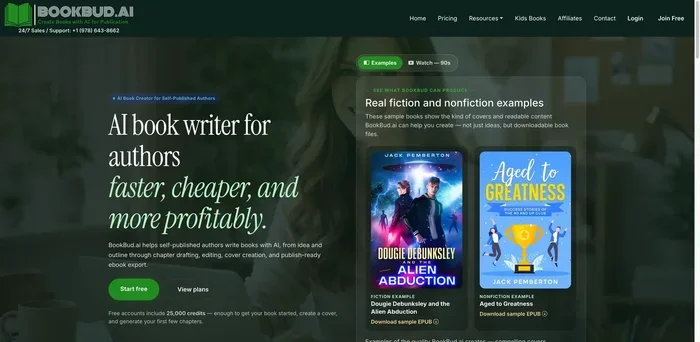
Visual guide about AI book publishing setup
Image source: toolworthy.ai
Turn Outlines Into Draft Content
If you already have an outline, AI can help you expand each point. You can paste a chapter heading and ask for a rough draft in a friendly tone. Then you can rewrite the draft in your own words. This is especially useful when you feel stuck or want momentum. The goal is not to copy AI text word for word. The goal is to create a starting point that saves time.
A simple workflow looks like this:
- Share your chapter goal with the AI tool
- Ask for a rough draft or bullet expansion
- Rewrite in your voice and add personal examples
- Check facts and flow before moving on
Keep Your Style Consistent
Readers connect with consistency. If one chapter sounds formal and the next sounds casual, the book can feel uneven. AI can help you maintain tone, but you should guide it. You can give it a sample paragraph and ask it to match that style. You can also ask for simpler sentences, shorter paragraphs, or clearer transitions.
A few style tips help a lot:
- Use short sentences for easier reading
- Keep paragraphs tight so the page feels open
- Add real examples to make ideas stick
- Read aloud to catch awkward phrasing
Edit As You Go
AI can support editing too. You can ask it to spot repetitive words, confusing sentences, or sections that need stronger transitions. Still, you should review every suggestion. AI may sound smooth and still miss the point you meant to make. Human judgment matters because your book should feel honest and clear.
If you want a practical habit, try this: after each chapter, ask AI for a short summary. If the summary misses the main point, the chapter may need more focus. That quick check can save hours later.
Formatting and Polish for a Professional Book
A clean layout makes your book easier to enjoy. Readers may forgive a few rough edges, but messy formatting can distract them. AI can help with structure, but you should still check the final result carefully. Good formatting helps your book look polished on Kindle devices, phones, and print pages.
Structure Your Manuscript Well
Start with a simple structure. Most books benefit from clear chapters, consistent headings, and a logical flow. If you are writing a nonfiction guide, use headings that tell the reader what each section covers. If you are writing fiction, keep scene breaks and chapter endings clean. AI can suggest heading text or help you organize scattered notes into a smooth order.
A strong manuscript usually includes:
- A clear title page
- A table of contents for nonfiction
- Consistent chapter headings
- Short paragraphs for better readability
- A conclusion or closing note
Check for Flow and Clarity
Before you upload anything, read through the manuscript with fresh eyes. Look for places where the writing jumps too quickly or repeats the same idea. AI can help here by pointing out long paragraphs or suggesting simpler wording. You can also ask it to rewrite a tricky passage in a more direct way.
Remember this: clarity usually beats complexity. If a sentence can be shorter, make it shorter. If a paragraph can be split, split it. Readers appreciate writing that feels easy to follow.
Prepare Your File for Upload
KDP accepts different file types, but clean formatting matters for all of them. Make sure your text does not have strange breaks, hidden symbols, or uneven spacing. If you are creating a paperback, check margins and page size. If you are publishing an ebook, keep the layout flexible so it reflows well on different screens.
A few quick checks before upload:
- Remove extra spaces and blank pages
- Use simple fonts that are easy to read
- Verify chapter order
- Test the file on different devices if possible
Designing a Cover That Draws Attention
Your cover is often the first thing a reader sees. It does not need to be flashy, but it should look professional and fit your book’s genre. AI can help you generate ideas, suggest layouts, and even create cover concepts. Still, the final design should feel aligned with your audience and message.
Use AI for Cover Ideas and Visual Direction
If you are unsure where to begin, AI can help you explore styles. You can ask for color ideas, font styles, or layout concepts that fit your book type. For a practical guide, a clean and simple cover often works well. For a fantasy story, a more dramatic image may fit better. AI can speed up the brainstorming process and help you compare directions.
When thinking about cover design, consider:
- Clear title text that is easy to read
- Colors that match the mood of the book
- Simple imagery that supports the topic
- A subtitle if it helps explain the book
Keep the Design Clean and Readable
A common mistake is making the cover too crowded. Readers usually want a cover they can understand at a glance. Strong covers often use one clear focal point and limited text. AI-generated images can be a great starting point, but you may need to adjust them for balance and readability.
If you are designing the cover yourself, zoom out often. Ask yourself whether the title is readable on a small screen. Ask whether the cover still makes sense when it is thumbnail-sized. That small test can make a big difference.
Uploading and Launching Your Book on KDP
Once your manuscript and cover are ready, the upload process becomes much simpler. KDP walks you through the main steps, and AI can help you prepare the text fields too. This is where your book moves from a private project to a public listing. A careful setup can improve how readers find and understand your book.
Fill Out Your Book Details Carefully
Your book description, title, and subtitle all help buyers decide whether to click. AI can help you write a clear description that highlights the value of your book. Keep it focused on what the reader gets. If your book teaches a skill, mention the outcome. If it tells a story, hint at the mood or journey.
Helpful details to prepare include:
- A compelling book description
- A clear title and subtitle
- Relevant keywords for Amazon search
- Categories that fit your book
- A short author bio if needed
Choose Keywords and Categories Wisely
Keywords help Amazon show your book to the right readers. Think about the words someone would type when searching for a book like yours. AI can suggest keyword ideas, but you should choose terms that truly match your content. Categories matter too, because they place your book alongside similar titles. Pick categories that are accurate, not just popular.
A simple keyword approach:
- Start with the main topic of your book
- Add specific phrases readers might use
- Avoid misleading terms that do not fit
- Review similar books for inspiration
Set Your Price and Publish
Pricing can affect both visibility and income. There is no single perfect price for every book. A shorter guide may do well at a lower price, while a longer or more specialized book may support a higher one. AI can help you think through pricing options, but your final choice should match your goals and audience.
Before you click publish, double-check everything:
- Preview the book in the KDP tool
- Confirm cover and file look correct
- Review description and keywords
- Check pricing and territories
Once your book is live, give it a little time to settle. Then check the preview again on different devices if you can. Small adjustments early on can save you from fixing bigger issues later.
After Publishing: Simple Ways to Grow Visibility
Publishing is an exciting milestone, but it is also the start of the next phase. A book usually needs a little attention to find its readers. You do not need a giant marketing plan to begin. Small, steady actions can help your book get noticed.
Share Your Book With the Right People
Start with people who already care about your topic. If your book helps with a specific problem, share it in spaces where that problem is discussed. If it is a story, share it with readers who enjoy that genre. AI can help you write a short announcement or social post, but your genuine voice matters most.
A few simple promotion ideas:
- Tell friends and colleagues who might enjoy it
- Share an honest description of what the book offers
- Ask for reviews from readers who liked it
- Update your author page with a clear bio and cover
Use Feedback to Improve
Reader feedback can teach you a lot. If people mention that the book was easy to follow, that is a good sign. If they say something felt confusing, take note for the next edition. AI can help you summarize feedback or suggest revisions, but you should decide which changes truly fit your vision.
Over time, you may want to update your description, refine keywords, or improve the cover. That is normal. Many successful authors treat their book as a living project, not a one-time upload.
Common Mistakes to Avoid
AI makes the process easier, but it also makes it easy to rush. A few mistakes can weaken an otherwise strong book. Watch out for these common traps.
- Publishing without editing can leave awkward lines and unclear ideas
- Using generic keywords may make your book harder to find
- Choosing a crowded cover can reduce readability
- Skipping the preview may hide formatting issues
- Relying only on AI voice can make the book feel impersonal
Expert Insights for a Smoother Process
If you want the process to feel calm, build a simple routine. Write a little at a time. Edit in passes. Keep your files organized. Use AI to support your work, not to replace your judgment. The best results usually come from a mix of speed and care.
Also, think of your first book as a learning step. You do not need perfection to publish. You need a finished, readable book that offers real value. Once you understand the workflow, the next book becomes even easier.
Final Thoughts on How to Publish a Book on KDP With AI
If you have been waiting for a clear path, this is it. How to publish a book on KDP with AI is really about combining smart tools with your own ideas and care. AI can help you brainstorm, draft, edit, design, and prepare your book for launch. But your voice, your review, and your decisions give the book its soul.
Start with a clear idea. Write in manageable steps. Polish the manuscript. Create a cover that reads well. Upload with thoughtful keywords and description text. Then share your book with confidence. You can absolutely do this. And once you finish one book, you will know how much faster the next one can come together.
Frequently Asked Questions
Can AI really help me publish a book on KDP?
Yes. AI can help with brainstorming, drafting, editing, and preparing book details. You still need to review the content and make final decisions, but AI can save time and make the process much smoother.
Do I need to write the whole book myself if I use AI?
Not necessarily. AI can generate drafts and expand ideas, but your input should guide the book. The best results usually come from combining AI support with your own voice, examples, and edits.
What should I focus on before uploading to KDP?
Focus on a clean manuscript, a readable cover, a clear description, and accurate keywords. It also helps to preview the file carefully so formatting issues do not show up after publishing.
Can AI help with my book cover?
Yes. AI can suggest styles, colors, and visual concepts. It can also help you brainstorm layouts. Just make sure the final cover is clear, readable, and a good fit for your book’s audience.
How do I choose keywords for my KDP book?
Think about what a reader would type when searching for a book like yours. Choose terms that truly match your content. AI can suggest ideas, but accuracy matters more than stuffing in random words.
Is it okay to use AI for book descriptions and blurbs?
Yes, that is one of the easiest ways to use AI. It can help you write a clear, appealing description. Still, edit the final version so it sounds natural and reflects your book accurately.