
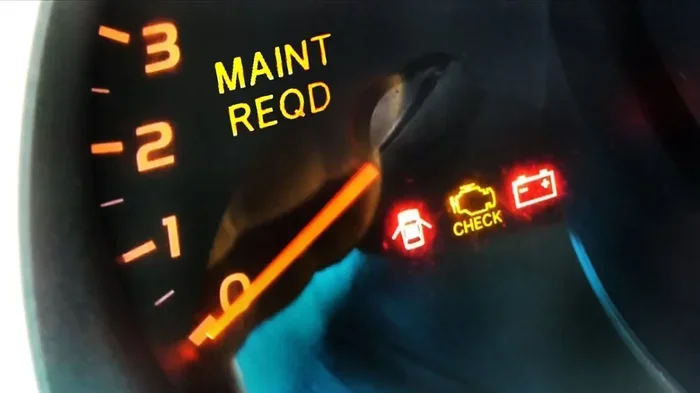
Your Toyota maintenance light keeps popping up, and you want it gone. You do not need a mechanic to handle this simple task. We show you exactly how to reset maintenance light on Toyota models in just a few minutes. Follow our clear steps to save money and keep your dashboard clean.
Owning a Toyota brings peace of mind. These cars run well for years. But one thing bothers many drivers. The Toyota maintenance light turns on. It feels annoying. You just changed your oil. You know your car is fine. Yet that little icon glows on your dashboard. You want it off. You want a clean dashboard. You also want to avoid paying a shop just to press some buttons. Good news. You can do this yourself. We will show you how to reset maintenance light on Toyota vehicles. This guide covers the most common models. You will learn simple button tricks. You will save time. You will keep your car running smooth.
Many people think this light means something is broken. It usually does not. The light is just a reminder. It tells you that your scheduled service is due. Toyota built this system to help you stay on track. That is a good thing. But once you service your car, the light should go away. If it stays on, you need to reset it. This process is quick. It takes less than five minutes in most cases. You do not need special tools. You only need your car keys and a few minutes of focus. Let us walk through everything you need to know.
Key Takeaways
- Know your model: Reset steps vary by Toyota year and model, so check your specific vehicle first.
- Use the right buttons: Most resets use the odometer, trip meter, and ignition controls together.
- Follow the sequence: Press and hold buttons in the correct order to clear the light successfully.
- Check the oil first: Always change your oil before resetting the light to keep your engine healthy.
- Verify the reset: Turn your car off and back on to confirm the light stays off.
- Keep records: Write down your oil change date to track future maintenance needs.
- Ask for help: If the light returns, visit a professional to check for real engine issues.
📑 Table of Contents
- Why the Toyota Maintenance Light Turns On
- How to Reset Maintenance Light on Toyota Camry
- How to Reset Maintenance Light on Toyota Corolla
- How to Reset Maintenance Light on Toyota RAV4 and Other Models
- Toyota Oil Change Light Reset and Service Reminder Tips
- Common Mistakes When Resetting the Toyota Maintenance Light
- Expert Insights and Quick Tips for a Smooth Reset
- Final Checklist Before You Drive Away
Why the Toyota Maintenance Light Turns On
The Toyota maintenance reminder system tracks your driving. It counts miles. It looks at time passed. When you reach a set point, the light wakes up. This usually happens every five thousand to ten thousand miles. The exact number depends on your model and your settings. Some Toyotas use a simple mileage counter. Others use a more advanced monitor. The light often says “Maintenance Required” or shows a wrench icon. People also call it the Toyota oil change light. That name is not always exact. The light can remind you about tire rotation, filter checks, and fluid levels too.
You should not ignore this light forever. It exists to protect your engine. Regular oil changes keep parts moving smoothly. Clean oil reduces wear. It also helps your fuel economy. When the light comes on, check your service history first. If you already changed the oil, you can clear the message. If you have not changed the oil yet, do that first. Resetting the light before service only hides the reminder. That is not a good habit. Take care of the actual work first. Then clear the dashboard message.
Common Triggers for the Light
Several things can turn on the reminder. The most common trigger is mileage. You drive past your scheduled service interval. Time can also trigger it. If your car sits for a long period, the system may still count the months. Some models track engine conditions too. Cold weather, short trips, and heavy towing can affect the schedule. Here are the usual reasons:
- Mileage limit reached: Your odometer passed the service threshold.
- Time interval passed: Several months went by without service.
- Driving conditions: Stop-and-go traffic or extreme weather may adjust the schedule.
- Previous reset not done: A past oil change did not clear the system.
How to Reset Maintenance Light on Toyota Camry
The Toyota Camry maintenance reset is one of the most searched fixes. Camry owners want a fast solution. The steps are simple for most model years. You will use the odometer button and the ignition. Follow the sequence carefully. Do not rush. A steady hand works best.
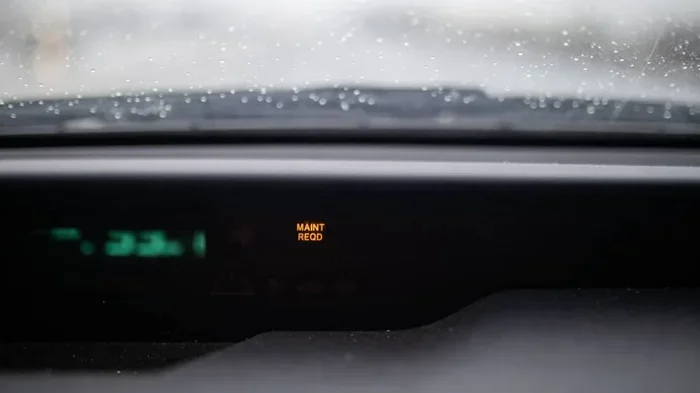
Visual guide about Toyota dashboard maintenance light
Image source: mechanicbase.com
Reset Steps for Newer Camry Models
Many newer Camrys use a smart key and a multi-info display. You may see the message in the driver information screen. The process often looks like this:
- Sit in the driver seat and close all doors.
- Press the start button twice without touching the brake. This puts the car in accessory mode.
- Use the arrow buttons on the steering wheel to find the settings menu.
- Look for a vehicle or maintenance section.
- Select the reset option for the service reminder.
- Confirm the reset when asked.
- Turn the car off and back on to check the result.
Reset Steps for Older Camry Models
Older Camrys often use a simpler button method. You will see this in many used cars. The steps usually go like this:
- Turn the ignition to the on position. Do not start the engine.
- Find the odometer trip button on the dashboard.
- Press and hold that button.
- Turn the ignition off while still holding the button.
- Keep holding the button for a few seconds.
- Turn the ignition back on.
- Watch the display. The light should clear.
If your Camry has a trip meter reset knob, the process may feel even easier. Some owners call this the Toyota dashboard light reset method. It works because the car links the reminder to the trip counter. When you reset the counter in the right way, the light drops off. Always test the result. Drive the car for a minute. Check that the message does not return right away.
How to Reset Maintenance Light on Toyota Corolla
The Toyota Corolla maintenance light reset follows a similar pattern. Corolla drivers often ask the same question. The car is simple. The reset should be simple too. Most Corolla models use the odometer trip button. Some newer versions use the steering wheel controls. We will cover both.
Button Method for Most Corollas
This method works for many Corolla years. It is quick and direct. Try this sequence:
- Put the key in the ignition.
- Turn the car to the on position. Do not crank the engine.
- Press the trip button to show total mileage if needed.
- Hold the trip button down.
- Turn the ignition off while holding the button.
- Wait a moment.
- Turn the ignition back on while still holding the button.
- Release the button when the light disappears.
Screen-Based Method for Newer Corollas
Newer Corollas may show the reminder on a screen. In that case, use the controls on the steering wheel or the dashboard menu. Look for a vehicle settings option. Find the maintenance reminder. Choose reset or acknowledge. Confirm your choice. This method feels more like a phone menu. It is still easy once you know where to look.
A helpful tip: keep your finger steady on the button. If you let go too early, the reset may not work. If the light stays on, try the sequence again. Stay calm. Most failures happen because the timing was off by a second. Practice the rhythm once or twice. It becomes natural quickly.
How to Reset Maintenance Light on Toyota RAV4 and Other Models
The Toyota RAV4 maintenance reset can feel a little different. SUVs often share the same system as sedans. But the buttons may sit in a new place. The menu may also look different. The core idea stays the same. You need to access the reminder and clear it. We will also touch on other popular models.
RAV4 General Approach
Many RAV4 owners use the trip button method. Others use the multi-info display. Check your dashboard layout first. If you see a trip meter button near the speedometer, try the button method. If you see a screen with vehicle info, use the menu method. Here is a simple path for the button style:
- Turn the ignition on. Do not start the engine.
- Locate the trip/reset button.
- Hold the button down.
- Cycle the ignition off and on while holding the button.
- Release the button when the indicator clears.
Other Toyota Models to Consider
Many Toyota vehicles use a similar reset logic. The Toyota Highlander maintenance reset often mirrors the RAV4 steps. The Toyota 4Runner maintenance reset may use a knob or button near the dashboard. The Toyota Tacoma maintenance reset can follow the same trip button pattern. The Toyota Sienna maintenance reset may use a screen menu in newer years. Always check your specific model before guessing. A quick look at your dashboard layout saves time.
If your vehicle has a smart key, remember to press the start button twice without the brake. That puts the car in the right mode. If your vehicle uses a physical key, turn it to the on position. Do not start the engine unless the steps say to do so. Starting the engine too early can interrupt the reset. Read the steps once before you begin. That small pause prevents mistakes.
Toyota Oil Change Light Reset and Service Reminder Tips
People often mix up the Toyota oil change light reset with the general maintenance reminder. The two can overlap. Sometimes the light is exactly about oil life. Sometimes it is a broader service note. Either way, the reset process matters. You want the dashboard clear after real service. You also want the system ready for the next interval.
Best Practices Before Resetting
Before you touch any buttons, do a quick check. This keeps your car healthy and your reset meaningful. Use this short checklist:
- Confirm the oil change is complete.
- Check for a new oil filter if needed.
- Verify tire pressure and fluid levels.
- Write down the date and mileage of service.
- Clear any tools or rags from under the hood.
Helpful Reset Tips
A smooth reset starts with good habits. Here are practical tips that help:
- Read your manual: The owner manual shows the exact steps for your year and model.
- Use the right mode: Accessory mode or ignition on is usually enough. Start the engine only if needed.
- Hold buttons steadily: A firm, steady hold works better than quick taps.
- Test twice: Turn the car off and on again to confirm the light stays off.
- Track your service: A simple notebook or phone note helps you plan the next change.
Some drivers ask if they can ignore the light. You can delay a little if you are close to a service appointment. But do not treat the light as fake. It is a reminder system. It helps you avoid skipped maintenance. If you reset it, make sure the service is real. That is the safest approach.
Common Mistakes When Resetting the Toyota Maintenance Light
Even a simple task can go wrong. Most problems come from small timing errors. Others come from skipping the service itself. Let us look at the usual mistakes. Avoiding them saves frustration.
Mistake One: Resetting Before Service
This is the most common error. The light comes on. You reset it right away. You never change the oil. That defeats the purpose. The light exists to protect your engine. Reset it only after the work is done. If you are unsure, check your records. If the oil is old, change it first.
Mistake Two: Wrong Button Timing
Button resets need a steady rhythm. If you release too soon, the car may not register the command. If you hold too long, you may trigger a different menu. The fix is simple. Move slowly. Follow the steps one by one. Try again if needed.
Mistake Three: Starting the Engine Too Early
Some resets need the car in accessory mode. Starting the engine can change the screen state. That may stop the reset. Keep the engine off unless the instructions say otherwise. This small detail matters more than people expect.
Mistake Four: Ignoring the Manual
Toyota models change over time. A method that works on one year may not fit another. The owner manual gives the safest path. It also explains what the light means for your specific car. A few minutes with the manual can prevent a lot of guessing.
Mistake Five: Assuming the Light Is Broken
Sometimes the light stays on because the reset did not take. Other times, the system truly needs service. Do not assume the dashboard is faulty right away. Repeat the reset once. If the light returns quickly, check your service history. If everything looks good, ask a professional to inspect the car.
Expert Insights and Quick Tips for a Smooth Reset
A successful reset feels easy when you know the tricks. Here are some expert insights that help you stay confident. These tips come from common owner experiences and simple car logic. Use them to make the process smoother.
Expert Insight: Know Your Dashboard Layout
Before you start, look at your controls. Find the trip button. Find the steering wheel menu. Find the ignition or start button. Knowing your layout first makes the reset faster. You will not fumble around. You will move with purpose.
Expert Insight: Use a Consistent Routine
Create a small routine for every service. Change the oil. Check the filters. Write down the date. Then reset the light. A routine keeps you organized. It also makes future resets easier. You will remember the steps better each time.
Expert Insight: Keep It Simple
You do not need fancy tools. You do not need a scan device for most reminder lights. The built-in reset works for many cases. If your car has a special service message, the manual may explain a different path. Start with the simple method. Move to a pro only if needed.
Quick Tips for Faster Results
- Sit in a quiet spot so you can focus.
- Keep the key or start button ready.
- Watch the dashboard closely during the reset.
- Take a photo of the service record for future reference.
- Reset the light in daylight if the screen is hard to read.
Final Checklist Before You Drive Away
Once the light is off, do a final check. This keeps you safe and confident. Use this short list before you head out:
- The maintenance light is off.
- The oil change is complete.
- No warning lights are glowing elsewhere.
- Your service notes are saved.
- The car starts and runs normally.
If everything looks good, you are ready. You cleared the reminder the right way. You also took care of the actual service. That is the best outcome. Your Toyota stays healthy. Your dashboard stays clean. You saved yourself a trip to the shop for a simple button task.
Remember, the Toyota maintenance light is a helper, not a curse. It nudges you to stay on schedule. Once you service the car, you can clear it. Now you know how to reset maintenance light on Toyota models with confidence. Keep this guide handy. Share it with a friend. And enjoy driving with a calm, clear dashboard.
Frequently Asked Questions
How do I reset the maintenance light on a Toyota Camry?
Turn the ignition on without starting the engine. Hold the trip button, then cycle the ignition off and on while keeping it held. Release the button when the light clears. Newer Camrys may use the steering wheel menu instead.
Why is my Toyota maintenance light still on after I reset it?
The reset may not have completed if the button timing was off. It can also mean the service was not recorded correctly. Repeat the steps once more. If it still stays on, check your service history or ask a professional.
Do I need to change the oil before resetting the Toyota maintenance light?
Yes, you should complete the oil change first. The light is a reminder for service. Resetting it before service only hides the message. Take care of the actual maintenance, then clear the dashboard note.
How long does it take to reset the Toyota maintenance light?
Most resets take less than five minutes. The steps are simple and do not need special tools. Take your time with the buttons. A careful pace works better than rushing.
Can I reset the Toyota maintenance light without a mechanic?
Yes, most owners can do it themselves. The process usually uses the ignition and a trip button or menu setting. Check your model steps first. If the light keeps returning, a mechanic can help inspect the car.
Does the Toyota maintenance light mean something is broken?
Not usually. It mostly means your scheduled service is due. The system tracks mileage and time to remind you. If the light stays on after a proper reset, then it is wise to have the vehicle checked.