
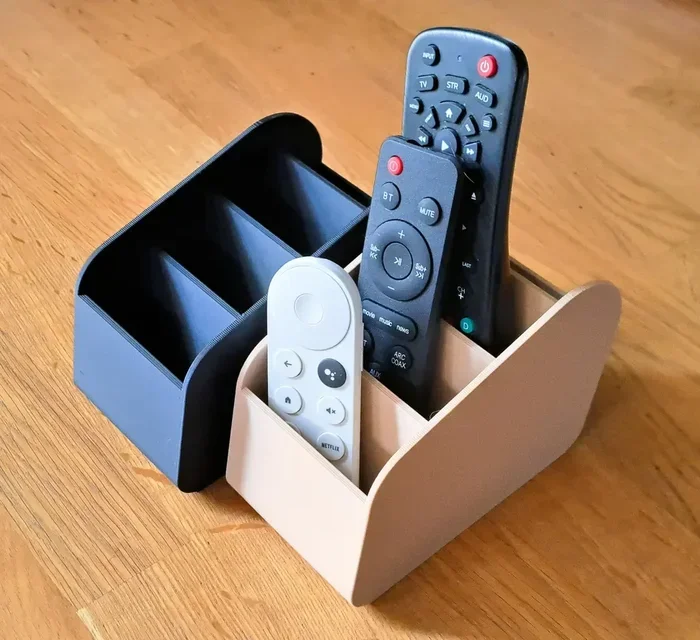
Featured image for how to neatly organized remote control storage
Image source: i.etsystatic.com
Losing the TV remote happens to almost everyone, but a simple storage plan can save time and reduce frustration. In this guide, you will learn easy ways to store remote controls so they do not get lost, from choosing the right basket to building a daily family habit. You can use these ideas in any room and keep your space neat without spending much money.
Losing a remote control is one of those small problems that can feel bigger than it should. You sit down to watch a show, reach for the familiar plastic box, and it is not there. You check the couch cushions, the kitchen counter, and the nearest table, but the remote is still missing. If this sounds familiar, you are not alone. Many homes deal with the same issue, especially when more than one person uses the same room. The good news is that you can fix this problem with a simple storage plan.
This guide explains how to store remote controls so they do not get lost. You will learn how to choose a good storage spot, set up easy organizers, and create a habit that everyone in the house can follow. The goal is not to make your home look perfect. The goal is to make daily life a little easier. When your remotes have a clear home, you spend less time searching and more time relaxing.
📑 Table of Contents
- Start by noticing where the remote usually goes
- Choose one clear home for each remote
- Use simple containers that fit your room
- Label and separate remotes when needed
- Build a simple return habit
- Adapt the setup for different rooms
- Keep the system easy to maintain
- Troubleshooting common remote storage problems
- A simple plan you can use today
- Conclusion
Start by noticing where the remote usually goes
Before you buy bins, labels, or wall mounts, spend a few minutes watching how your household actually uses remotes. This small step helps you build a storage system that fits real life instead of an ideal version of it.
Track the usual drop spots
For one or two days, notice where remotes are left after they are used. You may find that they end up on the coffee table, the armrest of the couch, the kitchen island, or even the bedside table. These patterns matter because the best storage spot is usually close to the place where the remote is used most often. If the remote always lands near the TV, that area is probably the right place for its home.
Notice who uses which remote
Some homes have more than one remote. One may control the television, another may control a soundbar, and another may belong to a streaming device or smart projector. If different people use different remotes, it helps to know which remote gets lost most often. That remote may need a clearer spot or a more obvious container.
Look for the real cause of the mess
Sometimes the problem is not that people forget where the remote belongs. Sometimes the storage spot is inconvenient. If the basket is too far away, too hard to open, or buried under other items, people will set the remote down somewhere easier. A good system should be simple enough that it feels natural to use it.
Choose one clear home for each remote
The most important rule is simple: every remote needs one regular place to live. When a remote has a clear home, it becomes much easier for everyone to return it after use. This does not mean you need a separate drawer for every single device. It just means each remote should have a predictable spot.
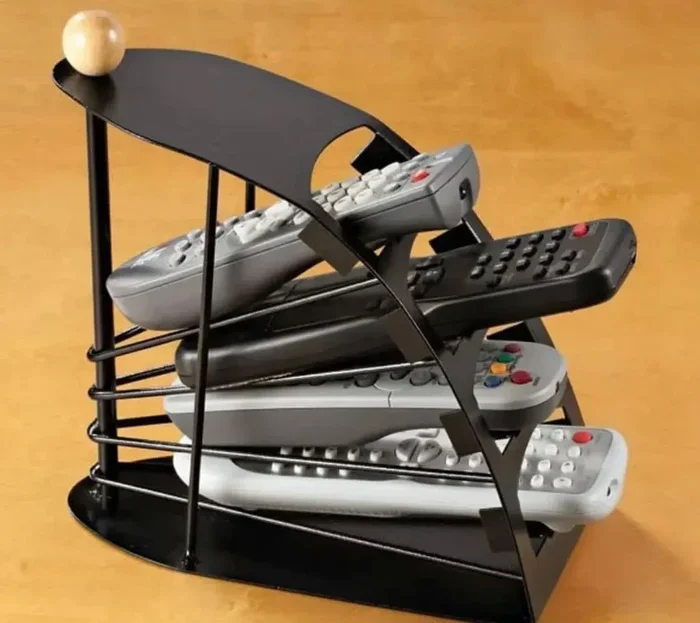
Visual guide about how to neatly organized remote control storage
Image source: kalmartz.com
Keep the storage spot close to the screen
Remotes work best when they live near the device they control. If the television is on a wall mount, a small tray on a nearby console may make more sense than a drawer across the room. If the TV is on a media cabinet, a drawer or shelf in that same cabinet may be the easiest choice. The idea is to reduce the distance between use and storage.
Pick a spot that is easy to see
Out of sight often becomes out of mind. If the remote is hidden in a deep drawer or behind other items, people may forget it is there. A visible spot can help a lot, especially in homes with children or several family members. A small open basket, a shallow tray, or a wall holder can make the remote easy to notice.
Make the spot easy to reach
Good storage should not require effort. If people have to stand up, bend down, or move other objects before they can put the remote away, they may skip that step. Choose a place that is comfortable to reach from the couch or chair where the remote is usually used. A convenient spot is one people will actually use.
Use simple containers that fit your room
You do not need expensive products to organize remotes. In many homes, a small everyday item works just as well as a special organizer. The best container is one that matches your space and is easy to maintain.
Try a small basket or bin
A basket or bin is one of the easiest ways to create a remote home. It can sit on a coffee table, media console, or shelf. A shallow basket works well because it keeps the remote from sliding too far out of reach. If the basket is open at the top, it is also easy to drop the remote back in without thinking.
Use a tray for a cleaner look
If you want something that feels a little more polished, a small tray can be a good choice. A tray on a side table or console gives the remote a defined space without looking bulky. It also helps keep the remote from getting lost among other items. You can use a tray alone or pair it with a small note or label.
Consider a drawer insert or divider
If you prefer to keep remotes hidden, a drawer can work well as long as it is organized. A drawer insert or divider can keep the remote from sliding around or getting buried under cables, batteries, and other small items. This is especially helpful if your media cabinet already stores other electronics.
Use wall or shelf holders if space is tight
In smaller rooms, surface space may be limited. A wall-mounted holder, shelf lip, or clip-style organizer can save room by using vertical space. This can be useful near a television or on the side of a media unit. Just make sure the holder is easy to reach and does not make the remote feel awkward to put back.
Label and separate remotes when needed
If your home has several remotes, labels can save a lot of confusion. A label helps everyone know which remote belongs where, especially if the remotes look similar. This is useful for living rooms, family rooms, and vacation homes where more than one person may use the same devices.
Label by device, not by person
In most cases, it is simpler to label remotes by the device they control. For example, you might mark one remote for the TV and another for the sound system. This is usually clearer than labeling by family member, because the device is what matters most when the remote is used.
Use short, easy labels
Keep labels short and readable. A simple word or two is enough. If you use a basket or tray, you can place a small label card nearby. If you use a drawer, a label on the front can help people find the right compartment quickly. The goal is to make the system obvious at a glance.
Separate extras and spare batteries
If you keep backup remotes or spare batteries in the same area, give them their own space. Mixing everything together can make the storage spot harder to use. A small divider, separate compartment, or second container can help keep the main remote area neat and easy to scan.
Build a simple return habit
A storage spot only works if people use it. The easiest way to make that happen is to turn putting the remote away into a normal part of the routine. You do not need a complicated rule. You just need a repeatable habit.
Make the return part of the end of viewing
One of the simplest habits is to place the remote back as soon as the show or movie ends. If the remote is already in hand, it takes only a second to return it. Waiting until later usually makes it easier to forget. A quick return is often the best return.
Keep the storage spot obvious during daily use
If the basket or tray is clear and easy to see, people are more likely to remember it. Try to avoid covering the storage area with magazines, snacks, chargers, or other items. The more cluttered the spot becomes, the easier it is for the remote to disappear into the mess.
Use gentle reminders at first
When you first set up a new system, people may need a reminder or two. That is normal. You can mention the new spot in a casual way and keep the tone light. After a little repetition, the habit usually becomes easier. The aim is to make the system feel normal, not forced.
Adapt the setup for different rooms
Not every room needs the same storage style. A living room may call for a basket or tray, while a bedroom may work better with a drawer or bedside caddy. Thinking about each room separately can make the system more practical.
Living room and family room
These rooms usually need the most attention because several people use them. A central spot near the television or seating area often works best. If the room gets busy, choose a container that is easy to recognize and hard to confuse with random clutter.
Bedroom or sleeping area
In a bedroom, the remote may be used for a TV, fan, or smart device. A small tray on a nightstand or a drawer in the bedside table may be enough. If the remote is shared, keep it in a place where everyone can find it without searching through personal items.
Guest room or vacation space
Guest rooms can be tricky because visitors may not know your habits. A clear, visible spot works well here. If possible, place the remote where it is easy to notice and easy to return. A small label can also help guests feel comfortable using the space without asking questions.
Keep the system easy to maintain
A good storage setup should be easy to keep up with, not hard. If it starts to feel annoying, people will stop using it. The best systems are simple enough that they can survive busy days, tired evenings, and a little everyday clutter.
Clear the storage area regularly
Even a good basket or tray can become crowded over time. Check it now and then to remove old papers, loose cords, snack wrappers, or other items that do not belong there. A clean storage spot is easier to notice and easier to use.
Replace containers that no longer work
If a container is too deep, too small, or in the wrong place, do not force it to work forever. Try something else. A different basket, a new tray, or a different drawer may solve the problem faster than continuing with a poor fit.
Keep the rule simple enough for everyone
If children, guests, or other family members use the room, the system should be easy for them too. Complicated rules or hidden storage can make the setup frustrating. Simple and visible usually works better than clever and hidden.
Troubleshooting common remote storage problems
Even with a good plan, small issues can come up. Here are a few common problems and practical ways to handle them.
The remote still disappears
If the remote keeps getting lost, the storage spot may be too far away or too easy to overlook. Move it closer to where the remote is used. You can also make the spot more visible by using a brighter container or a more open tray.
People forget to return it
Forgetting is normal, especially when a new habit is still forming. Try making the return step part of the routine right after the TV turns off. A visible container also helps. If needed, keep the reminder casual and consistent rather than strict.
The storage area looks messy
If the spot becomes cluttered, reduce what you keep there. Store only the remote and maybe one or two related items. If the tray or basket is too small for the space, swap it for something that fits better. A tidy area is easier to trust.
There are too many remotes to manage
When several remotes are involved, group them in a way that makes sense. You can keep them in one container with dividers or separate them by device. Clear labels can help. If one remote is used far more often, give it the most obvious spot.
The room has very little space
Tight spaces call for vertical or compact storage. A wall holder, narrow tray, or drawer solution may be better than a large basket. Choose the smallest option that still feels easy to use. A compact setup can still be effective if it is in the right place.
A simple plan you can use today
If you want a quick starting point, this simple approach works for many homes. First, choose the remote that gets lost most often. Second, place a small basket, tray, or drawer spot near the television or seating area. Third, make sure the spot is visible and easy to reach. Fourth, ask everyone to return the remote there after use. Fifth, check the setup after a week and adjust it if needed.
You can improve the system slowly. Maybe you add a label. Maybe you move the basket a few inches closer to the couch. Maybe you clear out a drawer so the remote has a cleaner place to live. Small changes often make a big difference.
Conclusion
Learning how to store remote controls so they do not get lost is really about making life a little easier. You do not need a complicated system or a lot of money. You need a clear spot, a simple container, and a habit that fits your routine. When the remote has a home that is visible, convenient, and easy to remember, it stops disappearing into the usual hiding places.
Start with one remote and one spot. Keep the setup practical, and make changes if the first attempt does not work perfectly. A good storage plan should save time, reduce frustration, and help your room feel more organized. With a little consistency, the missing remote problem can become much less common.