
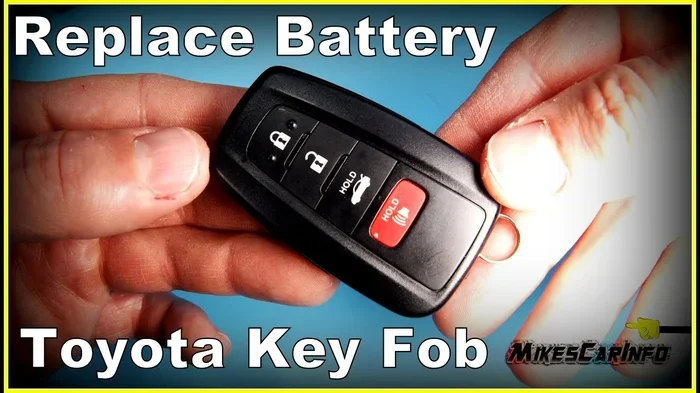
Replacing your Toyota key fob battery is a simple DIY task that takes just a few minutes. Most Toyota remotes use standard coin-cell batteries like the CR2032 or CR2016, and you do not need special tools to swap them out. In this guide, you will learn exactly how to change car key battery Toyota models, including smart keys, flip keys, and older remote fobs. We also share common mistakes to avoid and quick tips to keep your key working smoothly for years.
There is nothing more frustrating than pressing your key fob buttons and getting no response. Maybe the lock cycle does not flash, or the remote start button feels dead. In most cases, the problem is simply a worn-out battery. The good news is that how to change car key battery Toyota models is a straightforward process that almost any owner can handle at home.
Toyota has used several key designs over the years, from basic remote fobs to smart proximity keys and flip-style remotes. Each design opens a little differently, but the core steps remain similar. You just need to identify your key type, find the correct battery, and swap it out with care. This guide walks you through everything you need to know, including tool tips, battery sizes, and troubleshooting tricks.
Before we dive in, remember that a fresh battery often restores full range and button responsiveness. If your key still acts up after replacement, the issue may be a programming glitch, a damaged circuit board, or a low car battery. We will cover those scenarios too, so you can move forward with confidence.
Key Takeaways
- Easy DIY fix: You can replace most Toyota key fob batteries at home in under five minutes without professional help.
- Battery types vary: Common cells include CR2032, CR2016, and CR1632 depending on your specific Toyota model and key design.
- Use gentle pressure: Pry the fob casing carefully with a small flat tool to avoid cracking the plastic or damaging internal clips.
- Match the battery exactly: Check your old battery or owner manual before buying a replacement to ensure correct voltage and size.
- Test before reassembly: Press lock and unlock buttons after installing the new cell to confirm the fob works properly.
- Avoid common mistakes: Do not force the casing, touch the battery contacts with bare fingers, or mix up positive and negative sides.
- Keep a spare battery: Store a fresh coin cell in your glove box or center console so you are never locked out unexpectedly.
📑 Table of Contents
Why Your Toyota Key Fob Needs a Battery Change
Key fobs rely on small coin-cell batteries to send radio signals to your car. Over time, these cells lose charge, especially if you press buttons frequently or live in extreme temperatures. When the voltage drops, the signal weakens and the car may not recognize your commands.
A dying battery often shows early warning signs. You might notice reduced range, meaning you have to stand closer to the vehicle for the buttons to work. Sometimes only one button responds, or the LED light inside the fob stays dim. These clues tell you it is time to replace the cell before you end up stranded outside your car.
Regular battery changes also protect the fob electronics. A weak battery can cause intermittent signals that confuse the receiver module. Swapping the cell on schedule keeps communication clean and helps your key last longer. If you want to understand more about Toyota battery longevity in general, you can read our guide on how long does a Toyota battery last for broader context on power performance.
Common Signs Your Key Battery Is Dying
- Shortened range: You must walk closer to the car for the fob to respond.
- Intermittent buttons: Lock or unlock functions work sometimes and fail other times.
- No LED feedback: The small light inside the fob does not illuminate when pressed.
- Dashboard alerts: Some Toyota models display a key battery warning on the multi-information screen.
Quick Tip: If your key fob starts acting up, try the spare key first. If the spare works normally, the problem is almost certainly the battery in your primary fob.
Identifying Your Toyota Key Fob Type
Toyota key designs vary by model year and trim level. Knowing your fob style helps you choose the right battery and opening method. The most common types include standard remote fobs, flip keys with integrated mechanical blades, and smart proximity keys that stay in your pocket.
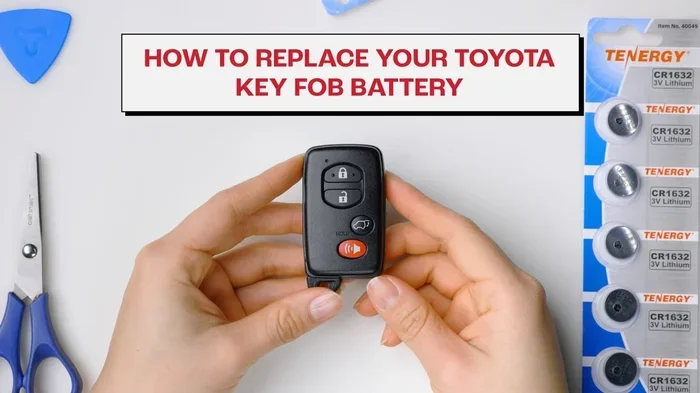
Visual guide about Toyota key fob battery replacement
Image source: i.ytimg.com
Standard remote fobs usually have a single-piece plastic shell with buttons on the front. Flip keys fold the mechanical blade into the body for safer pocket carry. Smart keys often use a smooth, rounded shell and may include a physical backup key hidden behind a small cover. Each style has its own seam line or release point for battery access.
To identify your fob, look for model badges, button layout, and the shape of the casing. You can also check the owner manual or the label inside the fob once opened. If you drive a newer Toyota, your key may use a more advanced transceiver that still runs on a standard coin cell. For a broader look at Toyota ownership costs and maintenance planning, see our article on how much is Toyota connected services to understand which features may rely on key signals.
How to Find the Correct Battery Size
- Check the old cell: Open the fob and read the printing on the existing battery, such as CR2032 or CR2016.
- Consult the manual: The owner documentation often lists the exact battery specification for your key.
- Match the shape and voltage: Most Toyota fobs use 3-volt lithium coin cells, but the diameter and thickness must match exactly.
- Buy from reputable sources: Choose name-brand cells to avoid premature failure or poor signal strength.
Common Mistake: Many owners guess the battery size and buy the wrong cell. A battery that is too thin or too thick can damage contacts or fail to seat properly. Always verify the model number before purchasing.
Tools and Supplies You Will Need
You do not need a full toolbox to replace a Toyota key battery. In fact, most fobs open with everyday items you already have at home. Keeping the right supplies ready makes the job cleaner and reduces the risk of dropping small parts.
Start with a fresh coin-cell battery that matches your fob specification. Have a small flathead screwdriver, a guitar pick, or a plastic pry tool ready for opening the casing. A soft cloth or microfiber towel helps protect the fob surface and keeps tiny screws from bouncing away. If your key has screws, a precision screwdriver set can be useful, though many Toyota fobs use snap-fit clips instead.
Work on a clean, well-lit surface with enough space to spread out the parts. Avoid carpets or cluttered tables where small components can disappear. If you are nervous about scratching the casing, place the fob on a towel and use plastic tools instead of metal ones.
Recommended Supplies Checklist
- Replacement coin-cell battery: CR2032, CR2016, or the exact type listed for your fob.
- Small flat tool: Plastic pry pick or thin flathead screwdriver for gentle opening.
- Soft cloth or towel: Protects the casing and keeps parts from sliding.
- Precision screwdriver: Only if your fob uses tiny screws rather than clips.
- Clean workspace: A flat table with good lighting and minimal clutter.
Expert Insight: Plastic pry tools are safer than metal screwdrivers for most modern fobs. They reduce the chance of gouging the shell or shorting the circuit board if you slip.
Step-by-Step Guide: How to Change Car Key Battery Toyota
Now let us walk through the actual replacement process. The steps below cover the most common Toyota fobs, including remote keys and smart keys with a backup blade. If your key has a unique design, the same principles still apply: open carefully, swap the cell, and test before closing.
Begin by gathering your supplies and laying out a clean workspace. Identify the seam along the fob casing, which is usually along the side or around the button panel. Some Toyota fobs have a small release latch near the mechanical key slot, while others simply snap together. Use gentle pressure and avoid forcing any part that resists movement.
Once the casing opens, note the position of the battery before removing it. Pay attention to which side faces up, because polarity matters. Lift the old cell out carefully, then insert the new one in the same orientation. Press it flat so the contacts connect securely. After that, close the fob and test the buttons before assuming the job is done.
Opening the Fob Without Damage
- Locate the seam: Run your finger along the edge to find the separation line between the two halves.
- Use a gentle pry point: Insert a plastic pick or thin screwdriver into a small gap and twist lightly.
- Work around the edges: Move to another spot if the casing resists, rather than pushing harder in one place.
- Watch for hidden screws: Some models have tiny fasteners under decorative caps or near the key blade.
Removing and Replacing the Battery
- Note the orientation: Check which side of the battery touches the positive and negative contacts.
- Lift the old cell: Use a non-conductive tool or your fingernail to avoid scratching the board.
- Insert the new cell: Place it in the same direction and press it firmly into place.
- Confirm contact: Make sure the battery sits flat and does not wiggle inside the compartment.
Quick Tip: If the battery seems stuck, do not dig at it with metal tools. A slight wiggle with a plastic pick is usually enough to free the old cell without damaging the contacts.
Testing the Key Before Reassembly
Before snapping the casing back together, press the lock and unlock buttons to verify the fob works. If your Toyota has a key battery indicator, watch for the warning to clear after the new cell is installed. You can also test the range by standing a few feet away and pressing the buttons while a friend watches the car lights.
If the fob still does not respond, double-check the battery orientation and contact cleanliness. Sometimes a tiny speck of dust or a bent contact prevents proper connection. Clean the compartment gently with a dry cloth or compressed air, then test again. For more details on key maintenance and battery replacement specifics, you may also find our guide on how to change the battery in a Toyota key fob helpful for additional model variations.
Common Mistakes to Avoid During Replacement
Most key battery replacements go smoothly, but a few simple errors can cause headaches. The most common issue is forcing the casing open, which can crack the plastic or break internal clips. Another frequent mistake is inserting the battery backward, which will not damage the circuit in most cases but will prevent the fob from working.
People also sometimes use low-quality batteries that lose charge quickly or fail under temperature changes. A cheap cell may seem like a bargain, but it can leave you replacing the battery again within months. Handling the contacts with bare fingers is another small mistake that can leave oil residue and weaken the connection over time.
Finally, some owners skip the test step and reassemble the fob before confirming the buttons work. That can lead to frustration later, especially if the battery was installed incorrectly. Taking a moment to test before closing the case saves time and avoids a second disassembly.
Mistake Prevention Checklist
- Do not force the shell: Use light, even pressure and switch pry points if needed.
- Match battery orientation: Double-check positive and negative sides before seating the cell.
- Choose quality batteries: Stick with reputable brands for reliable voltage and longer life.
- Keep contacts clean: Avoid touching the metal pads and wipe dust away gently.
- Test before closing: Confirm button response and range before snapping the fob back together.
Common Mistake: Reusing the old battery after it has been removed is not a good idea. Once a coin cell is unseated and exposed to air and handling, its performance can drop quickly. Always install a fresh cell.
Troubleshooting After Battery Replacement
If you installed a new battery and the key still misbehaves, do not panic. Several simple issues can mimic a dead battery. The fob may need a quick reset, the car battery may be low, or the key may have lost synchronization after a long period of inactivity. Start with the easiest checks before assuming the worst.
First, confirm the battery is seated correctly and making solid contact. Next, try the spare key to see whether the problem follows the fob or stays with the car. If the spare works, the original fob may have a damaged button pad or a faulty transmitter. If neither key works, the issue could be related to the vehicle’s receiver or battery condition.
Some Toyota models allow a simple re-sync by holding the fob against the start button or inserting the mechanical blade and turning it to the accessory position. You can also check whether the car displays a key battery warning and clear it after replacement. If problems continue, a dealership or qualified locksmith can inspect the fob circuitry and reprogram the remote if needed.
When to Seek Professional Help
- Buttons still dead after replacement: The fob may have internal damage or a failed transmitter.
- Car does not recognize the key: Reprogramming may be required after battery changes or power loss.
- Physical damage to the casing: Cracks or broken clips can interfere with button action and sealing.
- Dashboard key warnings persist: The vehicle may need a diagnostic scan to confirm signal health.
Expert Insight: If your Toyota battery has been disconnected recently, key fobs sometimes need to be re-registered. A quick consultation with a service technician can prevent unnecessary guesswork and get you back on the road faster.
Keeping Your Toyota Key Working Longer
A little care goes a long way toward extending key fob life. Store the fob away from extreme heat, cold, and moisture whenever possible. Avoid dropping it or pressing buttons while it is in your pocket, since accidental presses can drain the battery faster. If you carry the key near phones or magnetic accessories, keep them separated to reduce interference.
It also helps to replace the battery before it fails completely. If you notice shorter range or sluggish button response, swap the cell early rather than waiting for a no-start situation. Keeping a spare battery in your glove box or console gives you a ready backup, especially during travel or bad weather. For owners who want to plan maintenance costs more broadly, our breakdown of how much is oil change at Toyota dealership can help you compare routine service expenses alongside small repairs like key battery swaps.
Finally, treat the fob casing gently during opening and closing. Repeated force can weaken the seams and make future battery changes harder. A careful approach now keeps the key reliable later, and that means fewer lockouts and less stress in daily use.
Simple Maintenance Habits
- Store it safely: Keep the key in a dry place away from heat and direct sun.
- Replace early: Change the battery at the first sign of reduced range or weak response.
- Carry a spare cell: A backup battery in the car can save time during emergencies.
- Avoid rough handling: Open the fob carefully and close it without forcing the clips.
- Clean gently: Wipe the exterior with a soft cloth and keep ports free of debris.
Key Takeaways: Replacing a Toyota key battery is quick, affordable, and usually painless when you follow the right steps. Identify your fob type, use the correct coin cell, open the casing gently, and test before reassembly. With a little care, your key will stay dependable for the long haul.
Final Thoughts on How to Change Car Key Battery Toyota
Learning how to change car key battery Toyota models is one of the easiest maintenance tasks you can do yourself. With the right battery, a careful hand, and a few minutes of time, you can restore full button response and avoid the hassle of a dead fob. The process is simple, but attention to detail matters, especially when opening the casing and confirming battery orientation.
If you keep a spare battery on hand and replace the cell before it fails completely, you will rarely face a lockout situation. And if the key still acts up after replacement, a few quick troubleshooting steps can help you decide whether the issue is the fob, the car battery, or a programming matter. Either way, you now have a clear path to get your Toyota key working again without unnecessary stress.
Frequently Asked Questions
How long does a Toyota key fob battery usually last?
Most Toyota key fob batteries last between one and three years, depending on usage and environmental conditions. Frequent button presses and extreme temperatures can shorten that lifespan, so it helps to watch for early signs like reduced range.
What battery does a Toyota key fob use?
Many Toyota fobs use CR2032, CR2016, or CR1632 coin-cell batteries, but the exact type depends on the key design and model year. The safest approach is to check the old battery or the owner manual before buying a replacement.
Can I change the key battery myself without tools?
Yes, many Toyota fobs open with a small flat tool or even a fingernail, though a plastic pry pick makes the job easier. If your fob uses tiny screws, a precision screwdriver will help, but most replacements are still simple and quick.
What should I do if my key still does not work after replacing the battery?
First, confirm the battery is seated correctly and test the buttons before reassembly. If the fob still fails, try the spare key, check for dirt on the contacts, and consider reprogramming or professional inspection if the problem continues.
Do I need to reprogram my Toyota key after changing the battery?
In most cases, a simple battery swap does not require reprogramming. However, if the car battery was disconnected or the key still is not recognized, a reset or re-sync may be necessary depending on your Toyota model.
Where can I buy a replacement battery for my Toyota key?
You can find replacement coin-cell batteries at auto parts stores, electronics shops, pharmacies, and online retailers. Just make sure the battery size matches your fob specification so it fits and powers the transmitter correctly.