
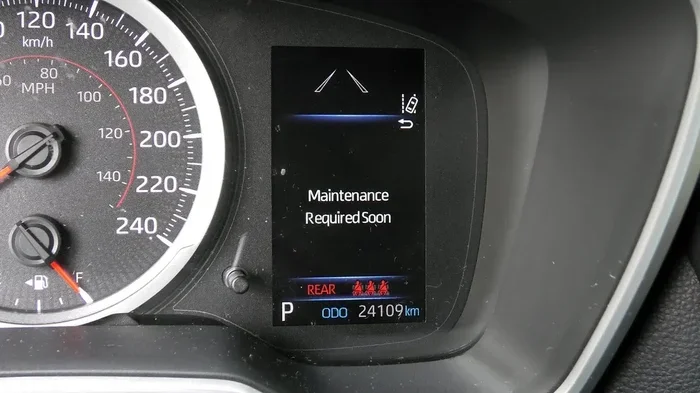
Seeing a maintenance light on your dashboard can be stressful, but you can fix it fast. Knowing how to turn off maintenance required light Toyota is simple when you follow the right steps. This guide walks you through the exact process for most Toyota models. You will save time and avoid unnecessary mechanic visits. Resetting this light keeps your dashboard clean and your mind at ease.
Key Takeaways
- Quick Reset Process: You can usually turn off the maintenance light in under two minutes using your steering wheel controls or ignition dial.
- Model Variations Matter: Different Toyota models like the Camry, Corolla, and Highlander may have slightly different reset steps.
- Regular Maintenance Still Required: Turning off the light does not replace oil changes or scheduled service. Always follow your manufacturer schedule.
- Warning vs. Maintenance Light: The maintenance required light is different from the check engine light. Do not ignore serious engine warnings.
- Battery Reset Option: In some cases, disconnecting the car battery can clear dashboard lights, but this is not always the best first step.
- Prevent Dashboard Clutter: Resetting the light promptly helps you spot new warning signs faster and keeps your driving experience stress-free.
- Keep Your Manual Handy: Your owner manual provides model-specific instructions that match your exact trim and year.
📑 Table of Contents
- Why the Maintenance Light Comes On
- How to Turn Off Maintenance Required Light Toyota Using the Steering Wheel
- How to Turn Off Maintenance Required Light Toyota With the Ignition Dial or Pedal Method
- Model-Specific Tips for Toyota Owners
- What to Do After the Light Turns Off
- Common Mistakes When Resetting the Maintenance Light
- When to Get Extra Help
- Final Thoughts on Resetting the Light
Why the Maintenance Light Comes On
Your Toyota is built to keep you informed. The maintenance required light is a simple reminder system. It usually tracks mileage and alerts you when a scheduled service is due. This light is not always a sign of a major problem. In most cases, it just means your car needs an oil change or a routine inspection.
Many drivers panic when they see this symbol. That is completely normal. Dashboard lights can feel alarming. The good news is that this particular light is often just a friendly nudge from your vehicle. Toyota uses it to help you stay on top of basic care. When you understand what it means, you can act with confidence.
It helps to know the difference between reminder lights and warning lights. A maintenance reminder is usually scheduled. A check engine light often points to a sensor or mechanical issue. If your maintenance light appears, you can usually reset it after you complete the service. If you are not sure whether your car needs service, it is wise to check your records first.
What Triggers the Light
The maintenance light can turn on for several common reasons. Here are the most frequent triggers:
- Oil change interval reached
- Scheduled tire rotation due
- Air filter or cabin filter service time
- Multi-point inspection reminder
- Mileage-based service alert
If you recently serviced your car and the light stayed on, you may simply need to reset it. That is where learning how to turn off maintenance required light Toyota becomes useful. Once you know the process, you can handle it at home without stress.
How to Turn Off Maintenance Required Light Toyota Using the Steering Wheel
Many newer Toyota models make the reset process very simple. You can often do it right from the steering wheel menu. This method works well for cars with a multi-information display. If your Toyota has touch controls on the steering wheel, this is usually the fastest path.
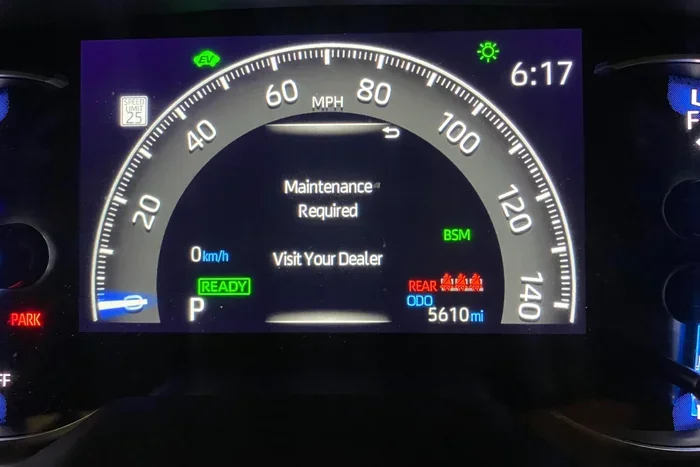
Visual guide about Toyota dashboard maintenance light
Image source: rav4resource.com
Start by turning your vehicle on. You do not always need to drive. In many cases, you can complete the reset while the car is in park. Put your foot on the brake and press the start button or turn the key. Next, look for the vehicle settings on your display. The exact wording can vary, but it is often listed under Vehicle Settings, Maintenance, or Oil Maintenance.
Once you find the maintenance menu, select the reset option. The screen may ask you to confirm the reset. Use the steering wheel arrows or buttons to approve it. After confirmation, the light should turn off. If it does not clear immediately, try turning the car off and back on again.
Step-by-Step Reset for Display-Based Models
Here is a simple sequence you can follow:
- Turn the ignition on without starting a long drive
- Use the steering wheel controls to open the settings menu
- Navigate to the maintenance or oil reset section
- Select the reset or acknowledge option
- Confirm the change and wait for the light to clear
This approach is one of the most common answers when drivers ask how to turn off maintenance required light Toyota. It is clean, direct, and does not require tools. If your model uses a slightly different menu name, do not worry. The structure is usually very similar across trims.
How to Turn Off Maintenance Required Light Toyota With the Ignition Dial or Pedal Method
Some Toyota vehicles use a different reset style. Older models and certain trims may rely on the ignition dial or a pedal-hold method. This process can feel a little unusual at first, but it is still straightforward once you know the pattern.
A common method involves turning the car to the on position without fully starting the engine. Then you may need to press the gas pedal a set number of times. In other versions, you hold the ignition button or dial in a specific way while watching the dashboard. The goal is the same in every case: tell the system that the service has been completed.
If you try this method, move slowly and pay attention to the display. The dashboard often gives you feedback by flashing the light or showing a message. That feedback matters. It tells you whether the reset worked.
Common Dial and Button Patterns
While the exact steps can vary, these patterns appear often:
- Turn the vehicle to the on position
- Press the accelerator pedal three to five times in quick succession
- Hold the ignition button or dial until the light responds
- Watch for a confirmation message on the dash
- Turn the vehicle off and restart it to verify the result
This is another reliable way to handle how to turn off maintenance required light Toyota. If one pattern does not work, check whether your model uses a different sequence. Small differences in button placement or display menus can change the process slightly.
Model-Specific Tips for Toyota Owners
Toyota makes many popular models, and each one can have its own reset style. That is why it helps to think about your specific vehicle. A Camry, Corolla, Highlander, or 4Runner may not all use the exact same menu. Still, the overall idea stays similar. You locate the maintenance setting, confirm the reset, and check that the light clears.
If you drive a Camry, the reset is often tied to the multi-information display. If you drive a Corolla, the steps may be even simpler depending on the year. Larger models like the Highlander can include more menu layers, but they usually remain easy to navigate. The key is patience. Do not rush. Take your time and read the screen prompts.
Some drivers also search for related resets after they clear the maintenance light. For example, you might want to know how to reset tire pressure light Toyota Camry if your TPMS indicator appears later. Others may look up how to reset engine light Toyota when a different warning shows up. These tasks are related because they all involve dashboard indicators, but each one has its own purpose.
Quick Model Comparison
Here is a simple comparison to show how reset styles can differ:
| Model Type | Typical Reset Style | Difficulty |
|---|---|---|
| Toyota Camry with display | Steering wheel or screen menu | Easy |
| Toyota Corolla with basic dash | Pedal or ignition button sequence | Easy to Moderate |
| Toyota Highlander with larger screen | Vehicle settings menu | Easy |
| Older Toyota models | Button or pedal reset pattern | Moderate |
This table gives you a general idea, but your car may still vary. Always use the method that matches your dashboard layout. If you want more help with a specific Camry reset, you can also review how to reset Toyota Camry maintenance required light for a model-focused walkthrough.
What to Do After the Light Turns Off
Once the maintenance light is off, do a quick check. Start the car and look at the dashboard. Make sure the symbol stays gone. If it returns right away, the reset may not have registered fully. In that case, repeat the steps carefully. Sometimes the system needs a second attempt.
You should also confirm that the service was actually completed. If the light was on because of an oil change, make sure the oil was replaced. If it was on because of a routine inspection, make sure that inspection happened. The reset tells the car that the work is done. It does not perform the work for you.
After resetting, keep an eye on your mileage or service schedule. Many Toyota owners use a simple notebook, phone reminder, or maintenance app. That makes future resets easier because you will know when the next service is due. It also helps you avoid surprise lights later on.
Simple Maintenance Habits
Good habits reduce dashboard alerts and keep your car running smoothly. Try these easy practices:
- Track oil changes by mileage or date
- Check tire pressure during monthly inspections
- Replace worn wiper blades before they streak
- Listen for unusual noises during routine drives
- Keep service records in one place
If you ever need to handle other Toyota care tasks, you can explore helpful guides like how to change cabin air filter Toyota Corolla or how to change cabin air filter in Toyota Camry. Small maintenance jobs like these can make a big difference over time.
Common Mistakes When Resetting the Maintenance Light
Even a simple reset can go wrong if you miss a step. One common mistake is resetting the light before the service is done. That can hide a real maintenance need. Another mistake is moving too fast and skipping a confirmation step. If the screen asks you to approve the reset, make sure you do.
Some people also confuse the maintenance light with more serious warnings. If your car is shaking, losing power, or making strange noises, do not assume the issue is just a reminder light. In that case, it is smarter to look into the problem first. A maintenance reset should not replace proper diagnosis when something feels off.
Another frequent issue is using the wrong method for the model year. A process that works for one Toyota may not work for another. That is why it is smart to match the reset style to your dashboard type. If your car has a modern screen, use the menu. If it has a simpler setup, use the pedal or button pattern.
Fast Troubleshooting Tips
If the light will not turn off, try these checks:
- Repeat the reset steps slowly and carefully
- Make sure the car is in the correct ignition mode
- Look for a confirmation message on the display
- Check whether the vehicle needs a short drive to register the reset
- Consult the owner manual for model-specific wording
If you are dealing with a newer Camry and the light keeps returning, you may find it useful to read how to reset Toyota Camry 2026 maintenance light for a more current walkthrough. Different model years can change the menu layout.
When to Get Extra Help
Most maintenance light resets are easy. But there are times when you may want extra guidance. If your dashboard shows multiple warning lights, it is worth paying closer attention. If the maintenance light returns again and again, you may have missed a service item or a confirmation step.
You should also take note if the light appears with other symptoms. Reduced fuel economy, rough idling, or unusual smells are signs that deserve attention. The maintenance light alone may be harmless, but combined symptoms can point to a bigger issue. Trust your instincts. If something feels wrong, get it checked.
If you want more background on Toyota reliability before you decide what to do, you might enjoy reading how reliable is the Toyota Camry. Understanding your vehicle’s general durability can help you separate routine reminders from real concerns.
Expert Insight
The best approach is simple: treat the maintenance light as a reminder, not a mystery. Learn the reset process for your exact model, keep up with basic service, and verify the light after each reset. That combination keeps your dashboard clear and your car healthy. It also saves you from unnecessary stress every time a reminder pops up.
Final Thoughts on Resetting the Light
Knowing how to turn off maintenance required light Toyota gives you more control as a driver. It is a small task, but it can make your daily routine smoother. You do not need fancy tools or advanced mechanical skills. You just need to follow the right steps for your vehicle.
Remember that the light is there to help you. It reminds you to stay on schedule with service. Once the work is done, resetting it is usually quick. Keep your manual nearby, move slowly through the menu or button sequence, and confirm the result on your dashboard. With a little practice, this becomes an easy part of owning a Toyota.
If you stay consistent with maintenance and reset the light correctly, you will spend less time worrying about dashboard alerts. That means more time enjoying the road ahead.
Frequently Asked Questions
How do I know if my maintenance light is just a reminder?
The maintenance light usually appears on a schedule and does not come with strange noises or performance problems. If your car drives normally, it is often just a routine service reminder rather than a serious warning.
Can I turn off the maintenance light without an oil change?
You can reset the light, but you should still complete the service it is reminding you about. Turning it off without maintenance may hide a needed oil change or inspection.
Why does the maintenance light stay on after I reset it?
It may stay on if the reset was not confirmed fully or if the vehicle has not registered the change yet. Try the reset again, then restart the car and see if the light clears.
Is the maintenance required light the same as the check engine light?
No, they are different. The maintenance light is usually a scheduled reminder, while the check engine light often points to a sensor or engine issue that needs diagnosis.
Do all Toyota models use the same reset method?
No, the method can vary by model year and dashboard style. Some use steering wheel menus, while others use pedal or ignition button sequences.
What is the fastest way to learn how to turn off maintenance required light Toyota?
The fastest way is to check your dashboard type and follow the matching reset steps. If your car has a screen menu, use that. If it has a simpler dash, use the button or pedal method for your model.